
Table of Contents
Don't have the time to read the entire post? Our human writers will be sad, but we understand. Summarize the post with your preferred LLM here instead.
Customer identity is central to every business. As every organization’s digital footprint grows, it is vital to synchronize customer identity information across every tool that touches the customer journey. Leveraging accurate and verified identity information can help organizations deliver a seamless user experience, improve conversion, and offer targeted support.
Descope’s connectors with HubSpot and Twilio Segment help organizations orchestrate customer identity information from their authentication and user journey flows. Organizations using the connectors can provide personalized onboarding experiences by automatically creating contact and deal records, tracking and passing on user traits to other tools, and more.
These connectors are used by several Descope customers, with Branch Insurance sharing the following feedback:
“Apart from improving security, Descope's workflow-based approach has helped us streamline and personalize our onboarding journey - from the initial email invite to the user's first login. It has also let us quickly experiment and iterate, as changes can easily be made in Descope's flow builder. We rely on the Segment connector to capture and share user journey touchpoints with other tools.” - John MaGee, Product Manager
About HubSpot
HubSpot is a Customer Relationship Management (CRM) platform that helps organizations manage and serve their customer contacts at every stage of the customer journey. HubSpot has different products catering to marketing, sales, service, content management, operations, and commerce, with a common underlying CRM database powering all products.
HubSpot is used by over 194,000 customers including Reddit, Eventbrite, Doordash, and Tumblr.
About Twilio Segment
Twilio Segment is an AI-powered Customer Data Platform (CDP) that brings together accurate, consented, and real-time customer data to help organizations get a complete picture of their user journey. Customers use Twilio Segment to enrich customer profiles with relevant signals, disseminate customer data into other tools, improve audience quality for digital ads, and anticipate customer needs to drive conversions and sales.
Twilio Segment is used by over 25,000 customers including Levi’s, Staples, Intuit, and Drift.
Overview of connectors
The Descope connector with HubSpot enables customers to:
Retrieve a specific HubSpot contact’s information in your Descope user journey flows.
Automatically create a new contact record in HubSpot from your Descope flows.
Automatically create a new deal record in HubSpot from your Descope flows.
Automatically create a new company record in HubSpot from your Descope flows.
Orchestrate user journeys in a no-code workflow combining HubSpot data / actions alongside data / actions from other tools such as Segment, Twilio, Intercom, Datadog, and more.
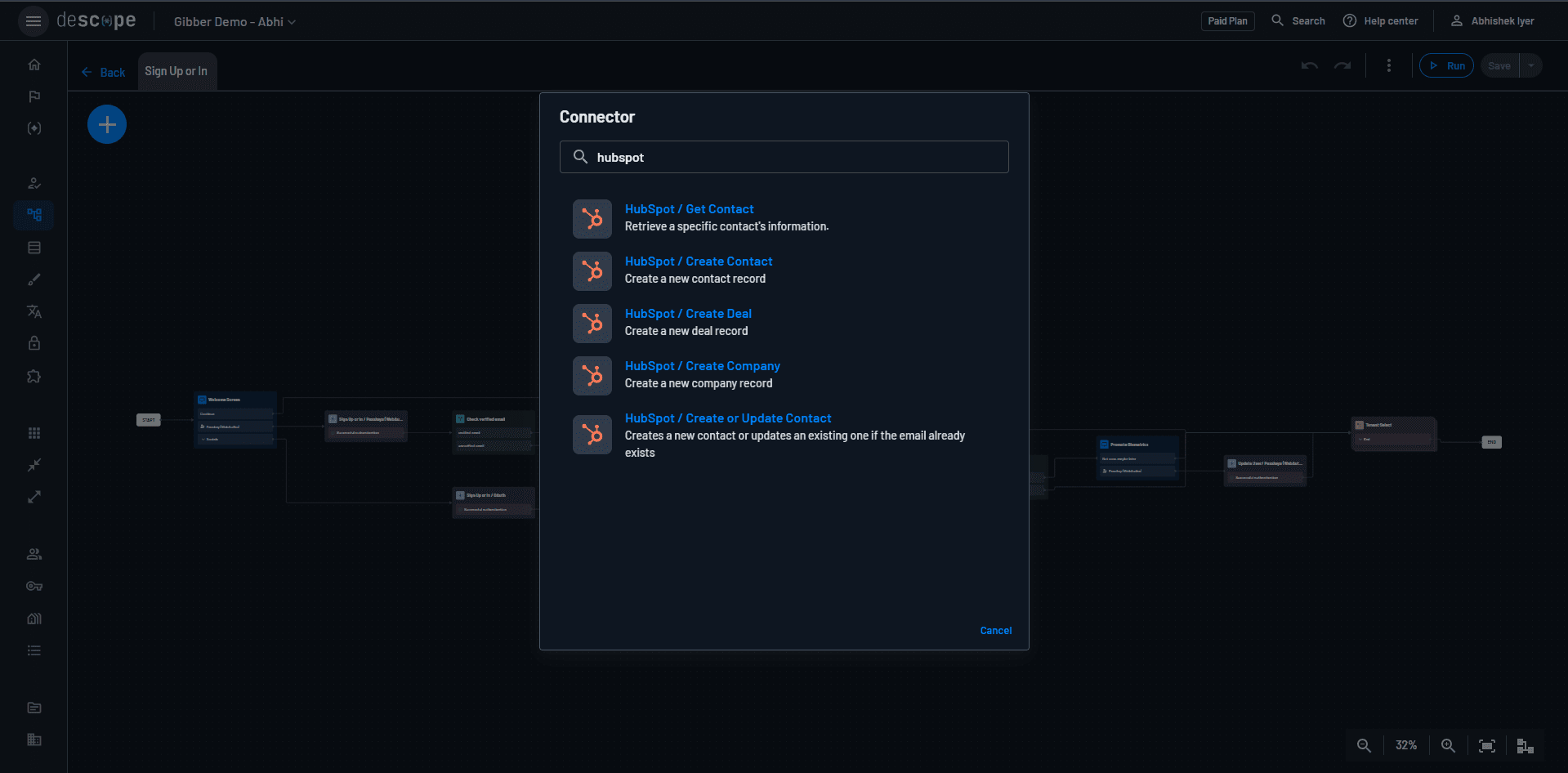
You can learn more by visiting our documentation on the HubSpot connector.
The Descope connector with Segment enables customers to:
Add a Segment Track call to your Descope user journey flows to record actions of interest your users perform with either known or anonymous IDs.
Add a Segment Identify call to your Descope user journey flows to tie a user to certain actions they perform through either a known or anonymous ID.
Add a Segment Page call to your Descope user journey flows to see which pages users are visiting (both known users and users with anonymous IDs).
Orchestrate user journeys in a no-code workflow combining Segment data / actions alongside data / actions from other tools such as HubSpot, Twilio, Intercom, Datadog, and more.
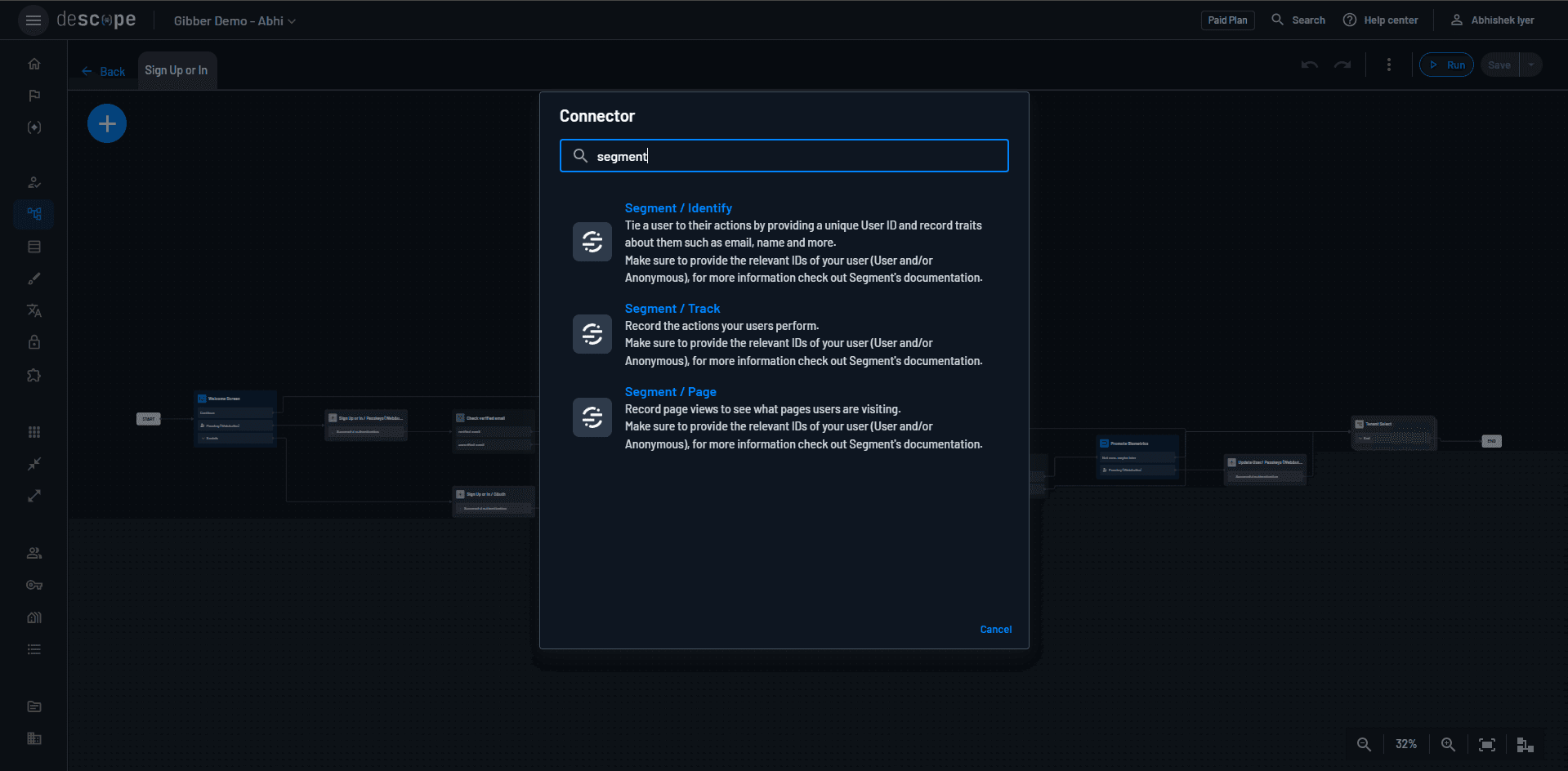
You can learn more by visiting our documentation on the Segment connector.
Use case: Automated contact and deal creation
When a customer signs up for your app, capturing and sharing their identity information with your CRM can become a complex, manual, and unscalable process. Similarly, if a user is willing to pay for your app or service, creating and tracking deals in your CRM can add operational overhead if not implemented thoughtfully.
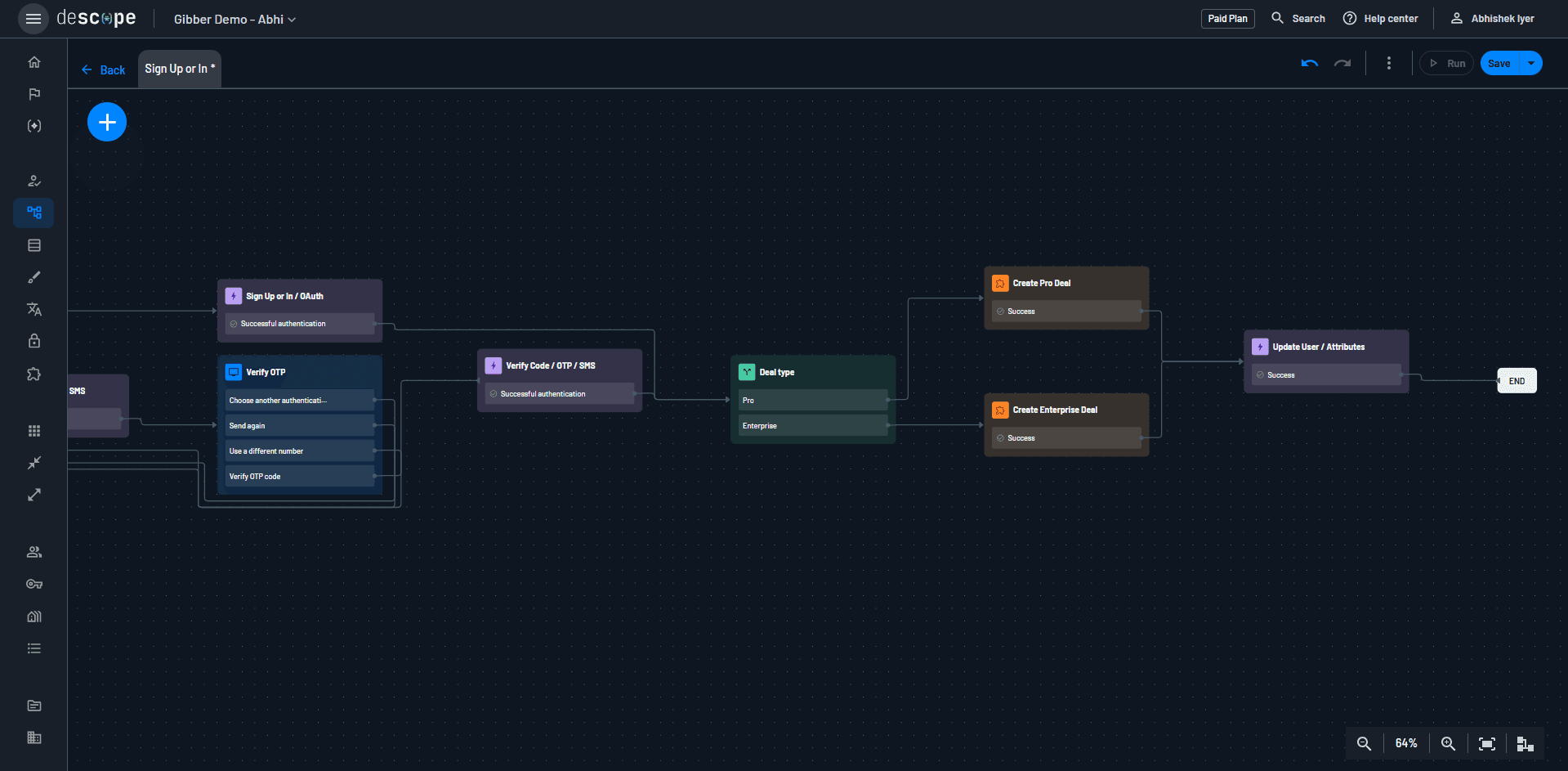
Using Descope’s HubSpot connector, you can add actions to create contacts or deals right in your user journey flows. In the screenshot below, the flow collects tier information from the user (Pro, Enterprise) and automatically creates a deal with relevant deal amounts, deal owner, deal stage, and similar details.
Use case: Streaming customer journey data
Most people research, use, and pay for products and services online. It’s more important than ever for organizations to validate and pass along user identity information along with any audience traits to their GTM stack, all with the user’s consent. Accurately capturing this data can help organizations spot trends, fix drop offs, win back at-risk customers, and provide personalized onboarding.
Using Descope’s Segment connector, you can add Identify, Track, and Page calls in your user journey flows.
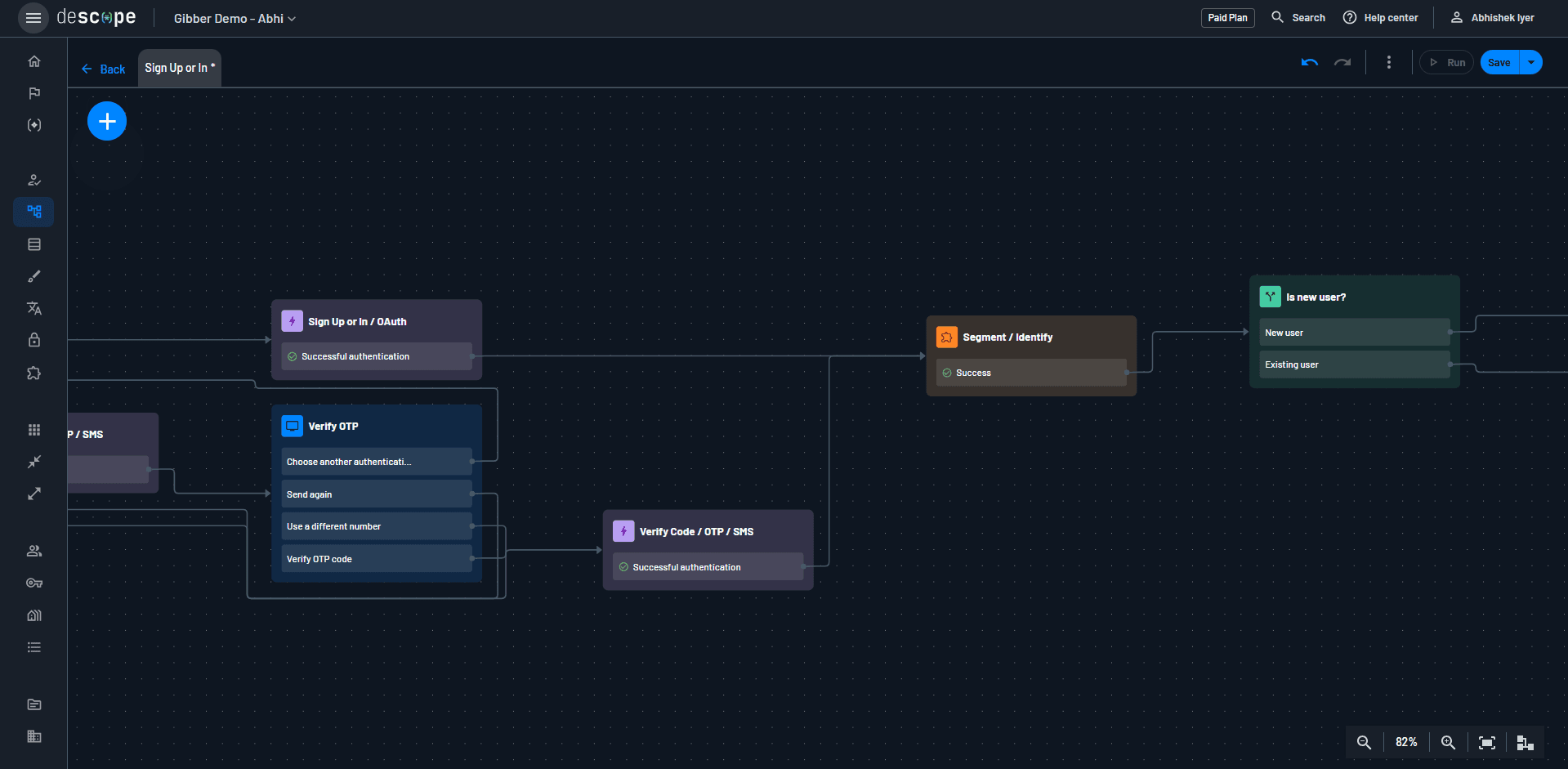
Identify calls – as shown in the screenshot below – tie a user to their actions and let you record traits about them in the rest of the flow. It’s good practice to issue Identify calls after every signup, login, or user information update.
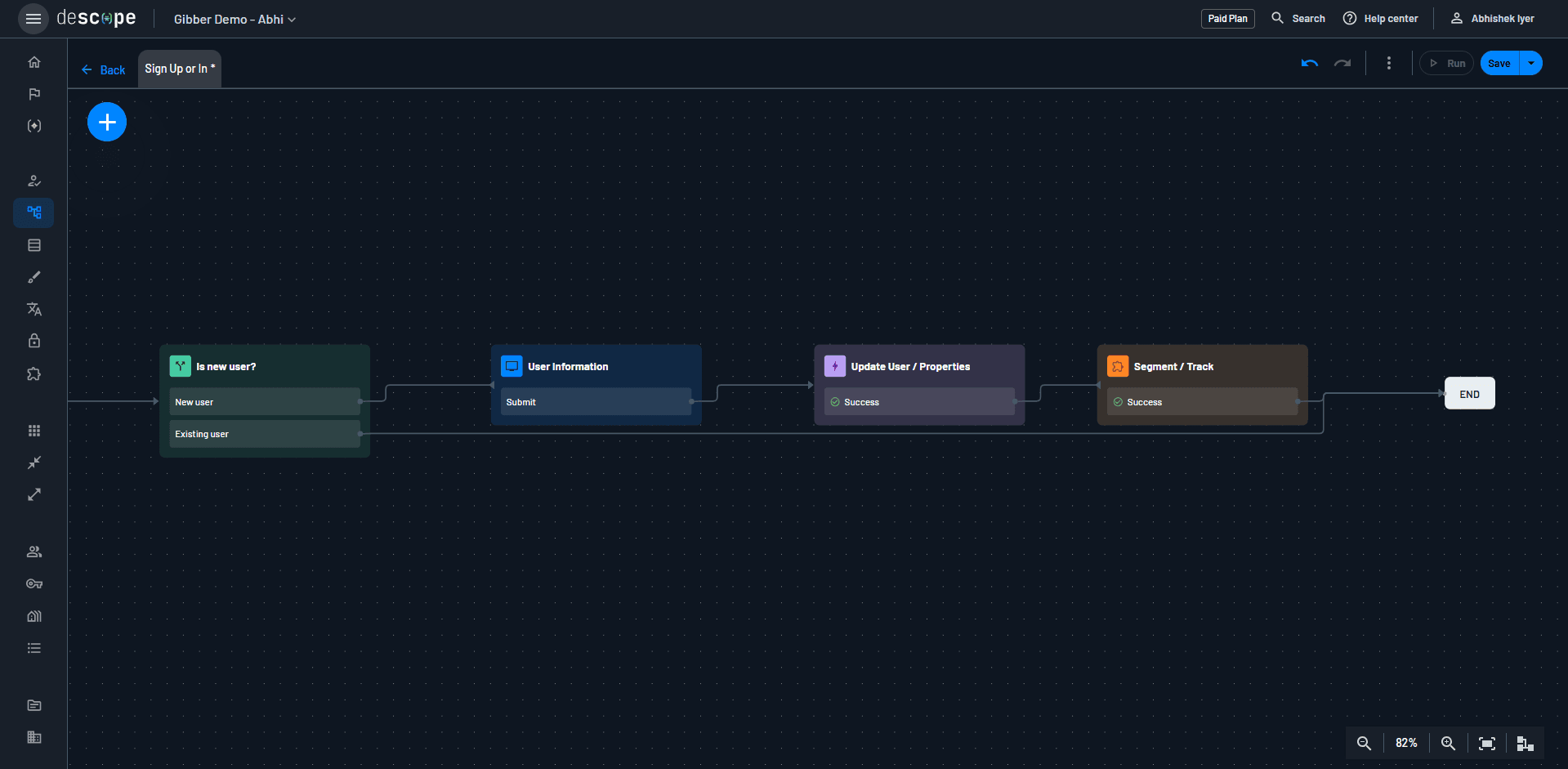
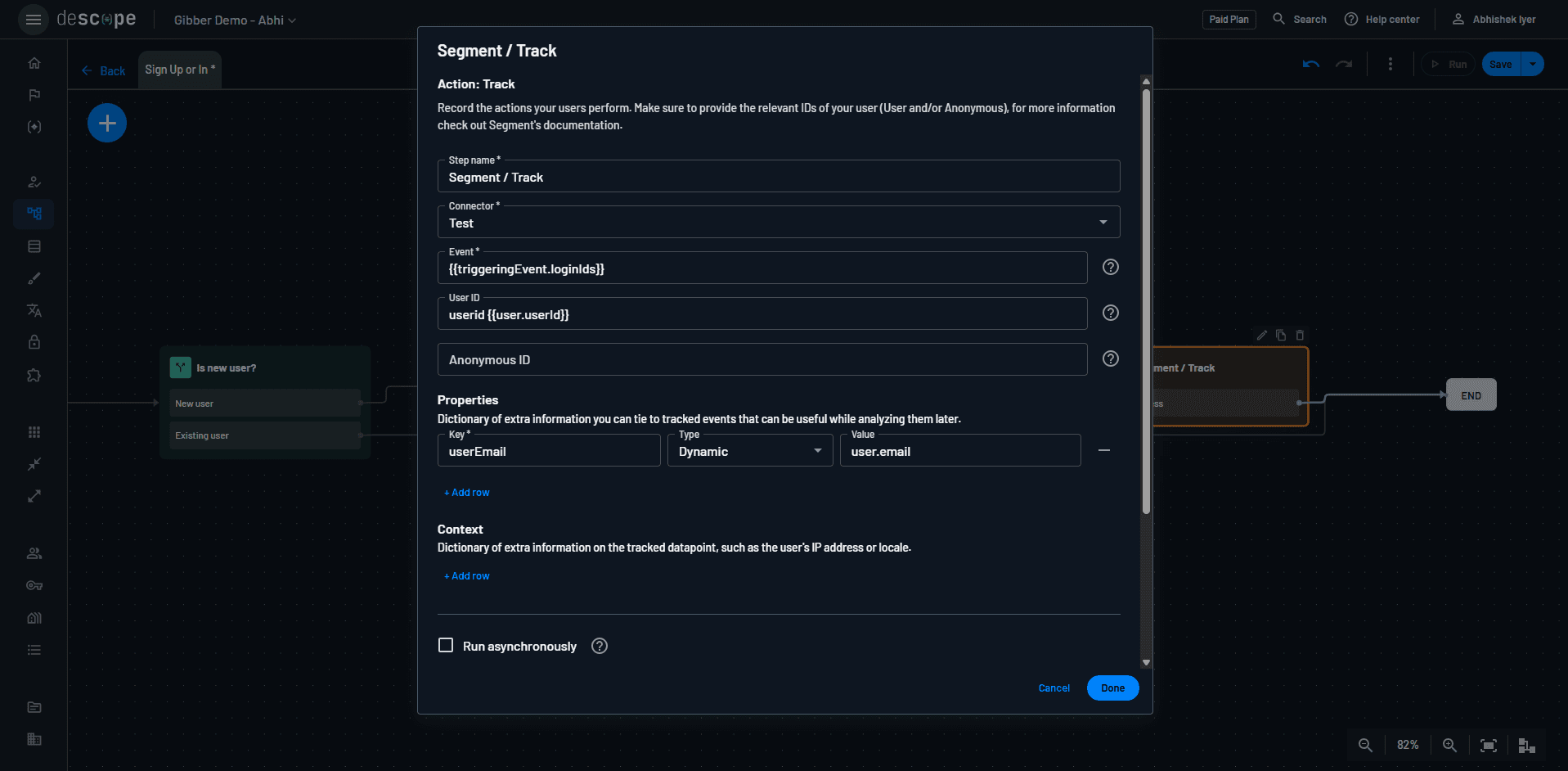
Track calls – as shown in the screenshot below – allow you to track user actions along with any associated properties that you can define and map directly in the Descope UI. The screenshot below issues a Track call at the end of a sign up / in flow to capture the user’s email.
Conclusion
This connector helps you share customer identity traits with your go-to-market platforms right from your authentication flows.
Interested to learn more about either connector? Check out our docs for Segment and HubSpot. If you haven’t yet started your Descope journey, sign up for a Free Forever account and set up your own HubSpot and Segment connectors. To explore other connectors, visit our integrations page.