
Table of Contents
Don't have the time to read the entire post? Our human writers will be sad, but we understand. Summarize the post with your preferred LLM here instead.
Today’s B2B apps need to do more than just handle authentication. Enterprise customers now look for self-service identity management, so tenant admins and users can manage access, apps, roles, permissions, and workflows on their own.
As SaaS platforms expand, customers expect more control over tenant management, user operations, access keys, and admin tasks. They want to manage their environments themselves without needing support tickets or help from engineering for everyday identity tasks.
Building these features in-house can get complicated fast. Teams have to develop custom admin dashboards, authorization tools, role management, and tenant workflows, all while keeping things secure and scalable. This often leads to more engineering work, inconsistent admin experiences, and extra maintenance for both frontend and backend.
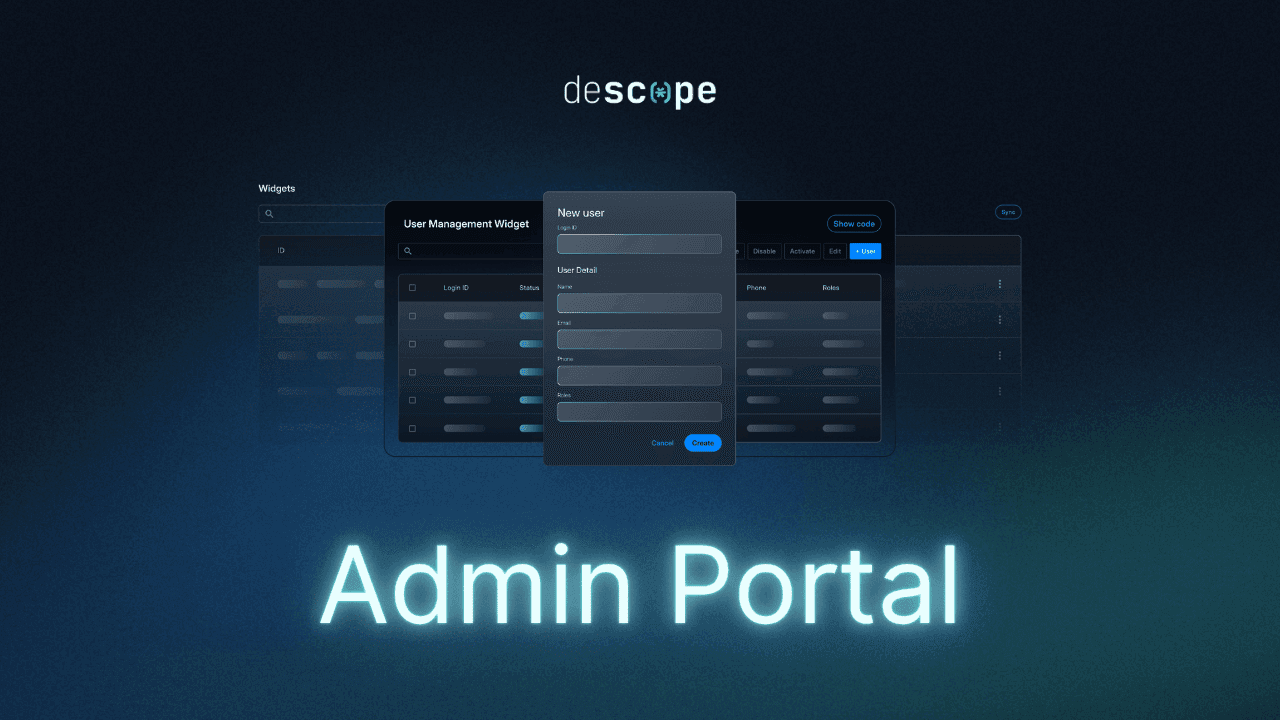
To address these challenges, Descope is launching the Admin Portal today. This hosted, tenant-aware solution uses Descope Widgets to give organizations a central, branded self-service portal. Users and tenant admins can securely manage identity, access, apps, and admin tasks without your engineering team having to build custom tools from the ground up.
The Admin Portal is built for today’s B2B and multi-tenant apps. It helps teams get enterprise-ready faster and gives customers the delegated admin and self-service features they want.
How the Admin Portal works
The Descope Admin Portal gives organizations a flexible, hosted way to manage identities, all set up from the Descope Console. Rather than creating custom admin tools, teams can use Descope Widgets to build a tenant-aware portal and offer it to users and tenant admins in one branded place.
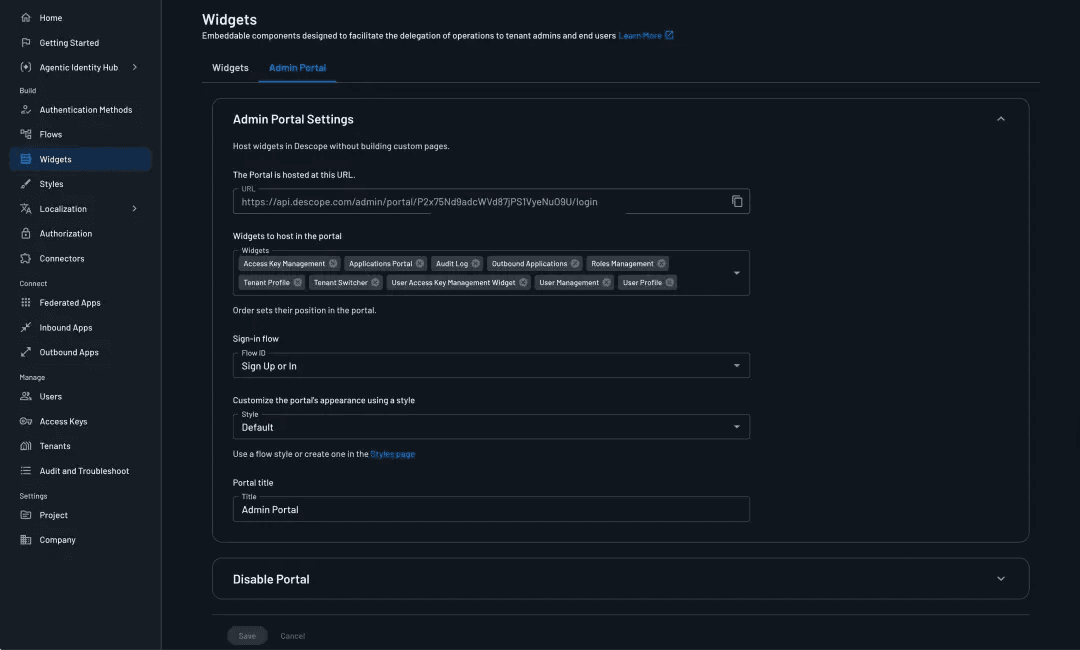
Configure widgets for your use case: Teams can select which widgets show up in the Admin Portal, such as user management, role management, access key management, application access, tenant profile management, and user profile features.
Control the navigation experience: The Admin Portal navigation is fully configurable, allowing organizations to determine which widgets appear and the order in which they appear in the left-side navigation menu.
Assign the authentication journey: Organizations can select which Descope Flow to use for user authentication in the portal, ensuring the experience aligns with their broader authentication and security requirements.
Customize branding and styling: The Admin Portal inherits the project’s styling and branding configuration, helping teams deliver a consistent experience without additional frontend development. Teams can create custom styles and select between dark and light theme for the Admin Portal.
Enable or disable the portal anytime: Teams can activate or deactivate the hosted portal directly from the Descope Console, providing operational flexibility without infrastructure changes.
Tenant-aware and role-aware access
The Admin Portal works well for multi-tenant and enterprise setups, where users need different levels of access and control. Access is set automatically based on tenant membership and permissions.
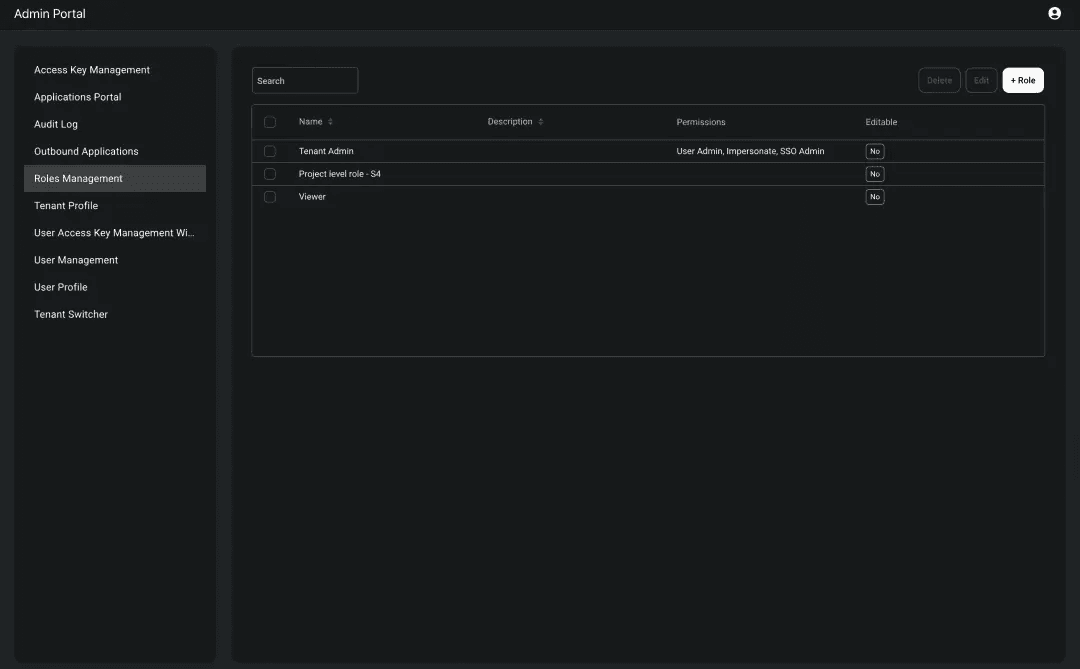
Tenant membership controls access: Users must belong to a tenant to access the Admin Portal, ensuring the experience remains securely scoped to the appropriate organization.
Permissions adapt by role: Tenant admins, managers, viewers, and others each get the level of access their organization needs.
Users only see authorized actions: Even when widgets are enabled in the portal configuration, users only see the administrative actions and capabilities they are permitted to perform.
Admin Portal use cases
The Descope Admin Portal is designed for modern B2B and multi-tenant applications that need secure, scalable self-service identity administration. Here are a few examples of how organizations can use the Admin Portal to simplify customer operations, delegated administration, and tenant management at scale.
Simplify tenant administration for B2B SaaS customers
Acme Analytics is a B2B SaaS platform that helps enterprise customers manage their own admins, teams, and access needs. These admins want to handle users, roles, and app access on their own, without needing help from support or engineering.
As the platform grows, it gets harder and more costly to keep up with custom admin dashboards and tools for each tenant. This adds more work for engineers and makes it harder to onboard new customers quickly.
How Descope helps
Descope’s Admin Portal lets tenants manage their own administration securely and easily.
Tenant admins can manage users and permissions on their own
Admins can see application access, audit logs, and manage profiles all in one place
Actions are controlled automatically based on each user's role
You can cut down on engineering work by removing the need for custom admin tools
Manage partner ecosystems with delegated administration
GlobalSupply Connect works with many distributors, suppliers, and logistics partners who all need access to shared systems. Each partner needs its own separate admin area to manage users and permissions on their own.
If there is no delegated administration, internal teams have to handle onboarding, access changes, and user management for everyone in the network. Organizations may have to use manual steps or build custom tools to manage partners as they grow.
How Descope helps
Descope makes delegated administration secure and easy with a central Admin Portal.
Give each partner organization its own separate admin area
Partner admins can manage users and access on their own
Admins can see and set permissions based on user roles
Make it easier to onboard partners and lower your team's workload
Why it matters
As B2B applications grow, managing identities gets complicated. Many companies build their own admin dashboards, tenant management systems, and access tools, which takes a lot of engineering time and ongoing work.
The Descope Admin Portal makes things simpler for teams and gives enterprise customers the self-service admin features they expect.
Reduce engineering overhead
The Admin Portal provides a hosted, tenant-aware administrative experience that eliminates the need to build many common identity management interfaces internally.
Avoid custom admin tooling: Deliver user, role, and tenant administration without building internal dashboards from scratch.
Simplify access management: Reduce the complexity of managing applications, permissions, and access keys across tenants.
Accelerate implementation: Configure and launch administrative experiences directly from the Descope Console.
Improve customer and partner experience
Enterprise customers and partners now expect to manage identities themselves and delegate admin tasks as needed.
Enable self-service administration: Allow tenant admins to independently manage users, roles, and access.
Deliver consistent branded experiences: Provide a centralized administrative portal aligned with your application branding.
Reduce operational friction: Streamline onboarding and day-to-day administrative operations.
Accelerate enterprise readiness
The Admin Portal lets organizations meet enterprise identity needs more quickly.
Support tenant-aware administration: Deliver secure, organization-scoped administrative experiences.
Enable role-based permissions: Ensure users only see the actions they are authorized to perform.
Centralize identity operations: Manage identity, access, and administration through a single hosted experience.
Simplifying self-service identity administration
The Descope Admin Portal gives organizations a centralized, tenant-aware experience for managing identity, access, applications, and administration without building custom admin tooling. By combining self-service administration, role-aware permissions, and hosted management experiences into a single portal, teams can simplify customer operations while delivering the enterprise-ready workflows modern B2B applications increasingly require.
If you are ready to try it yourself, sign up for a Free Forever account or book a demo with our team today!