
Table of Contents
Don't have the time to read the entire post? Our human writers will be sad, but we understand. Summarize the post with your preferred LLM here instead.
The best customer MFA solutions combine broad authentication method coverage (OTP, push, passkeys, biometrics) with adaptive, risk-based policies, so trusted users log in with minimal friction while risky sign-ins get extra verification. For customer-facing apps, that usually means a platform like Descope, Auth0, Microsoft Entra External ID, Firebase, Keycloak, Supabase, or Authentik, each with a different tradeoff between ease of setup, control, and cost.
Customer Multi-Factor Authentication (MFA) is the foundation of secure digital experiences. It’s essential for modern applications, as it protects accounts, safeguards sensitive data, and strengthens user trust across every interaction. By requiring users to confirm their identity with multiple factors such as a one-time passcode, biometric scan, or push notification, MFA helps prevent unauthorized access even when credentials like passwords are compromised.
A sound, adaptive approach prioritizes both UX and security. Effective customer MFA can significantly reduce account takeover risk, reduce fraud, and ensure compliance without adding unnecessary friction. Because customer MFA shapes onboarding, engagement, and retention, developers must evaluate available options carefully to find a solution that offers the right balance of security, compliance, and UX.
In this guide, we explore the leading customer MFA solutions available today, covering:
What MFA is and what to look for in a solution
A comparison of the 7 top options in terms of features, strength, and fit
A practical guide to choosing the best customer MFA solution for your needs
At a glance
Customer MFA solutions add a second validation step to logins for external users, protecting customer accounts without hurting the sign-in experience.
The seven customer MFA provider options compared here are Descope, Auth0, Microsoft Entra External ID, Firebase Authentication, Keycloak, Supabase, and Authentik.
Descope leads for teams that want to add and change MFA through developer-friendly no-code and low-code workflows, with adaptive MFA, passkeys, and native AI agent authentication built in.
Auth0 and Microsoft Entra External ID suit ecosystem-aligned teams, while Firebase, Supabase, Keycloak, and Authentik appeal to code-first and self-hosted use cases.
Choosing the right customer MFA solution depends on your user scale, your build-versus-buy preference, developer experience, pricing model, and whether you also need to authenticate AI agents.
Quick facts
What customer MFA is | A second identity check for external users, on top of a password or other primary login |
Who needs it | Any customer-facing app protecting accounts, payments, or sensitive data |
How it differs from workforce MFA | Built for scale and low friction across consumers and partners, not policy control over employee devices |
Common MFA methods | OTP, push notifications, passkeys, magic links, and biometrics |
Key outcome | Fewer account takeovers and less fraud, without adding login friction |
What is MFA?
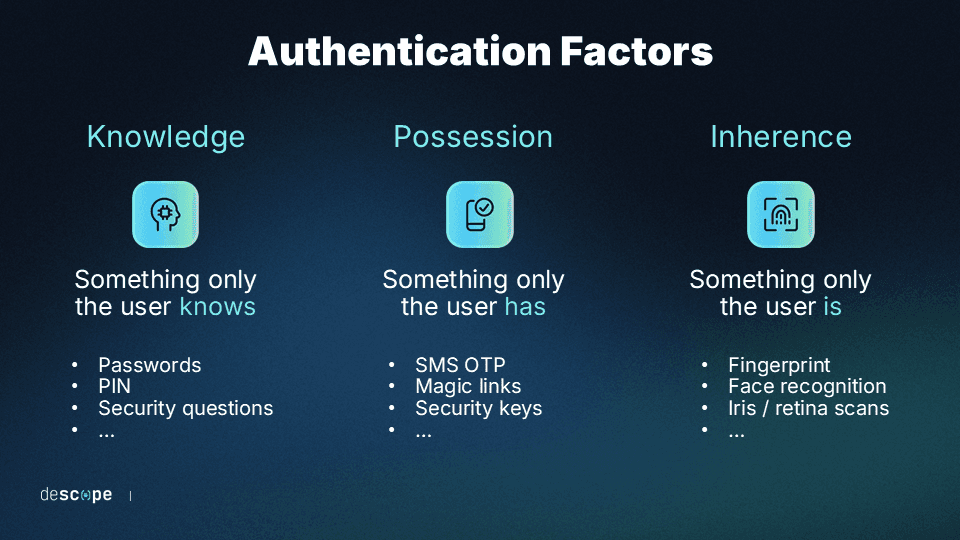
Multi-factor authentication (MFA) is the process of validating a user’s identity using two or more independent factors. These typically include something the user knows, something they have, or something they are. By combining these elements, MFA significantly lowers the risk of compromised credentials being used for unauthorized access.
Modern MFA goes beyond static codes or passwords. Developers can now implement adaptive MFA that evaluates contextual signals such as device trust, IP reputation, and user behavior to determine when additional verification is needed. This balance between security and usability allows trusted users to log in smoothly while increasing protection when risk is detected.
Customer MFA vs workforce MFA
Customer MFA protects external users such as customers and partners at scale and prioritizes a low-friction experience, while workforce MFA protects employees and prioritizes policy enforcement and device control.
MFA deployments can also be tailored to specific use cases beyond that core split. Customer MFA is designed to meet the needs of clientele and external parties, while workforce MFA is meant primarily for employees and internal parties. Each has features that cater to the specific needs of its users.
Core components of customer MFA often include:
Authentication methods: OTPs, push notifications, passkeys, or magic links.
Adaptive policies: Context-aware authentication that adjusts security based on device, location, or session risk.
Workflow orchestration: Tools to design MFA steps visually or programmatically across multiple applications or tenants.
Lifecycle management: Covering user enrollment, recovery, and factor management.
Integrations: Support for risk engines, analytics, and compliance systems.
Unlike internal workforce MFA, customer MFA must scale across a wide range of audiences including consumers, partners, and business customers. Each group may require different identity providers, branding, and user journeys.
The right customer MFA solution helps developers deliver secure, low-friction login experiences that grow with their applications. Below, we compare seven leading MFA platforms designed to protect external users while keeping authentication simple and adaptable.
What to consider when looking for a customer MFA solution
Choosing the right customer MFA platform depends on your application’s users, risk profile, and growth goals. While most solutions offer basic two-factor authentication, customer-facing environments require more flexibility, scalability, and adaptability to user context.
A lot of multi factor authentication software is built primarily for securing employees, so it’s worth checking that a platform is actually designed for customer-facing scale before you commit to it.
Key factors to evaluate include:
Multiple authentication methods: Support for OTPs, push notifications, passkeys, and magic links to provide users with secure and convenient options.
Adaptive and risk-based security: Ability to adjust MFA prompts dynamically based on device trust, IP reputation, and behavioral signals.
Tenant management: Tools to define per-tenant MFA policies and configurations for B2B or multi-tenant apps.
User experience: Prebuilt UI components and customizable workflows that integrate into your app’s design.
Developer experience: How quickly a team can add MFA, the quality of the SDKs and documentation, and whether flows can be changed without redeploying.
Integration ecosystem: Native connectors for fraud detection, risk scoring, analytics, and identity providers.
AI agent and non-human identity support: Whether the platform can authenticate AI agents and service accounts in addition to human users. This is one of the fastest-growing MFA requirements in 2026.
Scalability and compliance: Reliable performance, audit trails, and compliance readiness for growing user bases and regulated industries.
A strong customer MFA solution balances protection with usability, enabling teams to deliver secure, frictionless login experiences across all audiences, from end users to business partners.
With these considerations in mind, let’s explore the top customer MFA solutions available today.
Also read: 5 Core Benefits of MFA (When Done Correctly)
Comparing the top customer MFA solutions
The top options for customer MFA range from full-featured CIAM platforms to tailored MFA solutions. Each offers a wide variety of MFA options, like OTP, magic links, or proprietary apps. Some offer greater control over security, UX, and other features, usually at the cost of higher complexity.
Here’s how the best MFA solutions for customer-facing apps stack up at a glance:
Provider | Key features | Developer experience | Free tier / pricing model | Best for |
|---|---|---|---|---|
Descope | Adaptive MFA, passkeys, visual workflows, step-up security, multi-tenant management, agentic AI and MCP support | Visual workflow editor, 15+ SDKs, no-code and low-code flows | Free Forever tier includes MFA and adaptive MFA up to 7,500 MAUs; usage-based pricing above that | Dev and product teams building consumer-facing or SaaS apps that need strong ID management without unnecessary complexity |
Auth0 | OTP, push, WebAuthn, adaptive MFA, branded login pages | Extensive SDKs and docs, but MFA config lives outside the no-code path | Free tier excludes MFA; MFA starts on the $35/month Essentials plan | Orgs that need broad standards coverage and can handle added complexity and cost |
Microsoft Entra External ID | FIDO2, Microsoft Authenticator, OTP, Conditional Access, lifecycle management | Strong for teams already in the Microsoft stack, less so outside it | Core tier free up to 50,000 MAUs; premium MFA features are paid add-ons | Regulated entities that need adaptive MFA and access controls plus easy Microsoft integration |
Firebase Authentication | TOTP, SMS OTP, passwordless, Google auth options, prebuilt UI libraries | Fast setup for mobile apps; MFA and multi-tenancy require upgrading to Identity Platform | Free Spark plan is limited; MFA and multi-tenancy are billed on the pay-as-you-go Blaze plan | Dev teams building mobile-first apps or that are okay with writing custom code |
Keycloak | TOTP, WebAuthn, or external MFA, OIDC, SAML, LDAP, configurable flows, multi-tenancy | Full control via the Admin Console, but manual setup and no official managed hosting | Free and open-source to self-host; no per-user fees, but you cover the infrastructure | Enterprises that want full control over MFA and have the DevOps resources to run it |
Supabase | OTP, TOTP, magic links, passwordless options, integrated Postgres database | Simple setup for teams already using Supabase for their backend | Free tier covers up to 50,000 MAUs, but MFA is a paid add-on starting around $75/month | Dev teams that need an open-source backend and auth combined, and can add MFA as a paid extra |
Authentik | TOTP, WebAuthn, push-based MFA, OIDC, SAML, LDAP, flexible policy engine | Self-hosted with an admin UI; open-source docs are solid but support is community-driven on the free tier | Free and open-source for self-hosting; paid enterprise tiers add support and SLAs | Dev teams seeking open-source and/or self-hosted MFA with strong interoperability |
Now, let’s take a closer look at each of these top contenders.
Descope
Overview
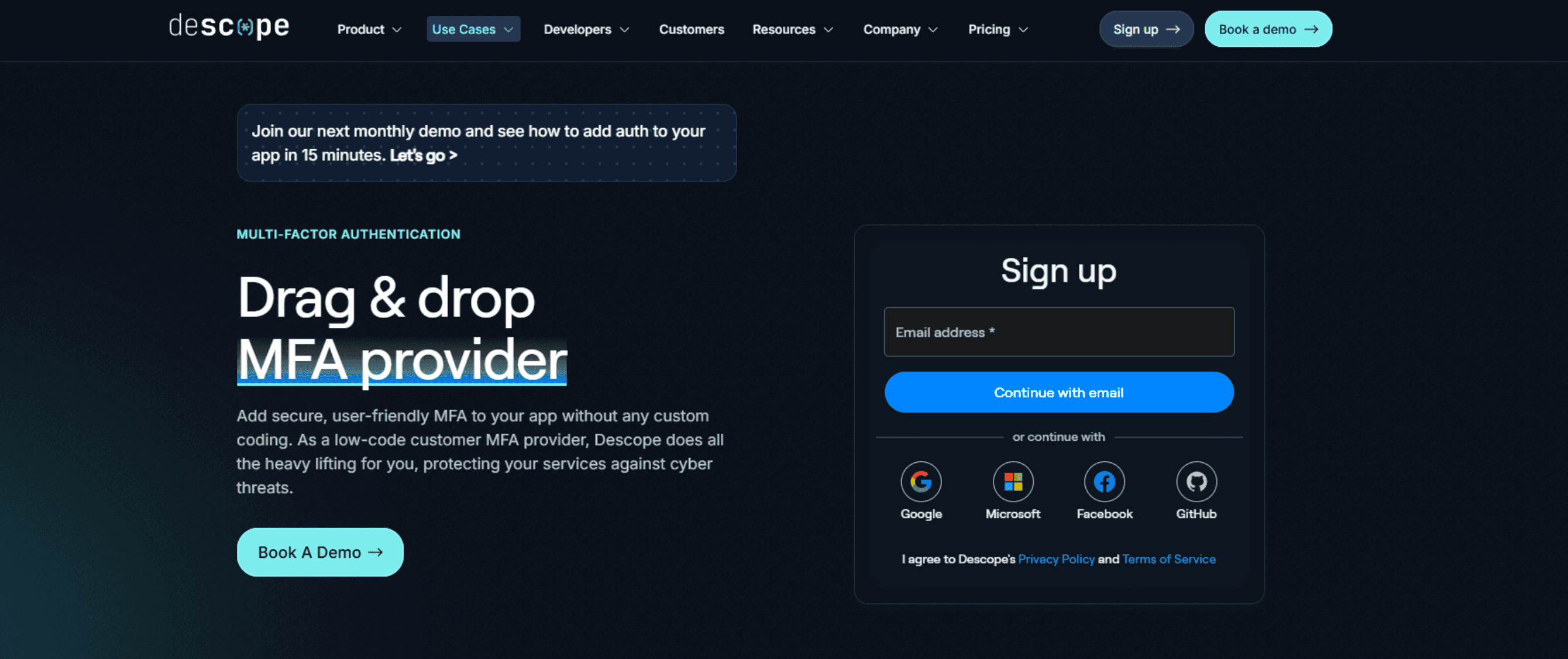
Descope is a customer MFA provider and a full-feature, no/low-code CIAM platform built to make MFA and passwordless login simple, secure, and adaptable for any external-facing application. Designed for developers and product teams, Descope enables the creation of frictionless authentication flows that combine multiple authentication methods such as passkeys, one-time passcodes, magic links, and biometrics.
Its visual workflow editor and extensive SDK library allow teams to design, test, and deploy adaptive MFA and passwordless experiences without writing backend code or managing infrastructure. As co-founder Slavik Markovich has put it, the goal behind Descope’s no-code approach is to “de-scope” authentication from every app developer’s daily work, so teams can focus on their core product instead of building, maintaining, and updating login flows themselves.
Beyond MFA, Descope supports multi-tenant SSO, fine-grained access control, and orchestration across B2C and B2B environments. eams can connect risk engines, fraud detection tools, and external identity providers within the same flow to protect user accounts while keeping login experiences fast and consistent across customers, partners, and AI agents.
Key capabilities
Broad MFA coverage – Support for multiple authentication methods including passkeys, OTP, magic links, social login, security questions, and biometrics.
Adaptive MFA and risk-based policies – Protect accounts with context-aware MFA, session management, and bot detection that respond dynamically to risk.
Visual workflow editor – Drag and drop MFA and passwordless steps to design adaptive authentication flows without writing backend code.
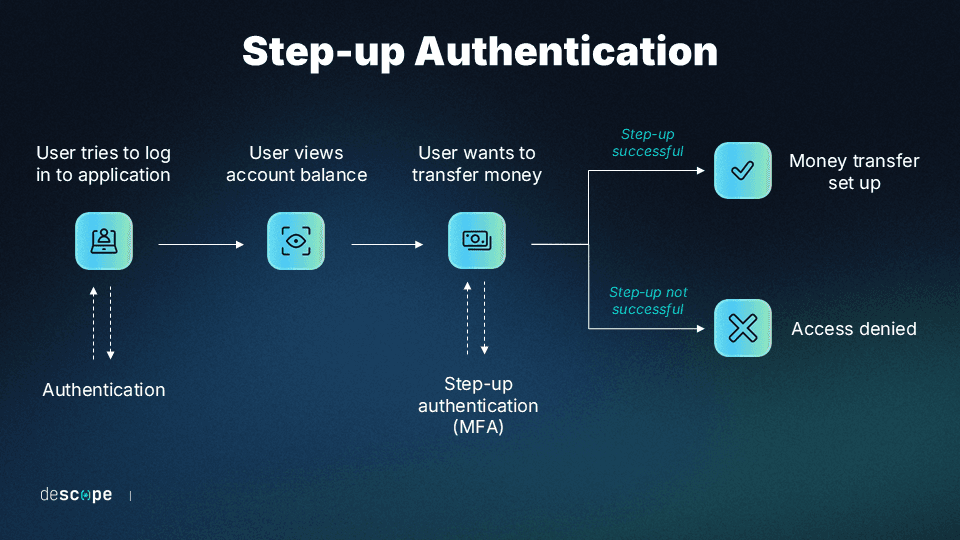
Step-up authentication – Add extra authentication checks before sensitive in-app user actions, like changing a shipping address or wiring money.
Prebuilt UI widgets – Embed MFA enrollment, verification, and recovery components directly into your app.
Journey-time orchestration – Connect MFA with fraud detection, authorization, compliance, and analytics tools.
Multi-tenant management – Configure MFA methods and access policies per tenant using built-in RBAC and FGA.
SDKs and APIs for modern frameworks – Support for over 15 SDKs, including Next.js, Flutter, and React Native.
Connector ecosystem – Integrate with third-party risk, fraud, and directory services for extended authentication intelligence.
Agentic identity support – Secure and manage consented authentication for AI agents and MCP ecosystems alongside human users.
Strengths
Adaptive protection: Context-aware MFA uses device, location, and behavioral signals to trigger additional verification only when necessary, balancing security and usability.
Dynamic factor selection: Flows can be customized to recommend the best MFA method for each situation, automatically switching to secure fallbacks when a factor isn’t available or practical.
Fast implementation: Visual workflows let teams design, test, and deploy authentication flows without backend complexity or infrastructure setup.
Augmentation-friendly architecture: Using Descope as an OIDC Provider, organizations can implement MFA without changing their existing auth systems.
Developer-first platform: SDKs, APIs, and prebuilt UI components make integration straightforward across modern frameworks.
Transparent pricing and reliable support: Usage-based pricing and responsive developer assistance help teams deploy confidently.
Limitations
As a newer platform than legacy providers like Auth0 or Microsoft’s identity stack, Descope has a smaller library of large-enterprise case studies, though its production customer base is growing quickly and consists of 1000+ organizations in production. Teams that specifically need decades-long vendor track records for procurement purposes may want to weigh that against the tradeoffs of a more modern, no-code architecture.
Ideal for
Descope is ideal for developers and product teams building consumer or SaaS applications that need passwordless authentication, multi-tenant SSO, and adaptive MFA without the complexity of managing identity infrastructure. It’s equally suited for startups launching fast and enterprises modernizing legacy systems.
Auth0
Overview
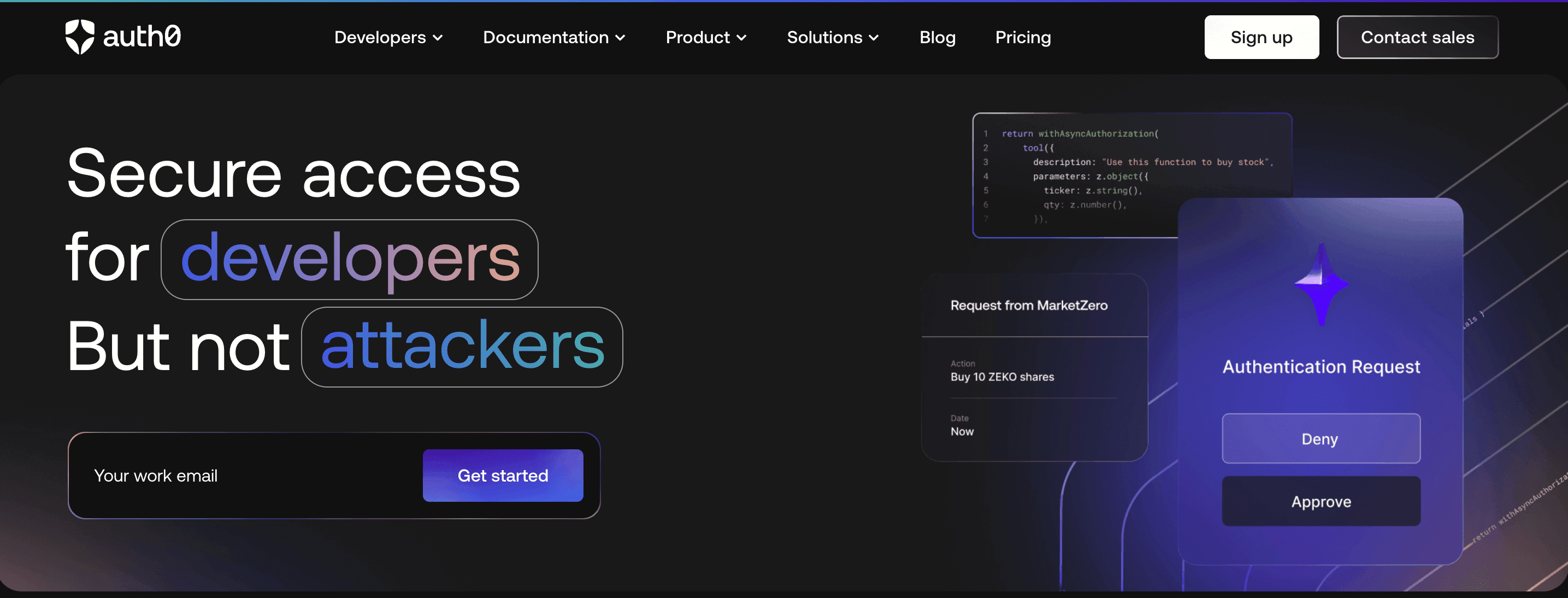
Auth0, part of Okta, is a well-known platform for customer MFA at scale. It supports OTP, push, and WebAuthn factors along with SSO, social login, and adaptive access controls. Developers can add MFA through Auth0’s APIs, Rules, and Actions, but the platform has notable limitations.
Auth0 cannot support MFA-only or MFA-augmentation use cases because its MFA API requires a primary Auth0-issued auth token, and some methods, such as magic links, can only be used as primary factors, not step-up MFA. As deployments grow, teams may also encounter added configuration complexity and higher-tier pricing: MFA itself isn’t available on Auth0’s free tier and requires the paid Essentials plan or above.
Key capabilities
Support for MFA methods such as OTP, push, and WebAuthn authentication
Adaptive MFA that applies additional checks based on user risk and behavior
Hosted login pages with customizable branding and localization
Integration with enterprise standards such as SAML, OIDC, and social identity providers
Strengths
Enterprise-grade MFA: Proven support for adaptive MFA and secure federation across large environments.
Developer ecosystem: Extensive SDKs, documentation, and integration marketplace for rapid setup and customization.
Mature platform: Trusted by enterprises with a large community and partner ecosystem.
Limitations
Auth0 pricing can escalate at scale, since MFA and other advanced features are gated behind paid tiers rather than included in the free plan. Add-ons stack up particularly quickly for larger deployments. MFA customization also tends to require more configuration and code than a no-code workflow.
Ideal for
Organizations that want a proven, enterprise-ready MFA solution with broad standards support and strong developer tooling. Auth0 is best for teams that can handle additional configuration complexity and cost in exchange for scalability, reliability, and enterprise features.
Microsoft Entra External ID
Overview
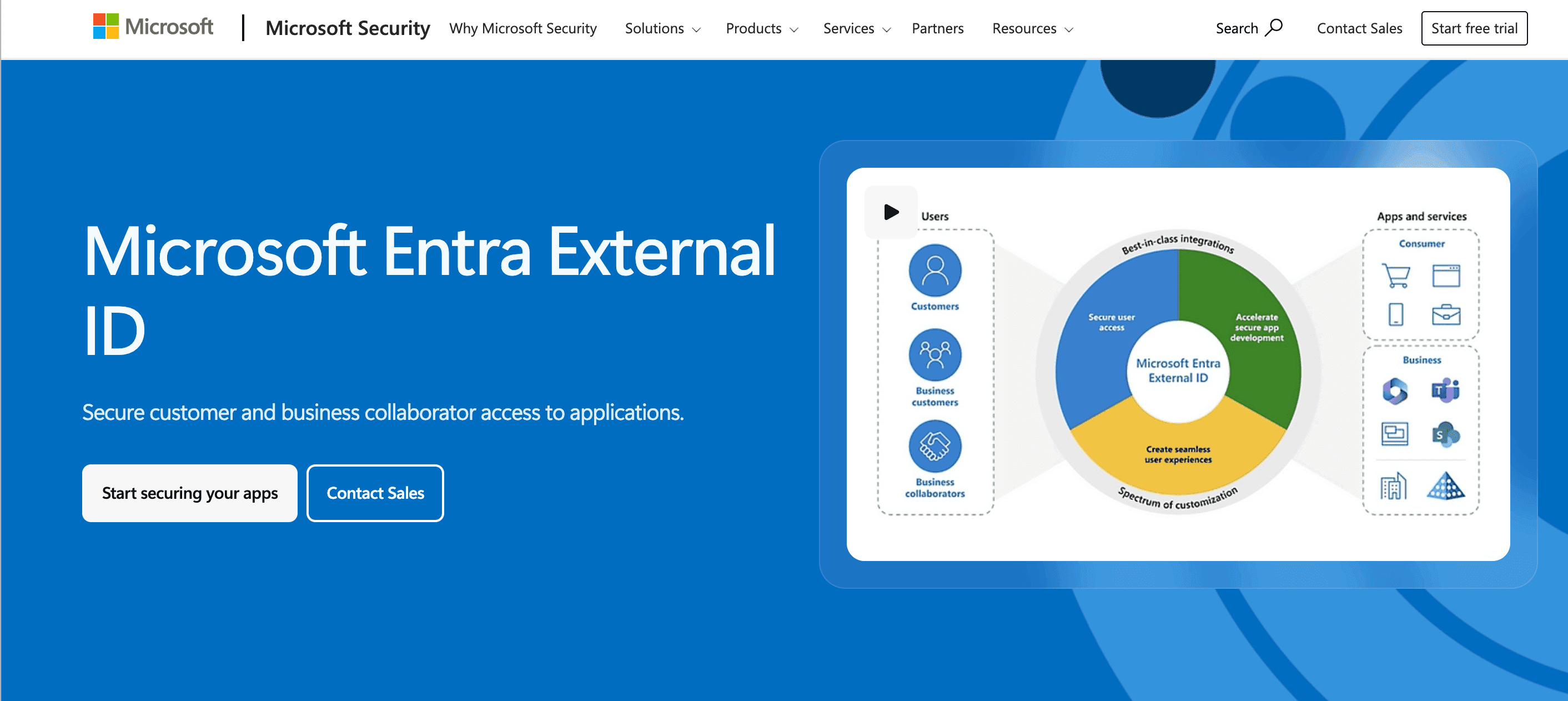
Microsoft Entra External ID extends Microsoft’s identity platform to support secure, adaptive MFA for customers, partners, and external users. Built on the same foundation as Entra ID, it offers strong MFA options including FIDO2 security keys, Microsoft Authenticator push notifications, and one-time passcodes.
Entra External ID enables organizations to enforce granular access controls, apply Conditional Access policies, and maintain compliance across hybrid and cloud applications. Its enterprise-grade capabilities make it a trusted choice for regulated industries and large organizations already using Microsoft 365 or Azure.
Key capabilities
MFA support using FIDO2 security keys, Microsoft Authenticator, and OTP verification
Conditional Access policies that evaluate user, device, and session risk in real time
Lifecycle management for external users with automated provisioning and access reviews
Integration with enterprise apps and SaaS platforms through SAML, OIDC, and SCIM
Strengths
MFA and compliance: Enterprise-grade MFA with built-in governance and reporting tools to meet security and regulatory standards.
Deep Microsoft integration: Native interoperability with Microsoft 365, Azure, and thousands of connected applications.
Scalable architecture: Supports large external user bases while maintaining consistent security and policy enforcement.
Limitations
Entra External ID is tightly coupled to the Microsoft ecosystem, which makes it less flexible for multi-cloud teams that don’t already run on Azure. The External ID feature set for customer-facing scenarios is also still maturing relative to Microsoft’s workforce-focused Entra ID product.
Ideal for
Enterprises and regulated organizations that need adaptive MFA and strong access controls tightly integrated with Microsoft services. Ideal for teams seeking centralized management, compliance visibility, and integration with their existing Microsoft identity ecosystem.
Firebase Authentication
Overview
Firebase Authentication is Google’s developer-focused identity service that simplifies adding MFA to web and mobile applications. It supports SMS-based verification, email OTPs, and integration with TOTP authenticators, allowing developers to add strong authentication with minimal setup.
Built directly into the Firebase platform, it integrates with services like Firestore, Cloud Functions, and Firebase Hosting, making it an appealing option for mobile-first apps and startups. While Firebase MFA is straightforward to implement, customization and scalability can become challenging as user bases and security requirements grow.
Key capabilities
MFA using SMS one-time passcodes and TOTP apps such as Google Authenticator
Support for passwordless options like email link sign-in and Google One Tap
Integration with major social providers including Google, Apple, and Facebook
Prebuilt UI libraries for web, iOS, and Android to speed up implementation
Strengths
Simple MFA implementation: Quick setup for SMS or app-based verification with minimal backend configuration.
Mobile-first experience: Optimized SDKs and UI libraries for Android, iOS, and cross-platform frameworks.
Google ecosystem integration: Works natively with Firebase and Google Cloud services for cohesive app development.
Limitations
MFA and multi-tenant management require upgrading to Firebase’s Identity Platform tier, which moves billing to a pay-as-you-go model. SMS-based MFA is billed per verification on top of that. Enterprise federation and multi-tenant support are also narrower than what dedicated customer identity platforms offer.
Ideal for
Developers building mobile or consumer-facing apps who want fast, reliable MFA implementation with minimal operational overhead. Firebase Authentication is best for small teams and startups already invested in the Google ecosystem looking to add secure, frictionless MFA to their applications.
Looking for customer MFA you can add without building it yourself, and that also authenticates AI agents? Descope’s Free Forever tier gives you visual MFA workflows, adaptive MFA, passkeys, and agentic identity support up to 7,500 monthly active users. Sign up free.
Keycloak
Overview
Keycloak is an open-source identity and access management platform that provides full control over authentication, authorization, and MFA. It supports time-based one-time passcodes (TOTP), FIDO2/WebAuthn for hardware or biometric authentication, and integration with third-party MFA providers.
Because it’s self-hosted, Keycloak offers maximum flexibility for developers who want to customize authentication flows and policies to meet specific enterprise or compliance requirements. However, its manual configuration, upgrade complexity, and operational overhead can present limitations as projects scale.
Key capabilities
MFA using TOTP, WebAuthn, or external MFA integrations
Support for major protocols including OIDC, SAML, and LDAP
Configurable authentication flows and policies through the Admin Console
Realm-based structure for managing multiple tenants or applications
Strengths
Flexible MFA support: Built-in and extensible options for TOTP, WebAuthn, and external MFA providers.
Open-source customization: Full access to configuration and source code for complete control over authentication logic.
Enterprise protocol coverage: Interoperability with SAML, OIDC, and LDAP for hybrid and on-premise environments.
Limitations
Keycloak is self-hosted only, so it requires dedicated DevOps resources for deployment, upgrades, and scaling. There’s also no official managed option from the maintainers (though a handful of third-party vendors now offer managed Keycloak hosting).
Ideal for
Enterprises and developers that need customizable MFA and identity management while maintaining full ownership of their infrastructure. Keycloak is ideal for security-conscious organizations or government environments with DevOps resources to manage deployment, scaling, and ongoing maintenance.
Supabase
Overview
Supabase Authentication is an open-source identity service that includes lightweight MFA capabilities built directly into the Supabase platform. Developers can enable MFA using OTP and time-based one-time passwords (TOTP) while also supporting passwordless login via magic links and social providers.
Because Supabase is built on PostgreSQL, it provides strong data integrity and granular access control alongside authentication, allowing teams to manage identity and authorization through a single, developer-focused open-source stack. Supabase delivers a Firebase-like developer experience but with more transparency, data ownership, and flexible deployment options.
Key capabilities
MFA support using OTP and TOTP for secure account verification
Passwordless login via magic links and social providers such as Google, GitHub, and Apple
Integrated Postgres database with row-level security (RLS) for precise access control
Serverless edge functions to extend MFA, authorization, or risk logic
Strengths
Open-source transparency: Full code access and data control without vendor lock-in.
Simple MFA setup: Built-in OTP and TOTP support that integrates with the authentication flow.
Postgres-native security: Tight coupling with Postgres allows developers to manage both identity and authorization from one environment.
Limitations
MFA is a paid add-on rather than a free-tier feature, so teams evaluating Supabase purely on its free plan won’t have it available out of the box. Authentication is also just one part of a broader backend platform, so advanced MFA and enterprise identity features are less deep than what a dedicated CIAM provider offers.
Ideal for
Startups and developer teams seeking an open-source platform that combines authentication, MFA, and data management. Supabase is best suited for projects that want to stay lightweight and self-directed while retaining flexibility to integrate more advanced or adaptive authentication needs down the line.
Authentik
Overview
Authentik is an open-source identity provider that offers flexible and secure MFA for both customer and internal use cases. It supports a variety of verification methods, including TOTP, WebAuthn for hardware or biometric authentication, and push-based verification through connected devices. Authentik integrates with modern protocols such as OIDC, SAML, and LDAP, allowing developers to connect it to web apps, APIs, and self-hosted systems.
Designed for extensibility and transparency, Authentik gives teams full control over authentication logic, data storage, and policy enforcement while maintaining an admin interface for managing MFA enrollment and access.
Key capabilities
MFA support using TOTP, WebAuthn, and push-based verification
Integration with OIDC, SAML, and LDAP for broad compatibility
Policy engine for custom access and authentication rules
User self-service for MFA setup and recovery
Strengths
Flexible MFA options: Built-in support for TOTP, WebAuthn, and push verification with easy user enrollment.
Open-source customization: Fully self-hosted and configurable, giving developers control over authentication logic and policies.
Strong standards compliance: Broad protocol support for interoperability across cloud, on-premise, and hybrid environments.
Limitations
Authentik is open-source and self-hosted at its core, so it suits teams that want control and are willing to operate it themselves. Its commercial support footprint is smaller than the managed providers on this list, though paid enterprise tiers do add dedicated support and SLAs for teams that need them.
Ideal for
Developers and organizations seeking an open-source, self-hosted MFA and identity platform that emphasizes transparency, control, and standards-based interoperability. Authentik is best suited for teams that want to manage their own infrastructure while maintaining secure, flexible authentication for customers, partners, or internal users.
How to choose the right customer MFA solution for your app
Selecting, deploying, and maintaining an effective customer MFA solution comes down to your use case: what your app does, who it serves, and how much control you want over the infrastructure.
If your priority is… | Consider | Why |
|---|---|---|
Risk-based no / low code MFA workflows, plus AI agent identity | Descope | Visual flows for adaptive MFA and passkeys, with native support for authenticating AI agents and MCP-based systems |
Ecosystem extensibility and a large developer marketplace | Auth0 | Broad standards coverage and a mature integration ecosystem, at the cost of added configuration and pricing complexity |
A Microsoft-native stack | Microsoft Entra External ID | Deep integration with Microsoft 365 and Azure, plus Conditional Access policies your IT team already knows |
Mobile-first and lightweight | Firebase Authentication | Fast setup for mobile apps already using Firebase or Google Cloud services |
Backend and auth in one platform | Supabase | Postgres-native authentication and authorization for teams that want a single developer-focused stack |
Full control, self-hosted | Keycloak or Authentik | Open-source flexibility and standards coverage for teams with the DevOps resources to run their own identity infrastructure |
A few common cases:
Consumer apps focused on stopping account takeover and credential stuffing tend to fit Descope or Microsoft Entra External ID.
Ecommerce platforms needing step-up MFA at checkout or on address changes tend to fit Auth0 or Descope.
Fintech apps that must gate high-risk actions like fund transfers while staying compliant tend to fit Authentik or Descope.
B2B SaaS platforms with tenant-specific policies tend to fit Keycloak or Descope.
Ultimately, you want a platform that can handle your current needs and scale without a migration down the line. Descope is a strong fit for SaaS teams that need customer MFA covering both human users and AI agents.
Implement effective customer MFA today
Modern MFA is no longer just a compliance checkbox. It has become a key part of user trust, security, and experience. Descope lets teams add and adapt full-scale MFA coverage through visual workflows instead of building it from scratch, combining adaptive MFA, passwordless authentication, and orchestration in a single platform.
Sign up for a Free Forever account to start building secure, scalable auth flows today, or book time with our experts if you have questions about customer MFA or CIAM.