
Table of Contents
Don't have the time to read the entire post? Our human writers will be sad, but we understand. Summarize the post with your preferred LLM here instead.
Descope Flows can render identity journeys in three places: in your application, on a hosted page Descope manages for you, or inside a mobile webview. All three of these run the same authentication logic under the hood, pulling from the same flow configuration in the console and issuing the same tokens. From a security and continuity standpoint, they’re interchangeable.
The real difference is where the UI shows up for your users, a choice that’s more often determined by what your environment allows than by preference. This guide discusses the difference between the two primary login UI models, embedded and hosted, and why you might choose one over the other (or both).
What is embedded login?
Embedded login renders the authentication UI directly inside your application. The user stays on the same page and origin throughout the flow, with no redirect.
To achieve this, you’ll drop a Flow component into your frontend. The component takes a flow ID that corresponds to an authentication sequence you’ve built in the Descope console, and it renders that sequence inline.
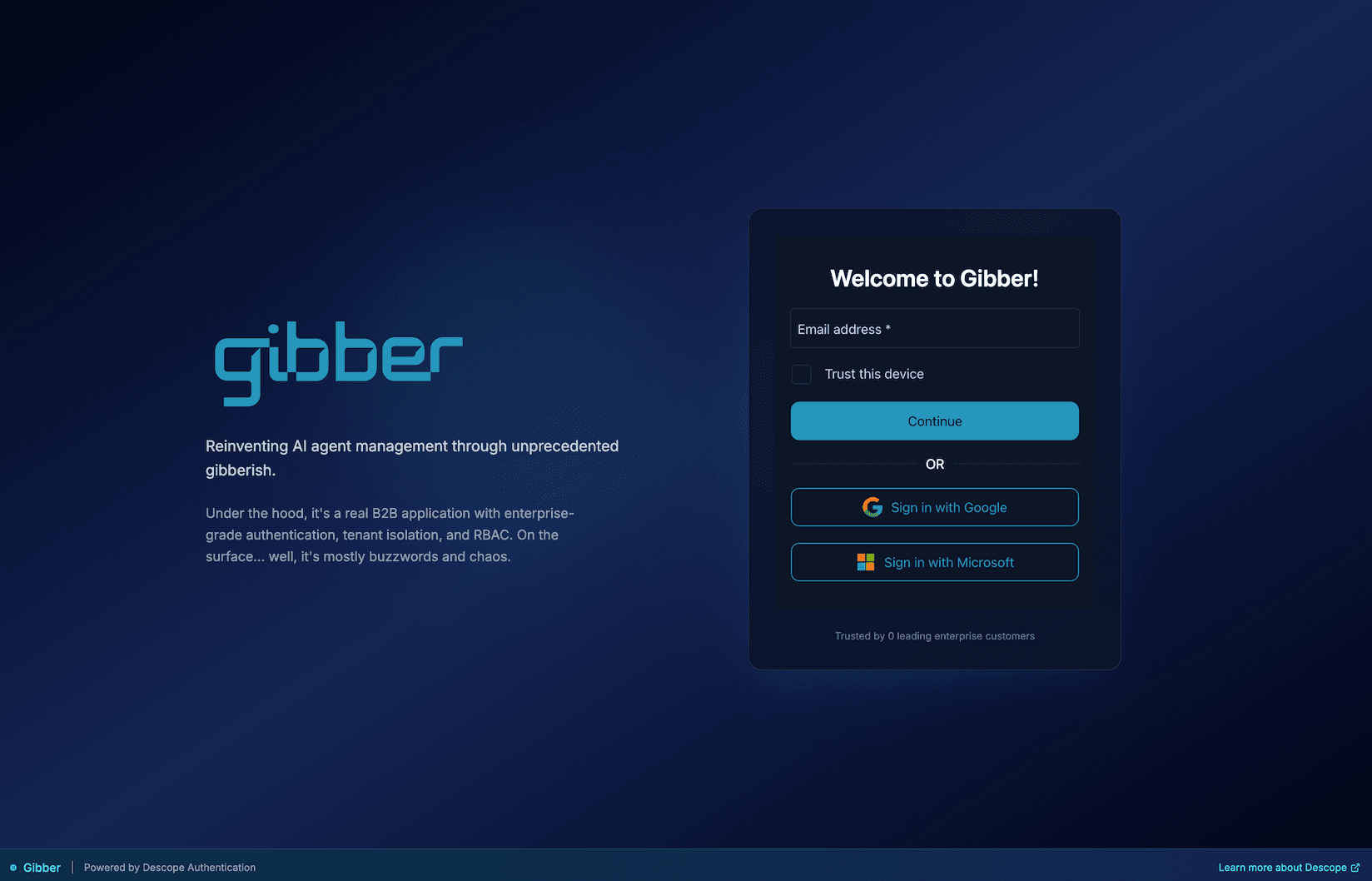
The component renders whatever you’ve configured: MFA challenges, social login buttons, passkey prompts, and so on. Descope handles credential validation, OTP delivery, and session token creation on the backend. Because the flow configuration lives in the console and not in your codebase, you can add an auth method, rearrange screens, or adjust MFA policy without redeploying your application
The integration effort is minimal: a component, a flow ID, a pair of event callbacks that plug into your routing and state management. Descope’s client SDKs support React, Next.js, Vue, Angular, and plain JavaScript/web components.
To access the ready-to-use code snippet, navigate to the Flows page in the console, click the three dots at the end of the desired flow's row, and select the Show Code option.
Embedded login security
The conventional security argument against embedded login is based on one assumption: users are typing passwords into your app. When that's true, your frontend code sits between the user and Descope's servers. A compromised dependency, an XSS vulnerability, or a malicious browser extension can read that credential before it reaches the network.
With passkeys, no secret enters your JavaScript environment at all. Authentication happens through a cryptographic exchange between the user's device and Descope's servers. The private key stays securely stored on the device and never leaves it. Your frontend only displays the prompt, while the credential exchange happens outside JavaScript.
With magic links and OTPs, users sign in by proving they have access to their email inbox or phone instead of entering a reusable password. The user receives a temporary link or code that expires quickly and is usually valid for one time use. Regardless of which passwordless method you use, credential validation and token management happen on Descope's backend, not in your app.
Staying on your domain throughout authentication actually reduces one specific risk: phishing. Redirect-based flows train users to follow links to external domains as part of signing in, a habit phishing attacks exploit with lookalike pages. With embedded login, authentication never leaves your domain, so there is nothing to replicate.
When to use embedded login?
Embedded login is the right approach when you have a frontend you control and want the authentication flow to feel continuous and seamless within the rest of the application:
A fintech onboarding sequence may feel more secure when creating credentials alongside its Know Your Customer data requirements.
A consumer app might place a high premium on keeping the user on the same page and domain for reasons beyond aesthetics.
A SaaS product whose trial signup needs to be an uninterrupted part of the marketing funnel.
What is hosted login?
Hosted login means your app redirects users to an external URL to authenticate, then brings them back once they're done. Descope’s Auth Hosting App powers this – a managed page that runs your Flows at auth.descope.io/<your-project-id>. Every Descope project includes it out of the box with no frontend code required, and you can set up a custom domain so users see `auth.yourapp.com` in their browser’s URL bar instead.
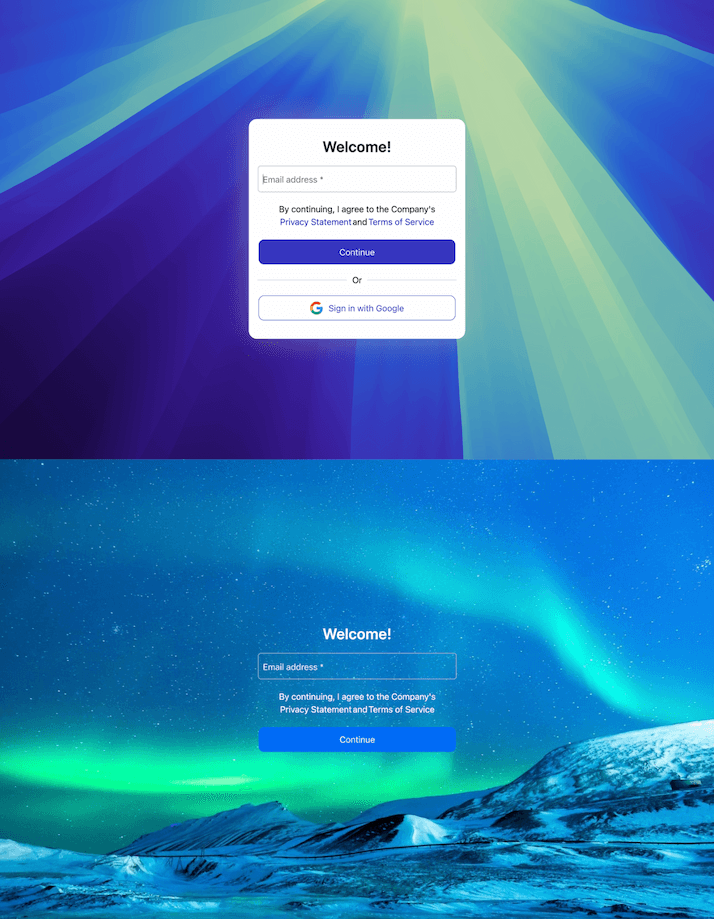
Hosted login supports both OIDC and SAML. This means it’s not just for apps you build yourself, but that it also works with off-the-shelf apps and platforms that support either standard, connecting them to Descope as the identity provider without any custom code.
Hosted login security
Your frontend never touches the credential. Users authenticate on Descope's hosted page, and your application receives a session token through a redirect. Descope handles the security of that page: XSS protection, bot detection, brute force protection, and security patches applied without your team involved.
This credential isolation also limits your exposure if your application is ever compromised, since your app never handles credentials directly, an attacker who breaches your app doesn't get access to raw user credentials. For standards like GDPR, HIPAA, or SOC 2, auditors can clearly see that boundary: users enter credentials on Descope's page, Descope processes them, and your app only receives a token. This setup is easier to explain, review, and maintain during audits.
When to use hosted login?
Hosted login covers scenarios where embedding a component either isn’t possible or isn’t necessary. It’s the right model when you’re working with a platform you don’t control, or there are compliance concerns about users entering passwords.
You're connecting apps you don't control. If you're adding auth to a third-party platform, you can't inject a custom component into their UI. You give them a hosted URL, they redirect users there, and it works.
You want a single login page across multiple apps and domains. Instead of setting up auth separately for each application, you point them all at the same hosted page. Descope acts as the central identity provider using OIDC-based login. Each app redirects users there, Descope authenticates them, and sends them back to the right app with a token.
You want to ship fast. No SDK, no component, no `onSuccess` handler. Your hosted login page exists the moment you create a Descope project.
Mobile apps: native flows
On mobile, hosted vs. embedded gets more interesting. The standard hosted approach of opening an external browser for login works, but it's jarring. Users see a browser, a URL bar, and OS-level tab controls. It breaks the feeling of being inside the app.
Descope's Native Flows solve this. The authentication flow is still served remotely from a hosted page (so Descope handles security, updates, and infrastructure), but it renders inside a webview embedded directly in your app. No browser, no URL bar, no "you've left the app" feeling.
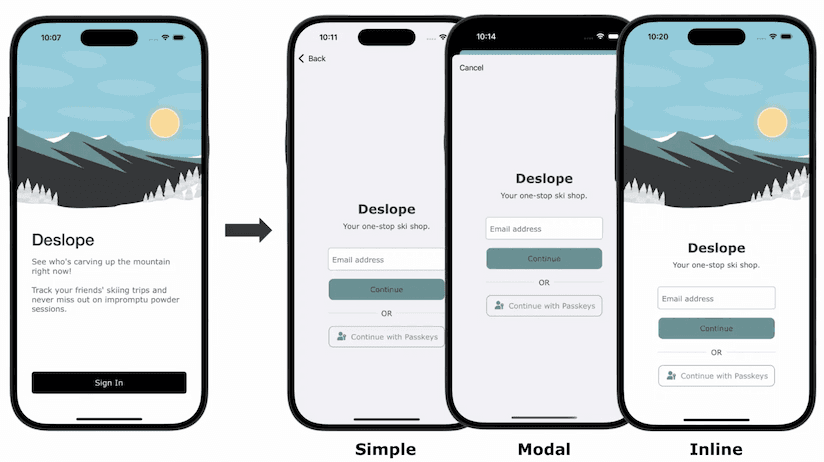
You get three ways to implement it, depending on how deeply you want it to feel native:
Simple Flow pushes a
DescopeFlowViewControlleronto your navigation stack. The hosted flow appears immediately as a full-screen view, like any other screen in your app.Modal Flow preloads a
DescopeFlowViewControllerso that when the user taps sign in, the flow appears instantly as a modal, without the browser chrome that a standard web modal would show.Inline Flow integrates a
DescopeFlowViewdirectly into your app's view hierarchy, giving you full control over animations and transitions. The auth step becomes indistinguishable from the rest of your UI.
Native Flows support the auth methods you'd want on mobile: OAuth (Google, Facebook, Apple), passkeys, and magic links, each with additional configuration available.
Session management is handled per platform:
On iOS,
ASWebAuthenticationSessiontakes care of OAuth scenarios that need browser-level capabilities (like certain social providers), handling the handshake securely without forcing a full context switch to an external browser.On Android,
DescopeSessionManagerhandles session persistence withEncryptedSharedPreferences, automatic token refresh before expiry, and restoring auth state across app restarts, so users stay signed in without you managing any of that manually.
All three flow types run the same hosted Descope Flow under the hood. Update the flow in the console and it takes effect in your mobile app immediately, no app release required.
How to choose between embedded, hosted, and native flows?
Embedded Flows | Hosted Flows | Native Flows | |
|---|---|---|---|
Do users leave the app? | No | Yes | No (webview) |
Frontend required? | Yes | No | Mobile SDK |
Best for | Web SPAs, consumer apps | SaaS integrations, OIDC/SAML IdP, no-code tools | iOS and Android apps |
Customization | Full; matches your UI | Good; custom domain, themes, styles | Full; custom animations and transitions |
Update flows without deployments? | Yes | Yes | Yes |
The main questions you should be answering:
Do you have your own frontend? Embed it. Better UX, same security, more control.
Are you integrating with a platform you don't control? Use hosted login.
Are you building a mobile app? Use native flows.
These aren't mutually exclusive, either. A lot of teams use embedded login in their web app, hosted login for their OIDC/SAML integrations with third-party tools, and Native Flows in their mobile app, all backed by the same Descope Flows. Update the flow once, it propagates everywhere.
Getting started with Descope
Because all three rendering modes share the same Flows backend, you don’t need to fully commit to one up front. Start with whichever approach fits your current environment, and add others as your product expands to new platforms or integration scenarios. The flow you build in the Descope console works the same way regardless of where it renders.
To try it yourself, sign up for a Free Forever Descope account and join the AuthTown dev community. If you want to see embedded and hosted login side by side, the getting started guides for each SDK walk through both options with working code.