
Table of Contents
Don't have the time to read the entire post? Our human writers will be sad, but we understand. Summarize the post with your preferred LLM here instead.
Consumer authentication has a narrow target. Require too much of users at signup and they leave before completing registration. Push security past the point of convenience and they churn mid-session. TheFIDO Alliance found that 47% of consumers will abandon a purchase when they can’t remember a password. The reality is that your customer identity experience significantly shapes the buying journey.
This post covers practical patterns for B2C and consumer SaaS authentication: frictionless auth methods, customizable and testable identity flows, layered security that scales with actual risk, and cross-platform auth that works across web and mobile. We'll show how Descope supports each of these patterns without requiring you to build from scratch. You can explore many of these capabilities at your own pace in our B2C sample app.
For B2B and multi-tenant authentication, check out our Primer on B2B Authentication.
Challenges in B2C authentication
B2C authentication presents distinct challenges that require careful consideration:
Bots and account takeover: Safeguarding user accounts from malicious bots and unauthorized access is crucial. Learn more about bot attacks and mitigation strategies in our detailed article.
User friction and drop-offs: Complicated authentication processes can lead to user frustration and increased abandonment rates. The FIDO Alliance reports that 60% of users have given up on accessing an app due to password frustrations.
Static user journeys: Hard-coded authentication flows can hinder necessary changes and adaptations. Engineering teams constantly have to decide whether to implement authentication changes or other core product initiatives.
To address these challenges, B2C organizations need a flexible and secure authentication system that enhances user experience without compromising security. Descope provides a suite of features tailored to meet B2C authentication needs.
Frictionless authentication methods
Descope supports a range of passwordless auth methods, each suited to a different user journey:
Passkeys let users log in with a fingerprint or face scan, and are phishing-resistant by design. For consumer apps that want high signup conversion and low support overhead, passkeys are the best starting point. Try out Passkeys for yourself at passkeys.guru.
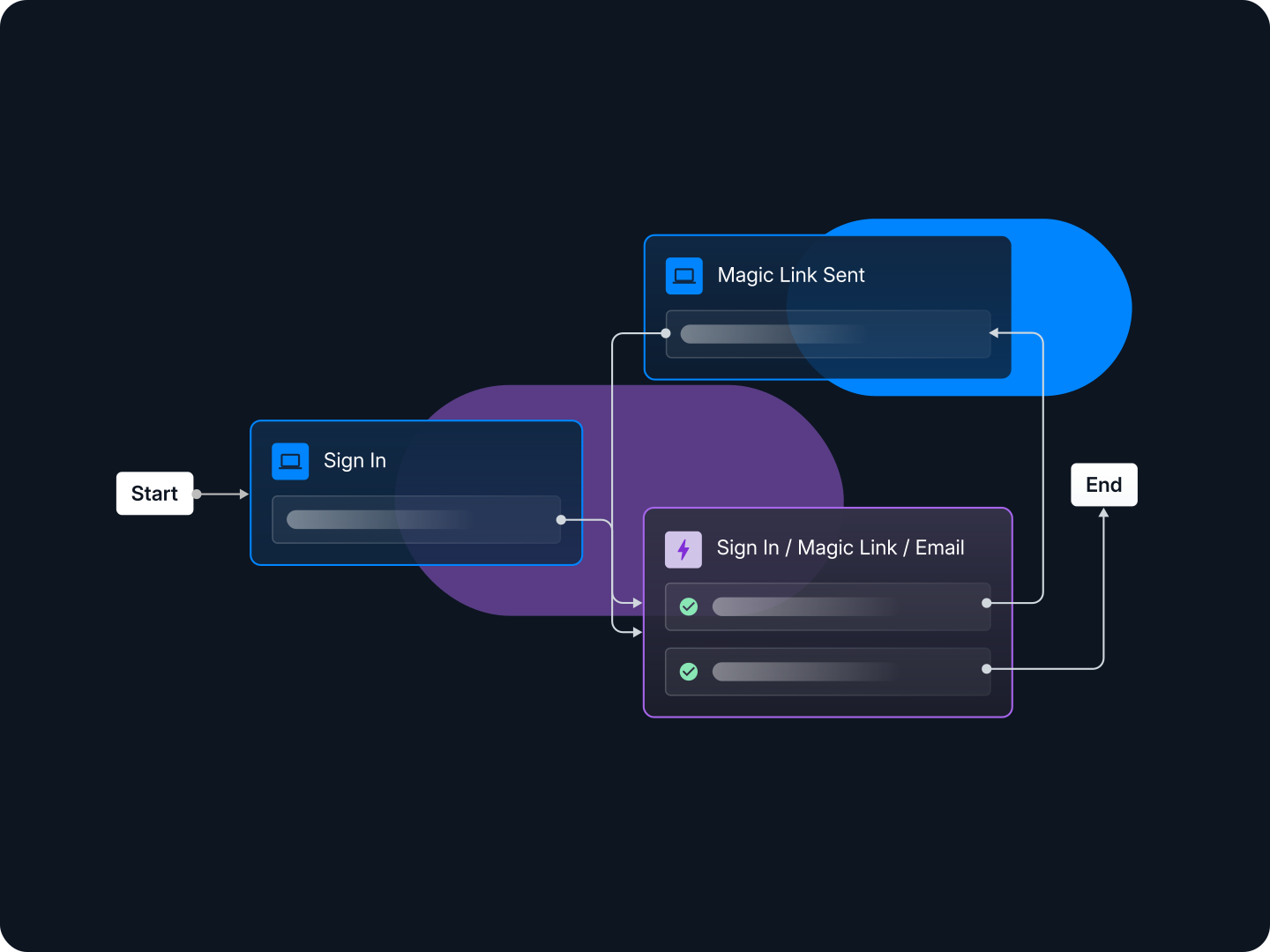
Magic Links send a one-click login link via email or SMS. Because the link only works on the same device that requested it, they're phishing-resistant. Magic links fit email verification, re-engagement campaigns, and low-frequency apps where users won't remember a password six months later.
Enchanted Links allow users to authenticate by clicking a link on a different device, enhancing flexibility and security. Enchanted links are useful for cross-device workflows, such as signing into a TV app via a mobile device.
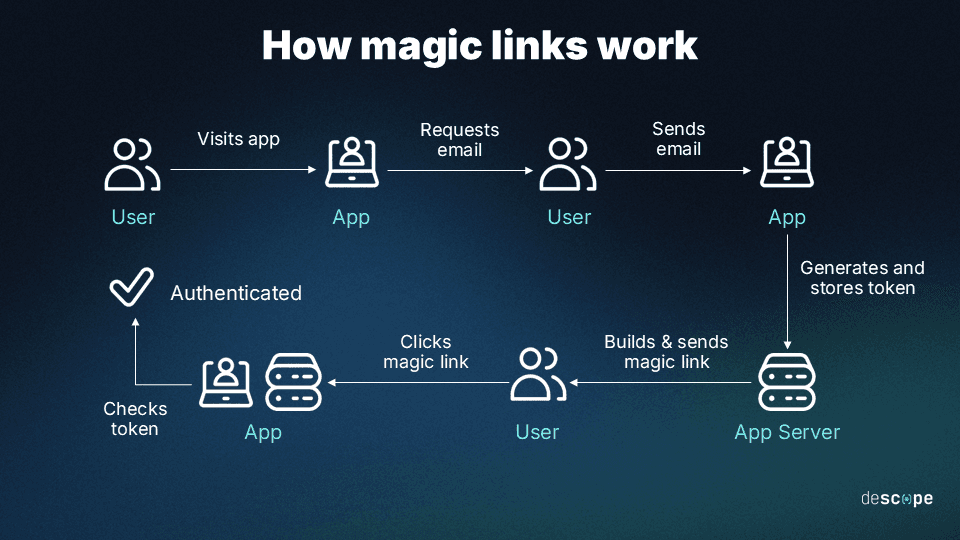
Social Login (OAuth) allows users to sign in using existing social media accounts like Google, Facebook, or LinkedIn, streamlining the registration process. Lowers barriers to entry, especially when paired with audience-friendly options like Discord for gamers or GitHub for developers.
Google One Tap simplifies the user login experience, allowing users to sign in effortlessly without being redirected to a separate login page. This frictionless authentication method enhances user engagement and retention.
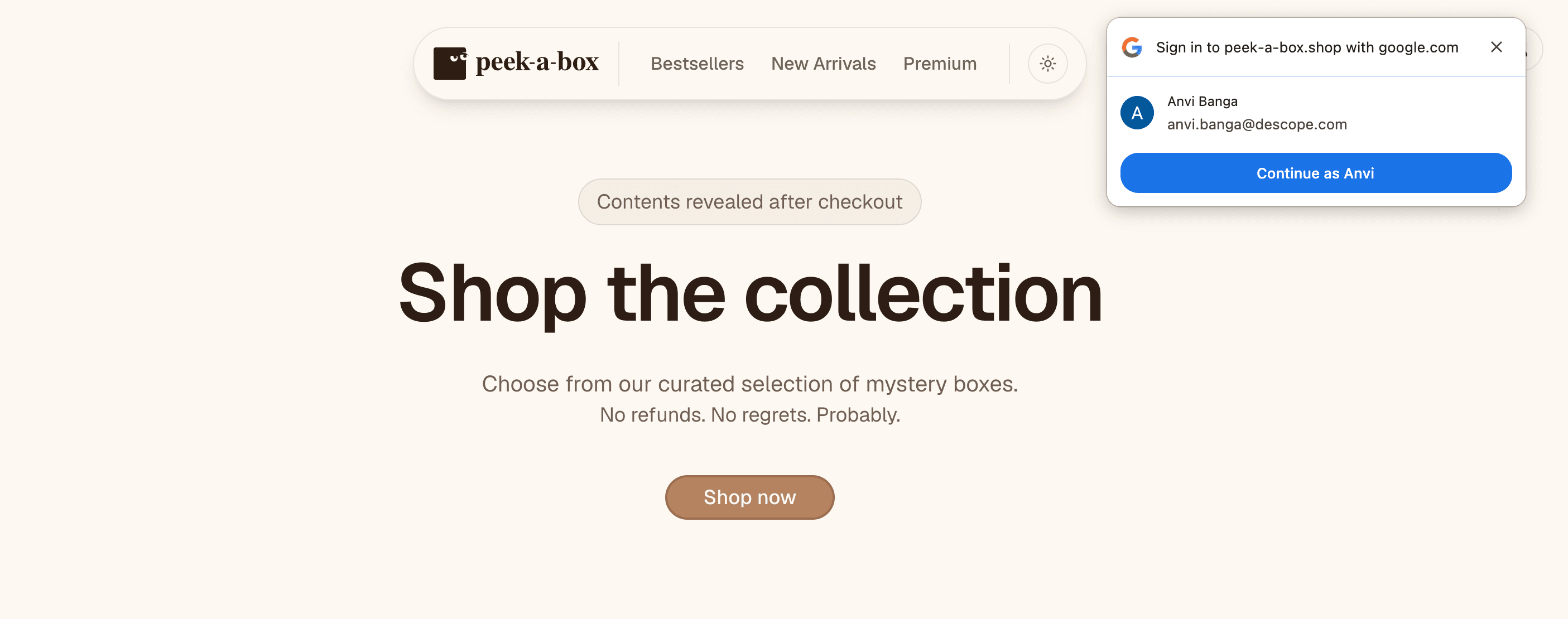
One-Time Passwords (OTP) provide single-use codes sent via email or SMS for secure authentication without passwords. Ideal for scenarios where users need quick, temporary access without the overhead of password creation.
Embedded Links generate a single-use token for authenticating an existing user with the ability to be sent via any format, whether email, SMS, or something else entirely.
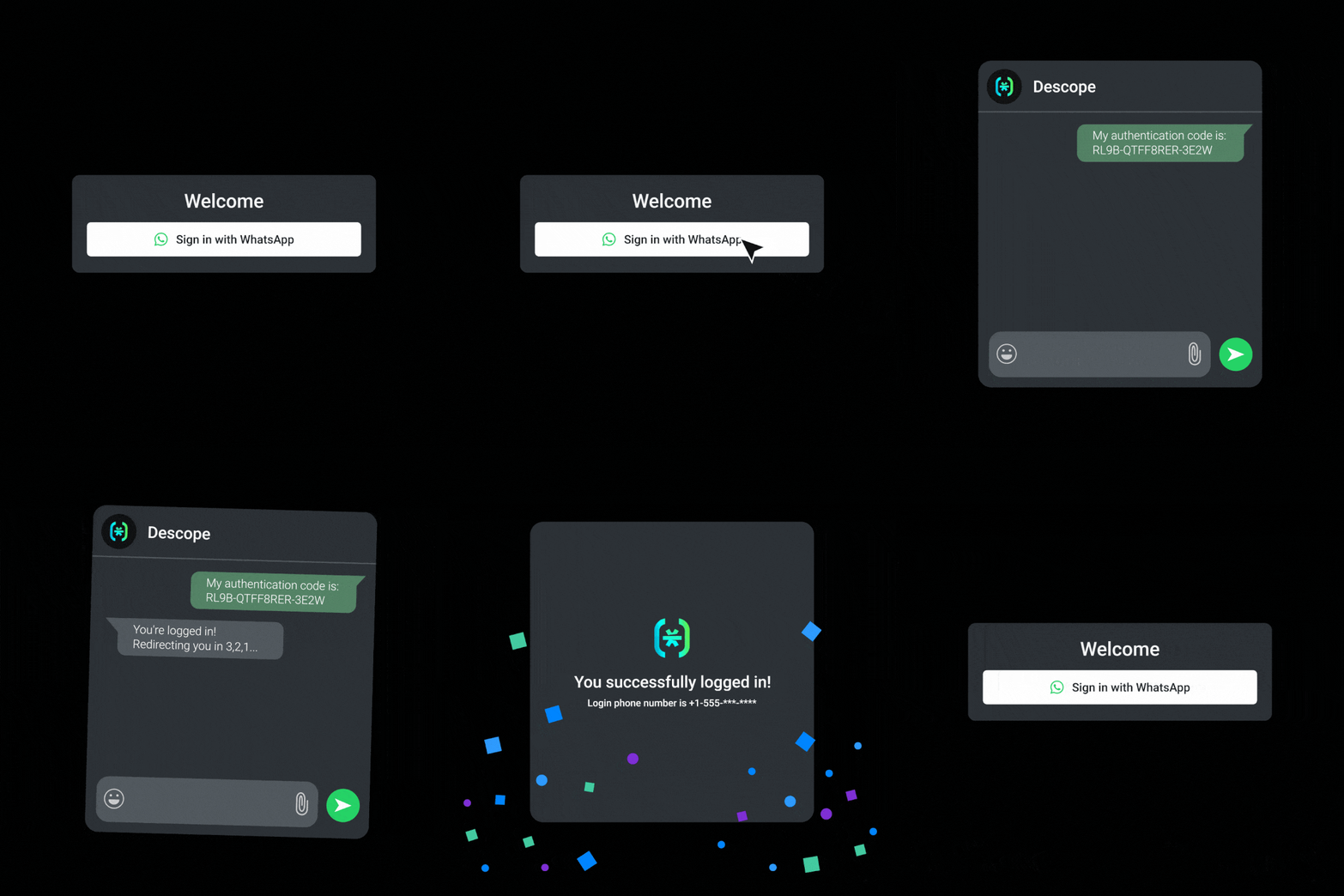
nOTP (WhatsApp) simplifies the login process by allowing users to authenticate via WhatsApp without the need for codes or typing. Great for regions where WhatsApp adoption is high, ensuring a frictionless user experience
Flexibility and customizability
Auth flows fail without warning: a flow that converted well at launch may be losing signups six months later because your audience shifted, a new device type took over, or a competitor shipped a simpler pattern. Most teams find out late, because auth lives outside the standard product analytics loop.
Descope is built to let you iterate on identity flows the same way you iterate on product.
Anonymous users and guest checkout
Instead of forcing a signup step on unregistered users, Descope provides a smoother entry point by allowing users to be tracked anonymously with a temporary token. We also offer the ability to seamlessly transition these temporary identities into fully authenticated, personalized user profiles, striking the ideal balance between user experience and security. This capability enables smooth guest checkout experiences without requiring user authentication until they are ready to authenticate.
Any method as a first or second factor
Every Descope auth method can serve as a first or second factor. You can combine passkeys with a magic link fallback, or gate a sensitive action behind SMS OTP, without writing custom flow logic. If you're already running a CIAM provider and want to layer on a better MFA, Descope can act as an OIDC provider to augment your existing system without a full migration.
A/B testing identity flows
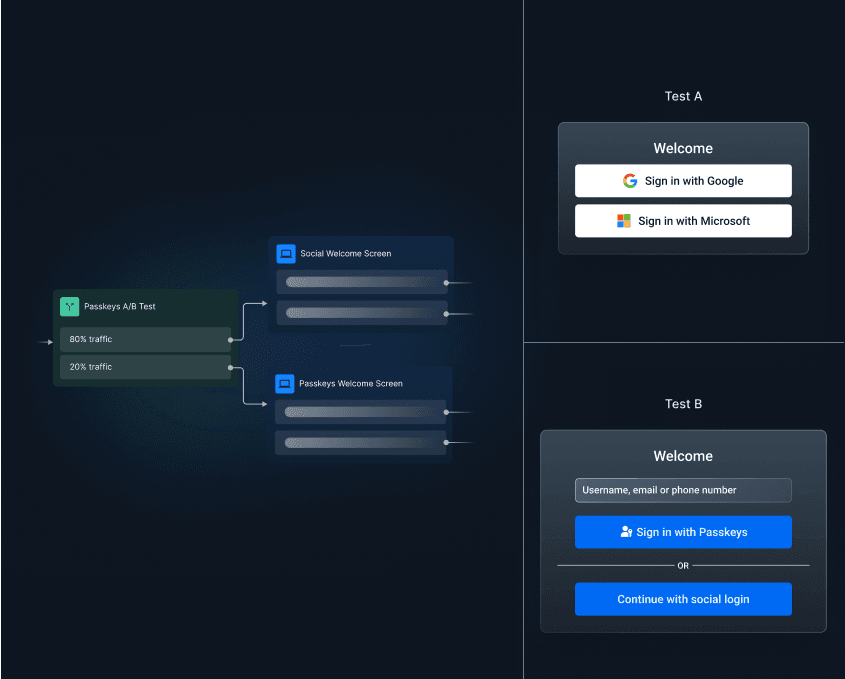
A/B testing in Descope runs experiments inside your authentication flows natively, without a separate analytics service or feature flag setup. You can test Magic Link vs. Social Login for new user registration, compare OTP vs. passkey adoption, or measure whether simplifying your MFA step reduces abandonment.
Small changes to auth method ordering, copy, or step count move conversion numbers. Having A/B testing built into the flow builder means you can measure those changes cleanly, then ship the winner without touching your app codebase.
Impersonate your end users
User impersonation lets support agents or managed service providers step into a user's authenticated session to reproduce issues in real time. When a user files an authentication bug, your support team can replicate the exact session state without requesting credentials, resetting anything, or creating a shadow account. Resolution time drops, and your team stops relying on users to describe what they're seeing.
Customizable email and SMS templates
Descope's email and SMS templates are configurable per flow. You can match your brand, adjust tone for different user segments, and build localized variants for different regions and languages. Your marketing or CX team can own the copy without filing engineering tickets.
Styling and embedding
Descope gives you granular control over how authentication looks and where it lives in your app. Within flows, you can customize fonts, colors, button styles, spacing, and layout to match your brand without writing CSS. For teams that need pixel-perfect control, Bring Your Own Screen (BYOS) lets you render your own components while Descope handles all the backend logic: step orchestration, risk-based branching, session management.
Auth flows can be embedded natively via a web component, keeping users inside your product without any redirect. For simpler setups, a hosted page is also available.
For a full breakdown of integration options and when to use each, see Choosing the Right Descope UI Integration Option.
Security without the friction
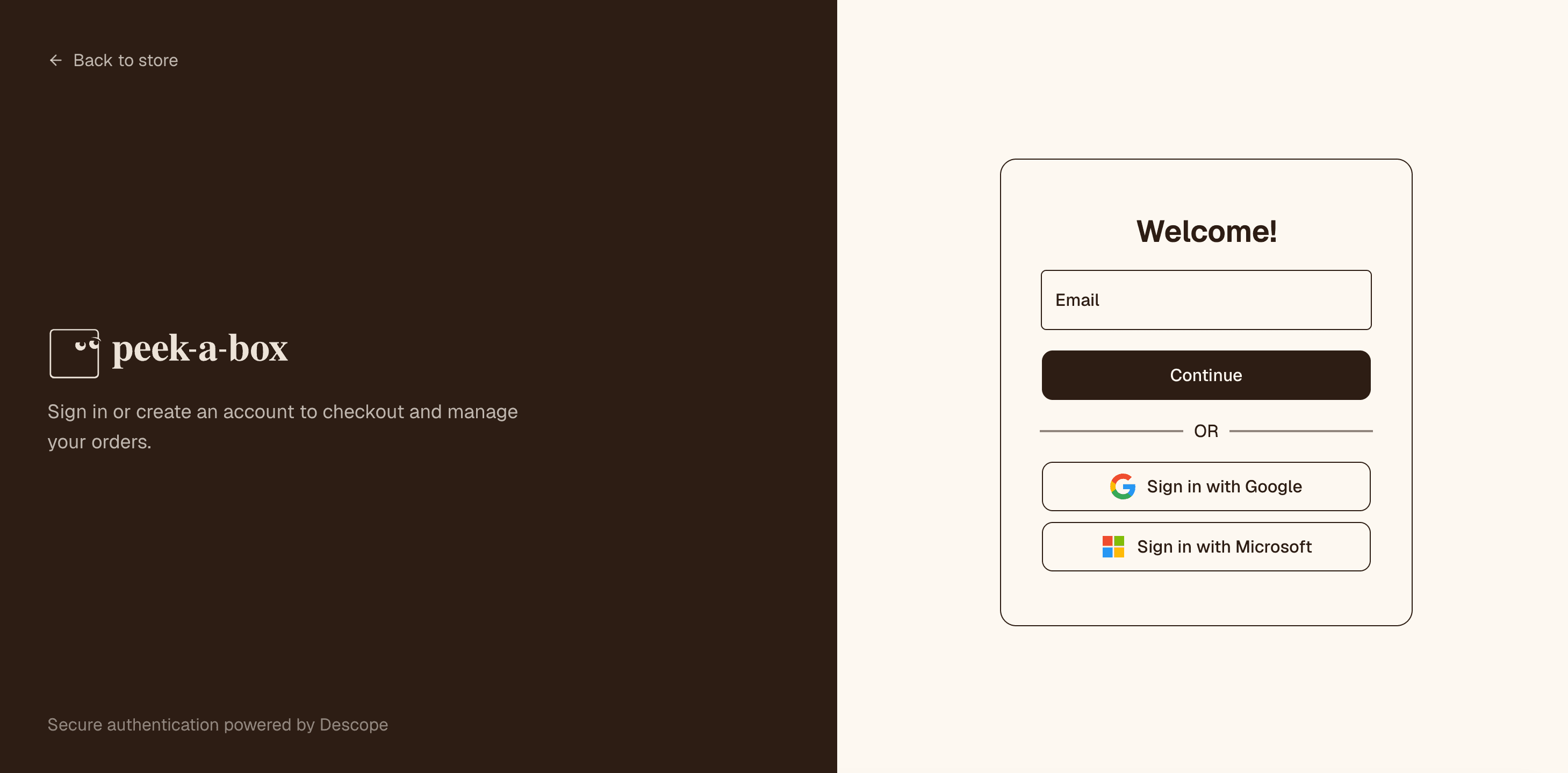
Consumer security breaks in two directions: auth that blocks nothing, or auth that challenges everyone. The better path is adding friction only when a login carries genuine risk, and skipping it when it doesn't.
Seamless account linking
When a user registers with their email and later signs in with Google, they shouldn't land in two separate accounts. Descope handles account linking across auth methods, so users always reach the same profile regardless of how they authenticated. This removes one of the most common causes of duplicate records and "I can't find my account" support tickets.
Adaptive MFA
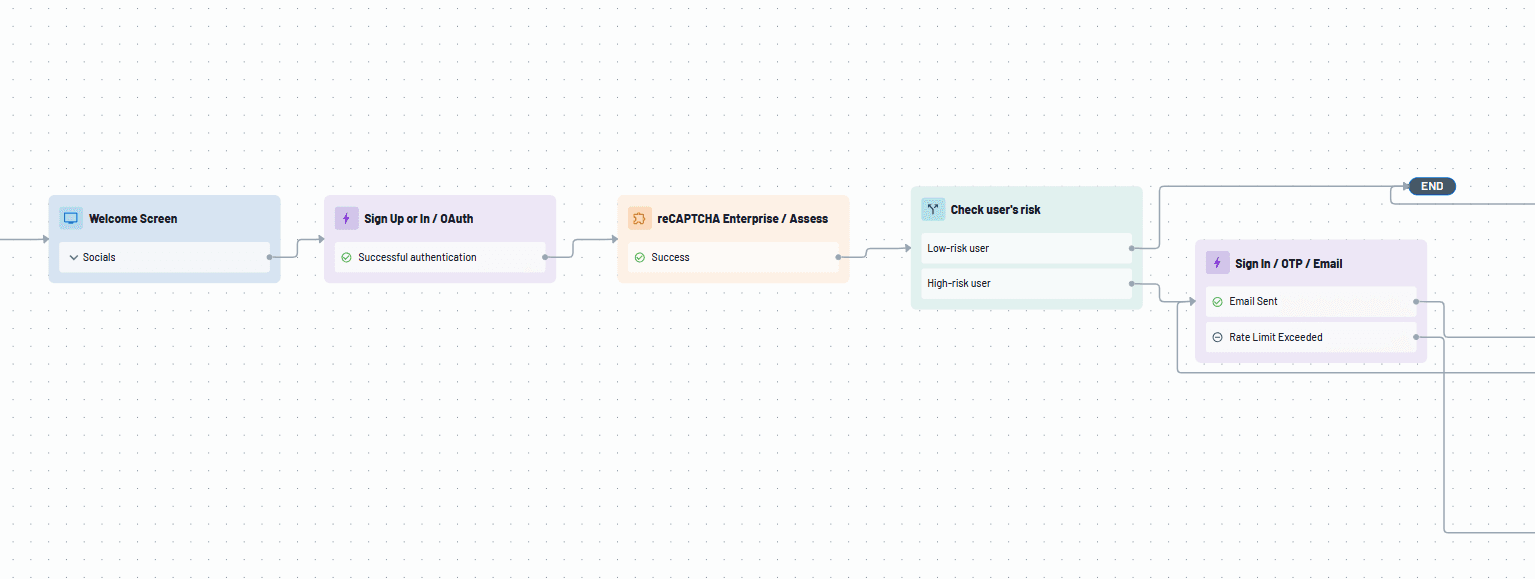
Adaptive MFA triggers a second factor only when a login carries elevated risk: a new device, a new location, impossible travel, or a flagged VPN. Users logging in from a recognized device and location skip the extra step. Unlike blanket MFA (applied to every login) or step-up MFA (triggered only by specific sensitive actions), Adaptive MFA evaluates the full risk context at login time.
Descope can also connect to third-party fraud services (including reCAPTCHA, Forter, Telesign, and AbuseIPDB) that plug directly into your authentication flows.
Step-up authentication for sensitive actions
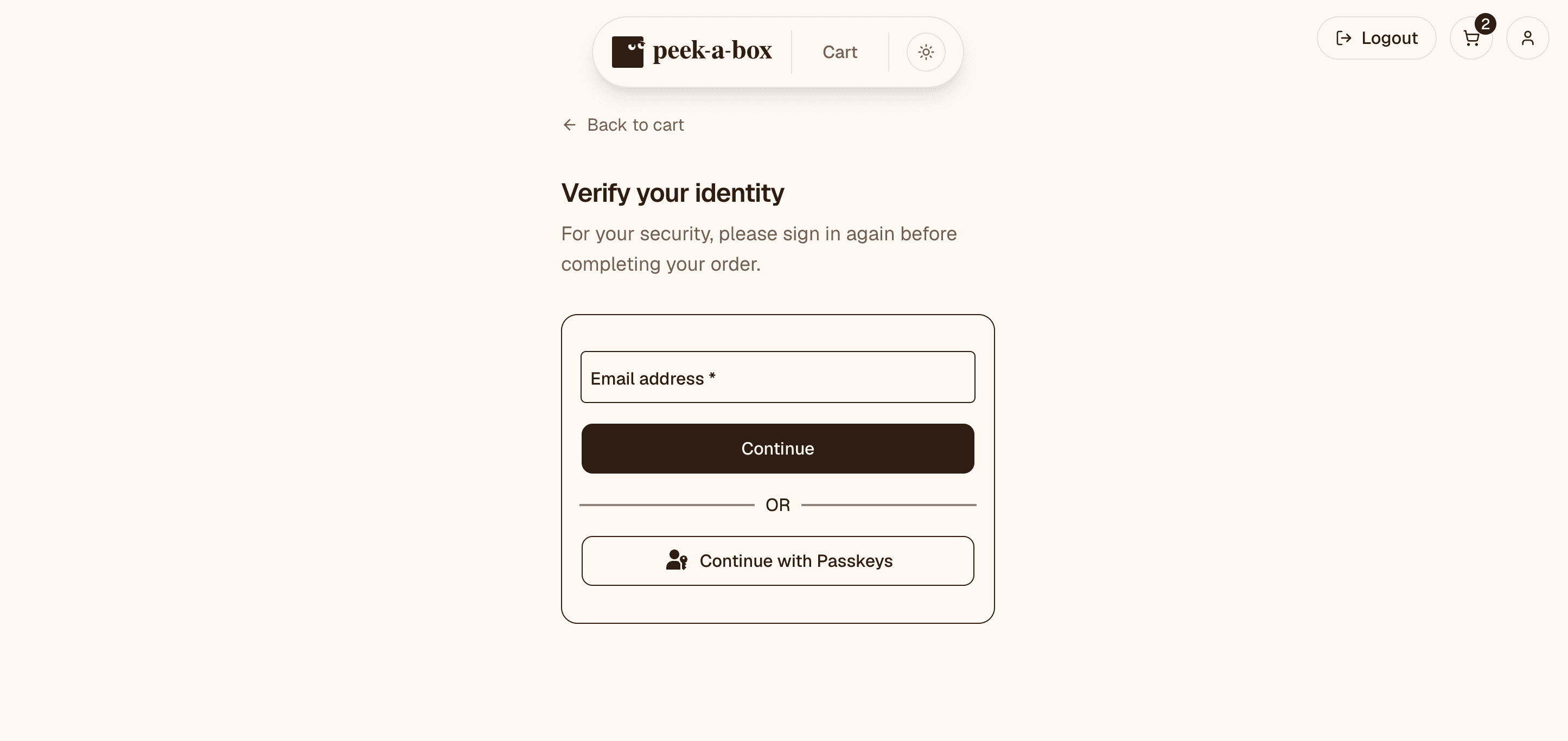
Where Adaptive MFA evaluates risk at login, step-up authentication triggers additional verification mid-session when a user attempts a specific high-value action: changing their email, initiating a large transfer, accessing billing, viewing sensitive personal data, or a high-value cart checkout. The user is already logged in, but the action warrants a fresh proof of identity.
This keeps the main login flow frictionless for the majority of sessions, while applying a stricter bar exactly where the stakes are higher. Any Descope auth method can serve as the step-up factor, so you can prompt for a passkey, an OTP, or a magic link depending on what fits the context.
Secure password authentication
As much as we may try, passwords aren't disappearing overnight, especially for apps migrating off legacy systems or serving audiences that haven't adopted passwordless yet. When you use passwords, Descope gives you the controls to make them safer.
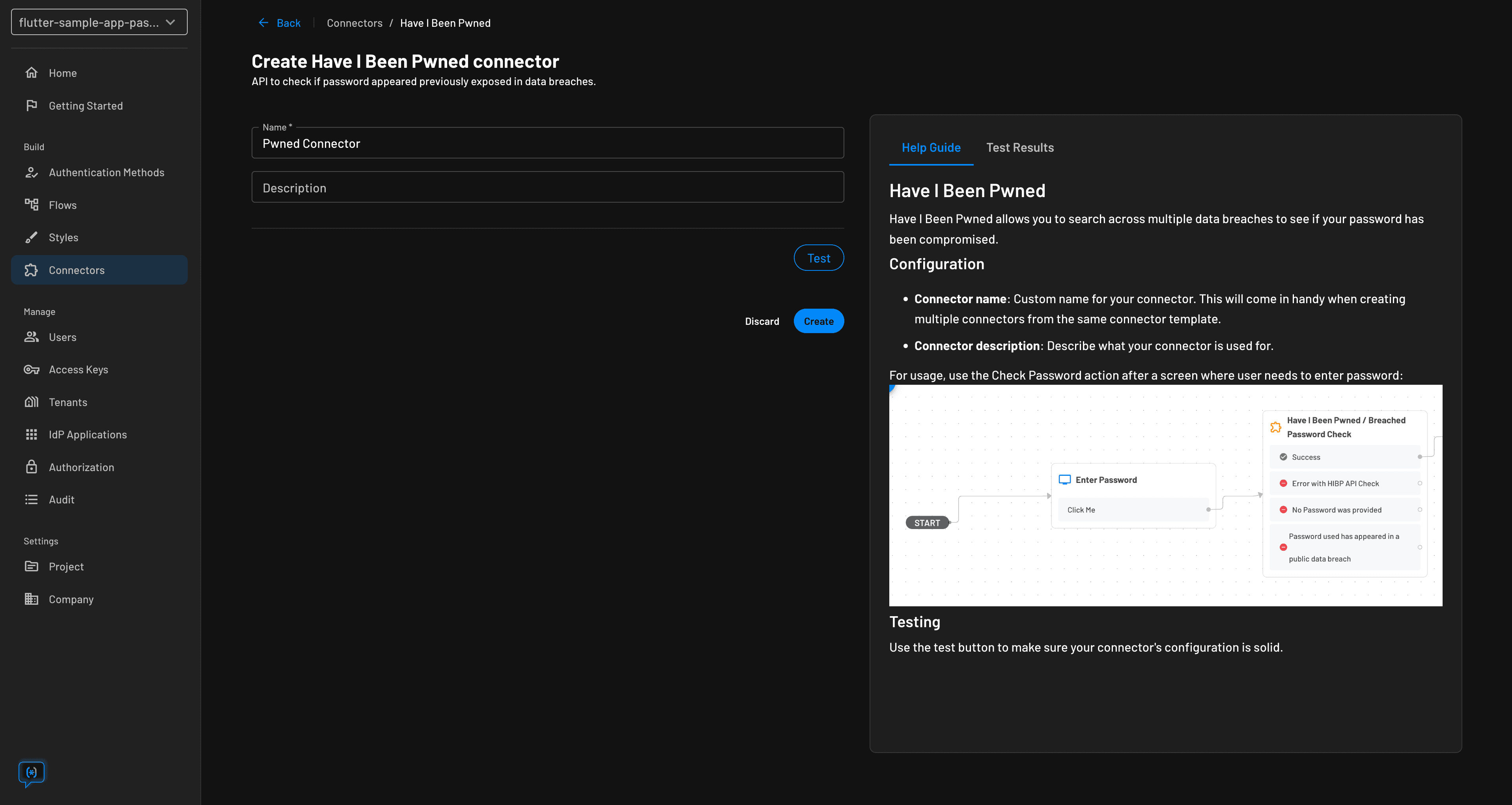
Descope's password configuration supports complexity rules (length, character requirements, expiration) and integrates with Have I Been Pwned to block any password that has appeared in a known breach. Users who try to register or update their password with a compromised credential get prompted to choose a different one before the account is created or changed.
Self-serve user profile management
Empower users to manage their own profiles and passwords with an easy-to-embed user profile widget. Customize profile management flows, such as updating user details or authentication methods, without requiring backend changes. This reduces the load on your support team and improves the user experience.
Omnichannel user journeys
Users don't stay on one surface. A signup starts on mobile, a purchase closes on desktop, and your TV app or kiosk needs to fit somewhere in that chain. Even for organizations with brick-and-mortar stores, retail cybersecurity isn’t about securing a single channel anymore. Auth has to work across all of it without requiring users to re-register on each platform.
Descope supports cross-channel authentication flows that can be shared across web and mobile. Our native mobile flows allow you to embed these authentication flows directly into your mobile app, creating a seamless experience instead of a WebView that looks like a browser running inside your app. Changes to your mobile authentication are much quicker, as they no longer have to go through time-consuming Apple/Android app review processes.
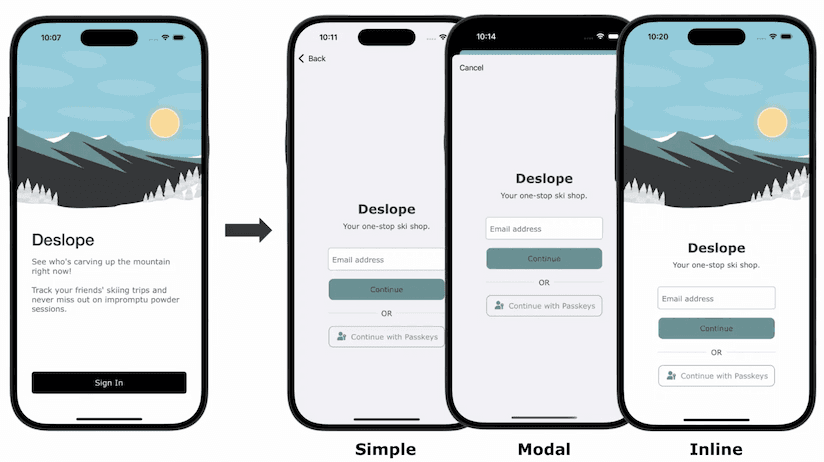
For cross-device scenarios like authenticating a TV app from a phone, Device Authentication allows you to complete an authentication flow on another device. Try out Device Auth for yourself at DeviceAuth.guru.
Shared auth flows enable progressive profiling, allowing you to collect user information incrementally across sessions rather than demanding it all upfront. Instead of a long registration form that prompts users to abandon before they've seen any value, you ask for the minimum at signup and gather additional details over time as trust builds.
Drag & drop B2C authentication
All of the above is available in Descope Flows, a visual no-code interface for designing and deploying authentication logic. Flows let you build and modify auth journeys, from signup and sign-in to MFA and progressive profiling, without touching your app's codebase. Ship an auth experiment, respond to a security incident, or migrate off passwords in the time it takes to redeploy a flow.
Flows are version-controlled, and support being managed through CI/CD tools to promote across dev, staging, and production environments without manual configuration changes. Flows can also easily integrate with WooCommerce and Salesforce Commerce Cloud, giving you auth flexibility while sticking with your preferred platform.
Conclusion
Descope's CIAM platform empowers B2C application developers to implement secure, flexible, and user-friendly authentication and user management systems. By leveraging Descope's passwordless authentication methods, extensive customization options, and advanced security features, developers can enhance user experience, reduce friction, and protect against threats, all while accelerating time-to-market.
Ready to enhance your application's authentication experience? Sign up for a Free Forever Descope account and join AuthTown, our open user community for developers to learn about authentication. Explore some of the capabilities covered in this blog on Peek-A-Box, our B2C sample app.