
Table of Contents
Don't have the time to read the entire post? Our human writers will be sad, but we understand. Summarize the post with your preferred LLM here instead.
Partner onboarding is a key moment in any B2B relationship, but it can sometimes slow things down.
Onboarding is often not as smooth as it should be. Manual SSO setup, repeated emails, and constant engineering help can turn a process that should take hours into one that drags on for weeks. This slows down deals, frustrates partners, and delays results.
The problem is clear: manual onboarding cannot keep up as you grow. It depends on your team to repeat the same tasks for every new partner, which can lead to mistakes.
This blog will cover common reasons for partner IAM friction and identity best practices for smooth partner onboarding and ongoing identity management.
Why partner onboarding breaks down
Partner onboarding rarely fails because of a single major issue. Instead, it slows down as small problems pile up. What should be a simple SSO setup often becomes complicated, involving multiple teams, manual steps, and lots of back-and-forth.
Each new partner has different needs, so engineering or IT has to step in, which slows progress and makes it hard to scale. Instead of using a standard process, teams treat every onboarding like a separate project.
Key pain points
Cumbersome SSO setup - Setting up SSO often involves exchanging XML files, configuring identity providers, and fixing confusing errors. The documentation is often unclear, so teams end up using trial and error, which slows things down.
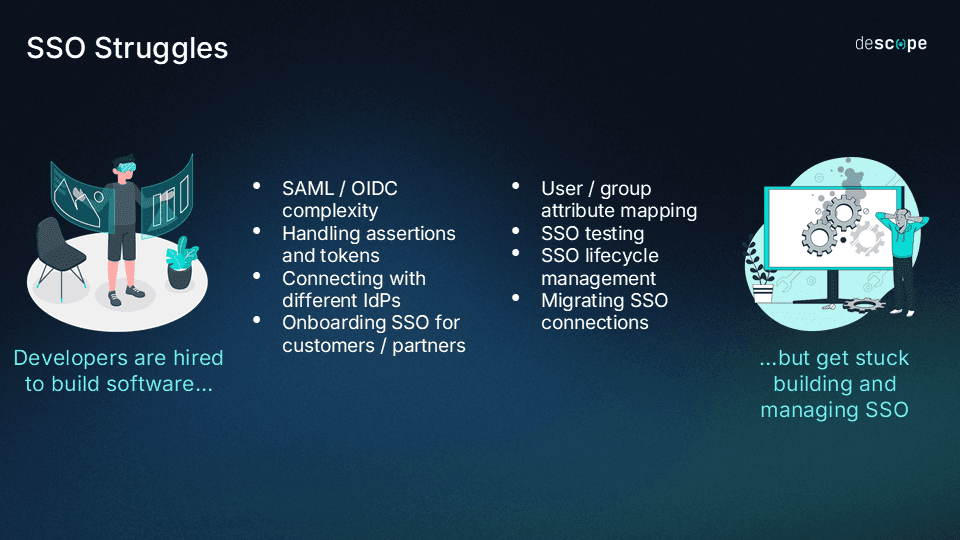
Time-consuming onboarding cycles - Onboarding can take weeks or even months. Coordinating setup, testing, and issue resolution across teams slows deals and delays value for partners.
Engineering and IT overhead - Developers and IT teams spend time on repetitive onboarding tasks like SSO setup, debugging, and support. This takes them away from improving the product.
Lack of delegated admin - Partners can’t manage their own setup or users, so they need help from your team for every update. Even simple tasks like updating certificates or adding users take up time.
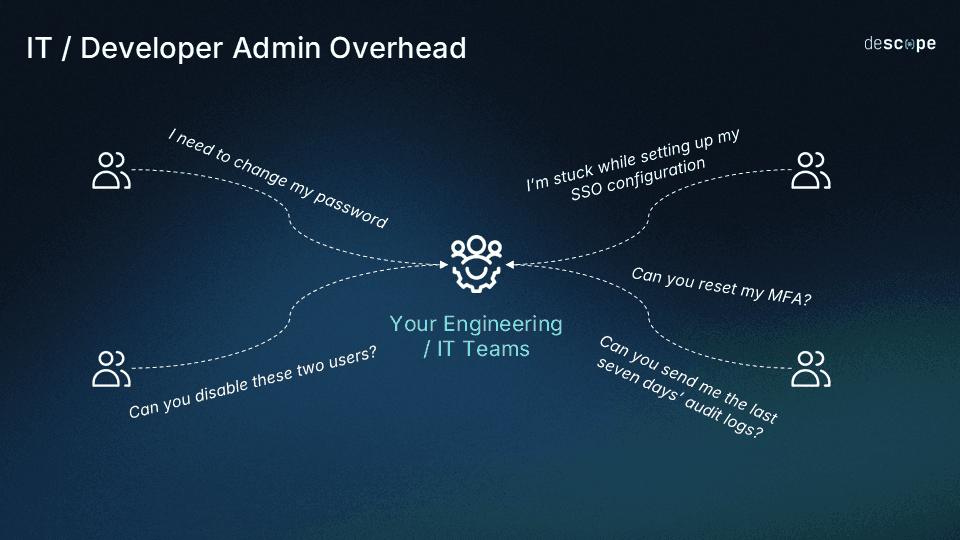
Missing or manual SCIM provisioning - Without SCIM, user provisioning and deprovisioning have to be done manually or with custom scripts. This causes delays in granting access, raises the risk of outdated accounts, and adds extra work for both your team and your partners.
Inconsistent partner experiences - Without a standard process, each partner’s onboarding is different. This leads to confusion, missed steps, and longer onboarding times, making the experience less reliable.
These challenges are common, but they can be overcome. Many come from old, manual onboarding methods that do not work well as companies grow. By making partner onboarding more structured and self-service, organizations can remove these obstacles and help partners get started faster and more smoothly.
Best practices for partner onboarding
Smooth partner onboarding is about more than just turning on SSO. It’s about building a process that partners can follow easily, without always needing help. The following tips help make onboarding easier while keeping security strong.
Begin by setting up self-service as the standard way for partners to onboard - Set up onboarding so partners can handle SSO setup themselves with step-by-step guides. This way, they don’t have to rely on your team and can get started much faster.
Turn on SCIM to automate user setup and management - Automate adding and removing users so you don’t have to manage accounts by hand. This keeps access up to date across partner systems and lowers both workload and security risks.
Let partners handle their own administration tasks - Allow partners to manage their own users, roles, and settings. This means fewer support requests and more independence for them.
Plan your system to support multiple partners simultaneously (multi-tenant or B2B2X setups) - Ensure each partner’s environment is separate and secure. Also, prepare to support roles, permissions, auth / MFA methods, session management, and branding at the organization level for more complex setups.
Make things easier for partners, but keep security strong - Set up adaptive MFA and risk-based checks so extra authentication is only needed when it really matters. This keeps things secure and easy for users.
Build in consent management and compliance from the start - Capture and enforce user consent as part of onboarding and authentication. This helps meet compliance requirements while keeping the experience simple and transparent for partners.
Give partners good tools and clear information to see what’s happening and fix problems - Offer partners the tools and information they need to solve SSO problems on their own. This helps them fix issues faster and means they don’t have to wait for support.
Also Read: How Notch Enabled Enterprise SSO In A Day
How Descope enables seamless partner onboarding
Today, partner onboarding is about more than just SSO. It’s important to make the process smooth, reduce manual work, and support growth. Descope brings these together by offering self-service setup, automation, and orchestration in one platform.
Self-service SSO
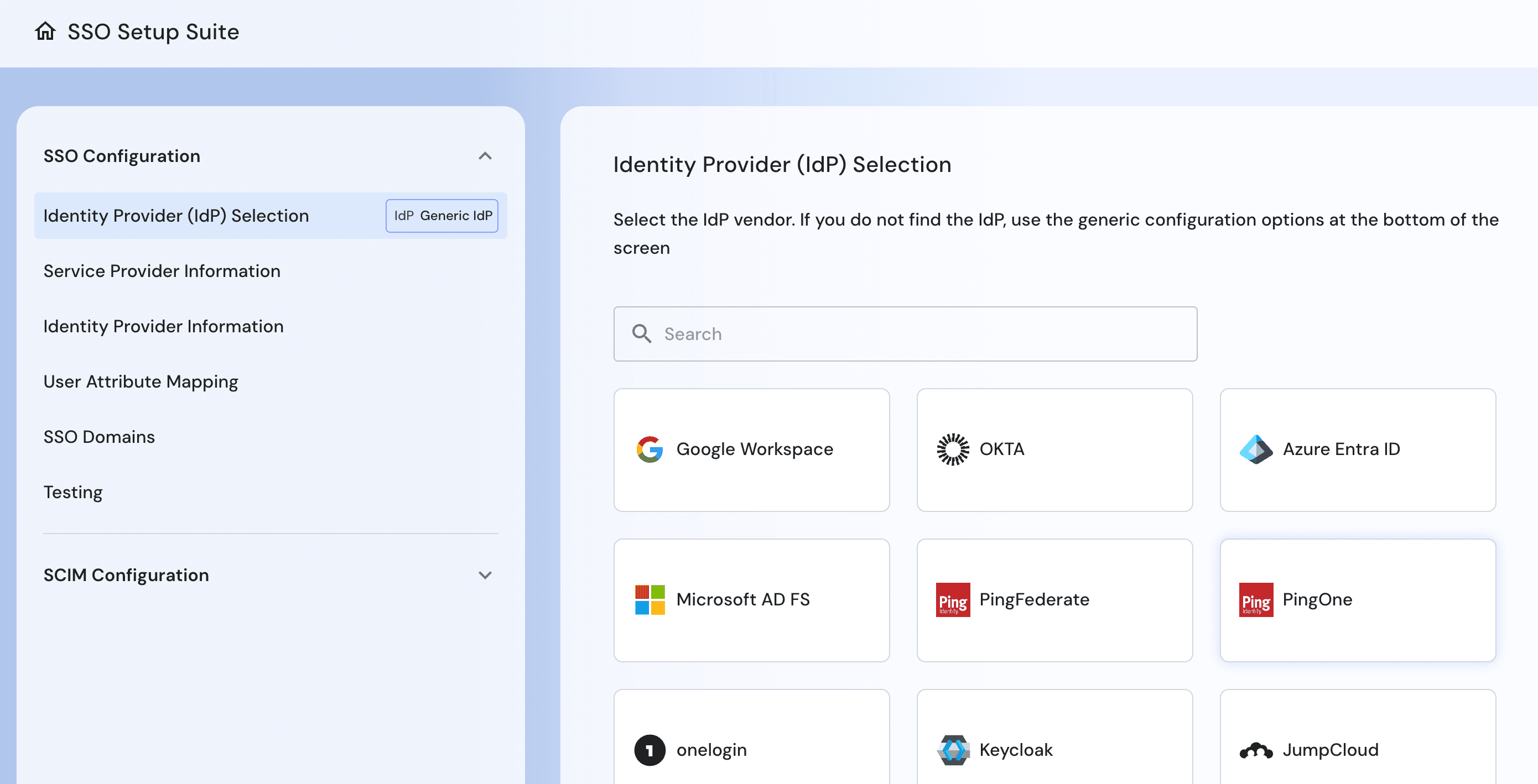
With Descope’s SSO Setup Suite, partners can set up SAML and OIDC SSO connections on their own, without needing help from engineers. The easy-to-use interface guides them through each step, helping prevent mistakes and reducing support requests.
Case Study: How SmithRx Unified Auth Across User And Partner Portals
Built-in SCIM provisioning
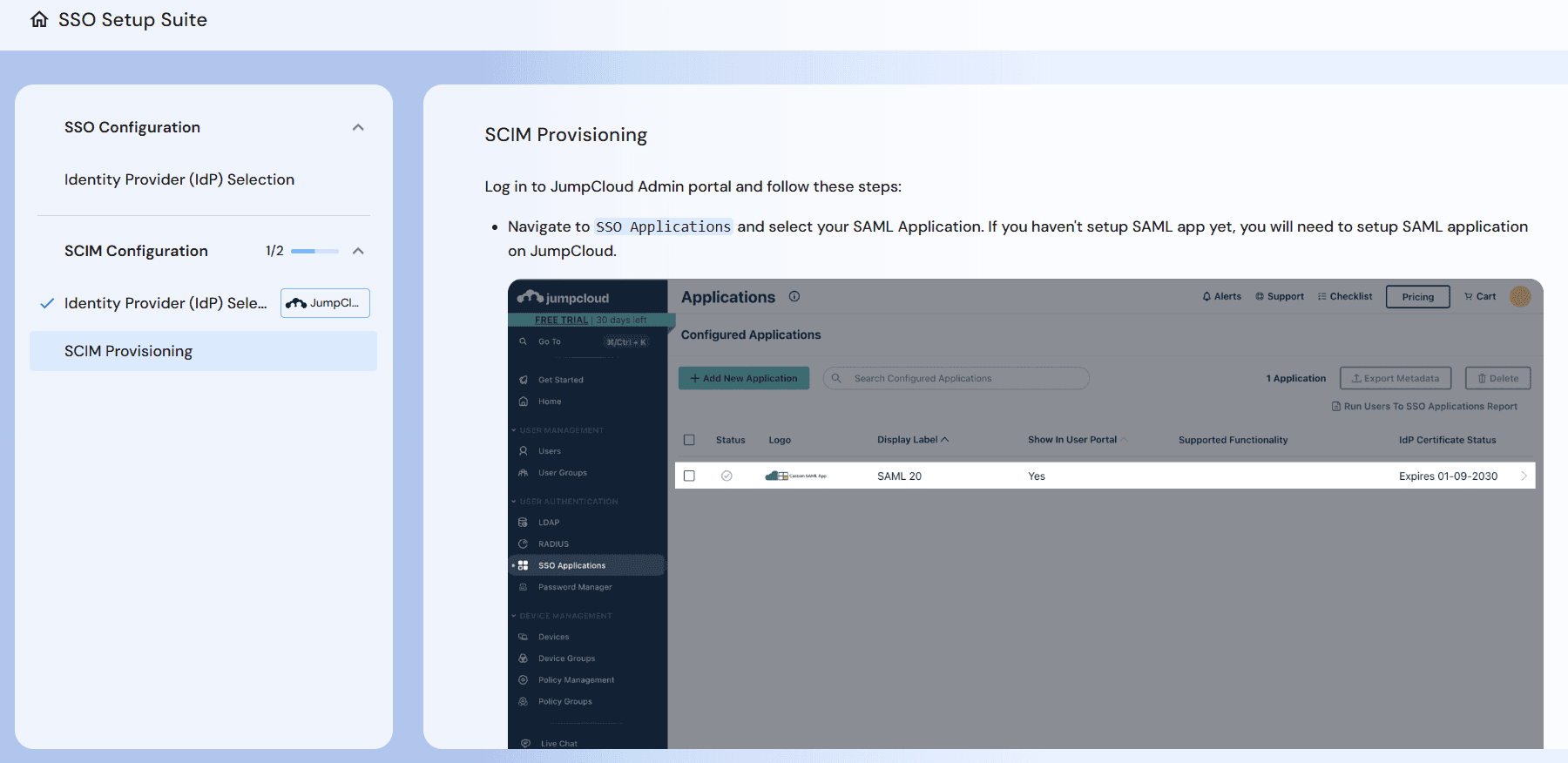
Descope’s built-in SCIM 2.0 support automates partner user additions and removals. Accounts and roles stay in sync with partner identity systems, so there’s no need for manual updates. This not only saves time but also keeps access secure and up to date.
Delegated identity admin
Descope allows your partners to manage their own users, roles, access keys, audits, and other settings without needing your team’s help. The built-in delegated admin tools let partners handle user management and access updates themselves, which reduces support requests and helps everything run smoothly.
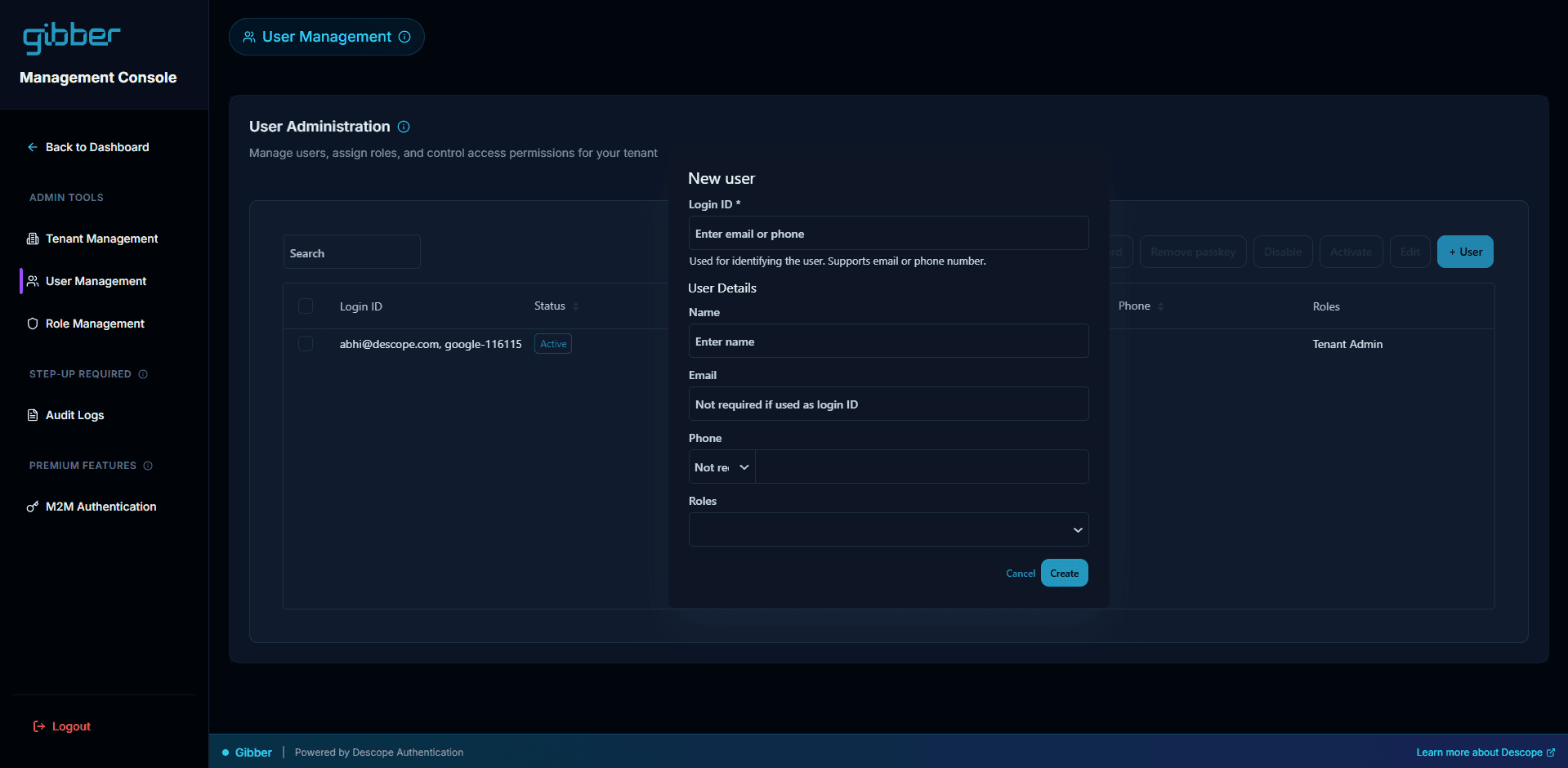
Tenant-aware auth and access control
Descope is designed for B2B companies and uses tenant-aware authentication and authorization. Each partner organization is kept separate, with support for roles, permissions, and policies at the organization level. This makes sure access is set up correctly, even for complex enterprise and multi-tenant setups.
Consent management and compliance
Descope enables organizations to manage user consent and preferences as part of the onboarding and authentication process. You can enforce terms and conditions acceptance, capture consent for AI agents to act on behalf of users, and allow users to grant access to specific resources. This ensures transparency and helps meet compliance requirements without adding friction.
Workflow-based identity orchestration
Descope’s workflow editor lets you customize onboarding and authentication without writing any code. You can add steps like MFA, identity checks, or risk-based reviews right into the process. This makes it easy to adjust as your needs change, without having to rebuild your setup.
Developer-friendly and enterprise-ready
Descope helps your team spend less time on partner onboarding while still meeting enterprise standards. You can onboard more partners as you grow, without adding extra work for your team.
Descope for partner onboarding: At-a-glance
Challenges | How Descope Helps |
|---|---|
Manual, engineering-heavy SSO setup slows onboarding | Self-service SSO Setup Suite lets partners configure SAML and OIDC with guided flows, reducing errors and support tickets |
Manual user provisioning and stale account risks | Built-in SCIM automates provisioning and deprovisioning, keeping users and roles synced with partner systems |
High support burden managing partner users and settings | Delegated admin widgets let partners manage users, roles, and configurations, reducing ongoing support needs |
Managing access across multiple partner organizations is complex | Tenant-aware auth ensures partner isolation with org-level roles, permissions, and policies |
Compliance and consent requirements create onboarding friction | Consent management captures and enforces policies within onboarding and authentication flows |
Rigid onboarding flows require engineering changes | Workflow-based orchestration enables no-code customization with auth, MFA, step-up, and bot checks |
Scaling onboarding increases engineering and operational overhead | Developer-friendly, enterprise-ready platform reduces engineering lift and supports scaling without added workload |
Turn partner onboarding into a growth engine
Partner onboarding is often the first true measure of your product’s scalability. If the process is slow, manual, or heavily reliant on internal teams, even strong products can lose momentum. Manual SSO setup and hands-on user management create friction that delays deals, frustrates partners, and restricts growth.
Adopting self-service SSO, automated SCIM provisioning, and delegated identity admin makes onboarding faster, more consistent, and scalable. This shift streamlines a previously complex process, benefiting both your team and your partners.
Platforms such as Descope accelerate onboarding and enhance the partner experience. If you'd like a demo, meet with our auth experts. Also, if you want to try Descope yourself, sign up for a Free Forever Account and start dragging & dropping your auth today!