
Table of Contents
Don't have the time to read the entire post? Our human writers will be sad, but we understand. Summarize the post with your preferred LLM here instead.
Hi, Descopers! We’re announcing significant enhancements to Descope Policies today that expands the list of possible use cases and brings non-agentic clients into the fold. What started with the Agentic Identity Control Plane has evolved into a robust policy engine governing any application, OAuth client, and AI agent that needs access to enterprise resources or downstream connections.
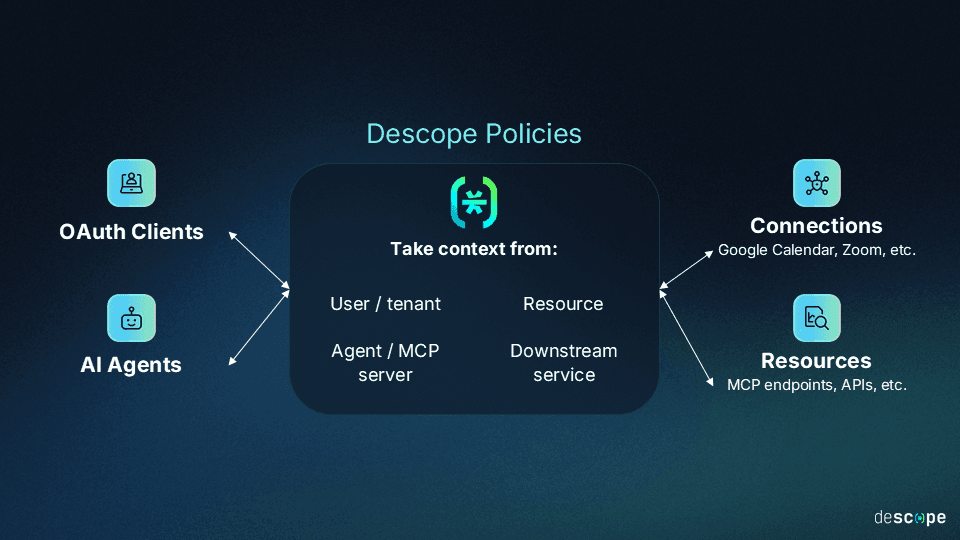
This blog post will cover how Policies work, which entities they act on, and simple but powerful use cases to put them to work.
The entities Policies act on
Here’s a quick refresher of the entities that are either the subject or target of Descope Policies:
Clients: An OAuth client registered in Descope, whether agentic or not.
Resources: An OAuth resource server defined in Descope, which can be an API or an MCP server.
Connections: Downstream services whose tokens are stored in the Descope token vault (e.g. Google Calendar
Descope Policies
Policies are an access governance layer that let organizations define and enforce authorization rules for applications or agents attempting to access enterprise resources or downstream connections. It’s important to note that Policies are enforced at the token boundary. They execute whenever a token is issued or exchanged, ensuring that every agent task moves forward only after checking that the agent should get access to the requested scopes for tools and resources.
Conditions to cover any use case
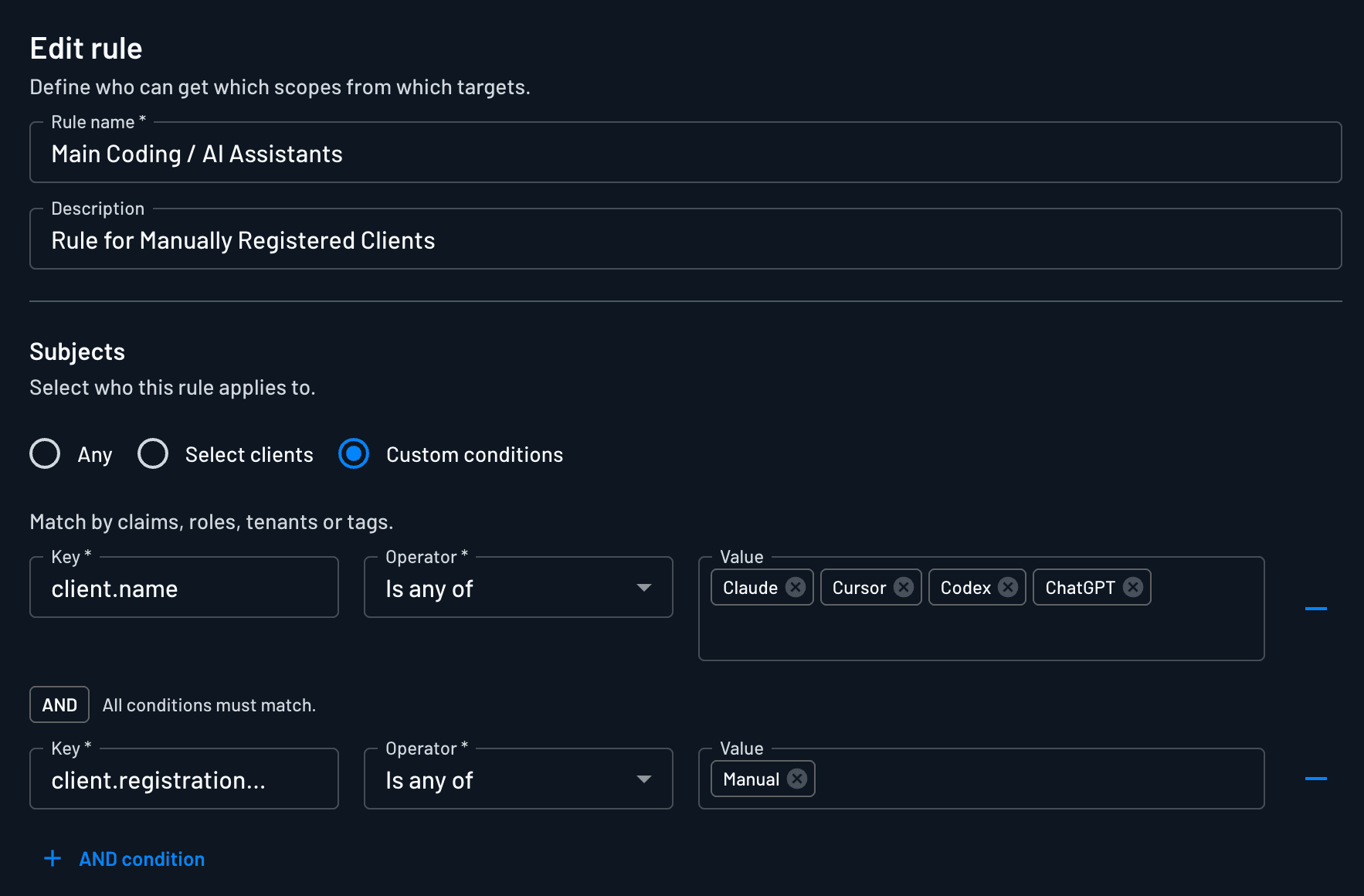
Policies can be created for a single client by name or ID, or they can be created to match a set of clients and users by employing conditions. Conditions combine with logical AND, so each one added narrows the match. Here are the keys that conditions can be based on:
Condition key | Description |
|---|---|
| Roles assigned to the authenticating user |
| Tenants the user belongs to |
| Permissions assigned to the user |
| Any claim included in the inbound JWT. These can be added via custom JWT templates to specific clients or all clients. |
| Tags assigned to the OAuth or MCP client during onboarding |
| The name of the OAuth or MCP client, like Claude, ChatGPT, or a custom name |
| The client ID used to identify the agent |
| The registration type of the agent (DCR, CIMD) |
| The “status” of the client (verified, unverified) |
So a rule can apply to clients tagged for production, or to one MCP client by name, or to users in a given tenant who hold a given role, or any combination of those at once.
Policies targeting Connections
The level of policy control that targets Connections–downstream services like Google, GitHub, ServiceNow, etc.--depends on the kind of credential the connection holds.
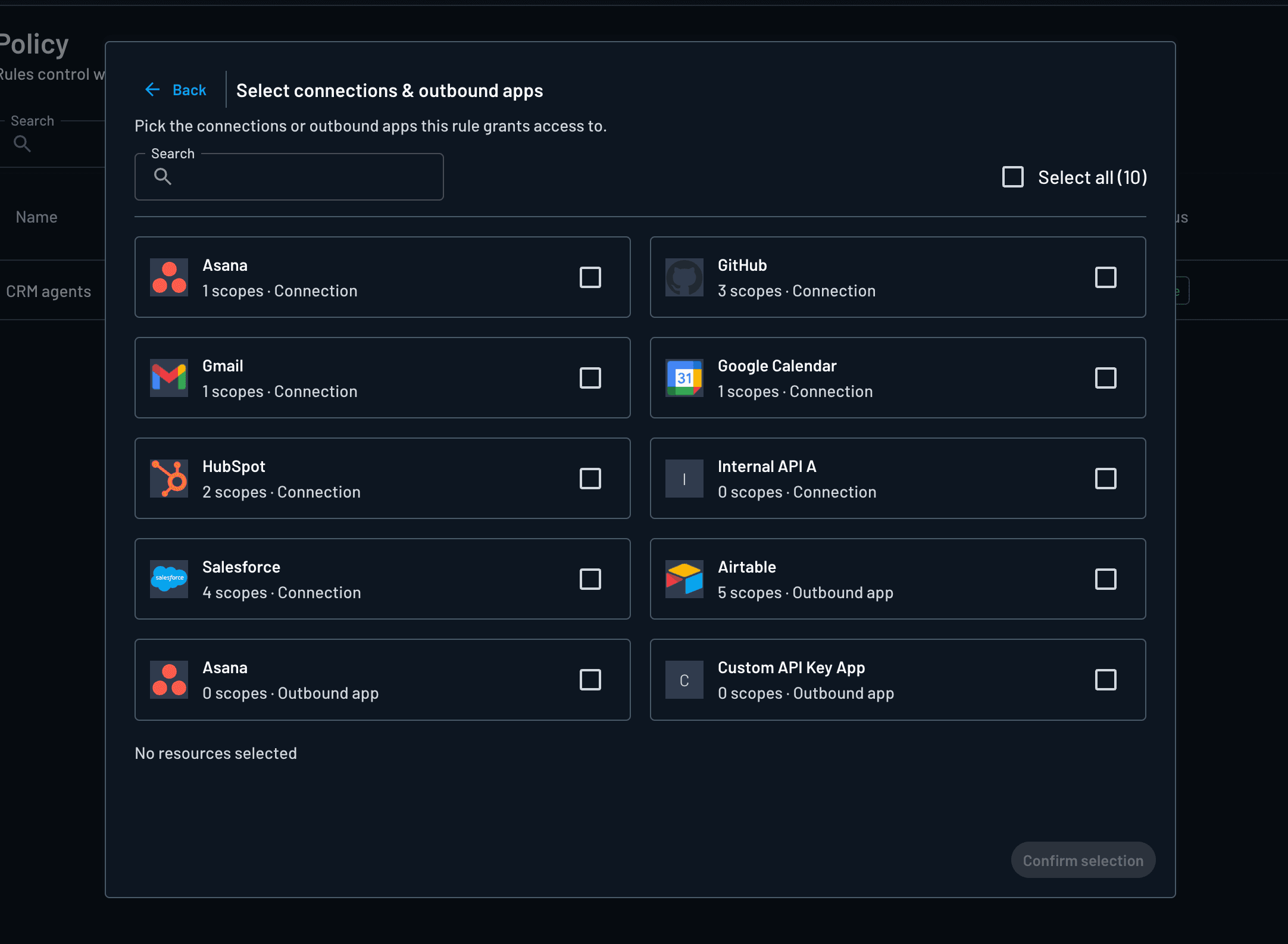
For OAuth Connections, the policies can also include scopes, so a rule can grant a target part of a Connection without handing over every scope. This matters when a Connection is powerful and only some of it should be reachable. Let’s say an organization has a Connection to a payments API and only one Resource's tools should be able to issue refunds. A policy can be created that targets the Connection and associates only the refund scope with that resource, and an agent that tries to pull a broader token doesn't get it.
Not every Connection is OAuth, though. A Connection can also hold an API key or a certificate, and those don't carry scopes, so the rule grants the credential itself rather than a slice of it. For an API key connection, what the client gets depends on whether a user is involved. When there's a user, associating the Connection with the Client lets it fetch the latest API key for that Connection, scoped to the user. When there's no user, an autonomous agent retrieves a tenant-level Connection token for the organization instead. The rule still decides which clients can reach the connection at all.
Policies targeting Resources
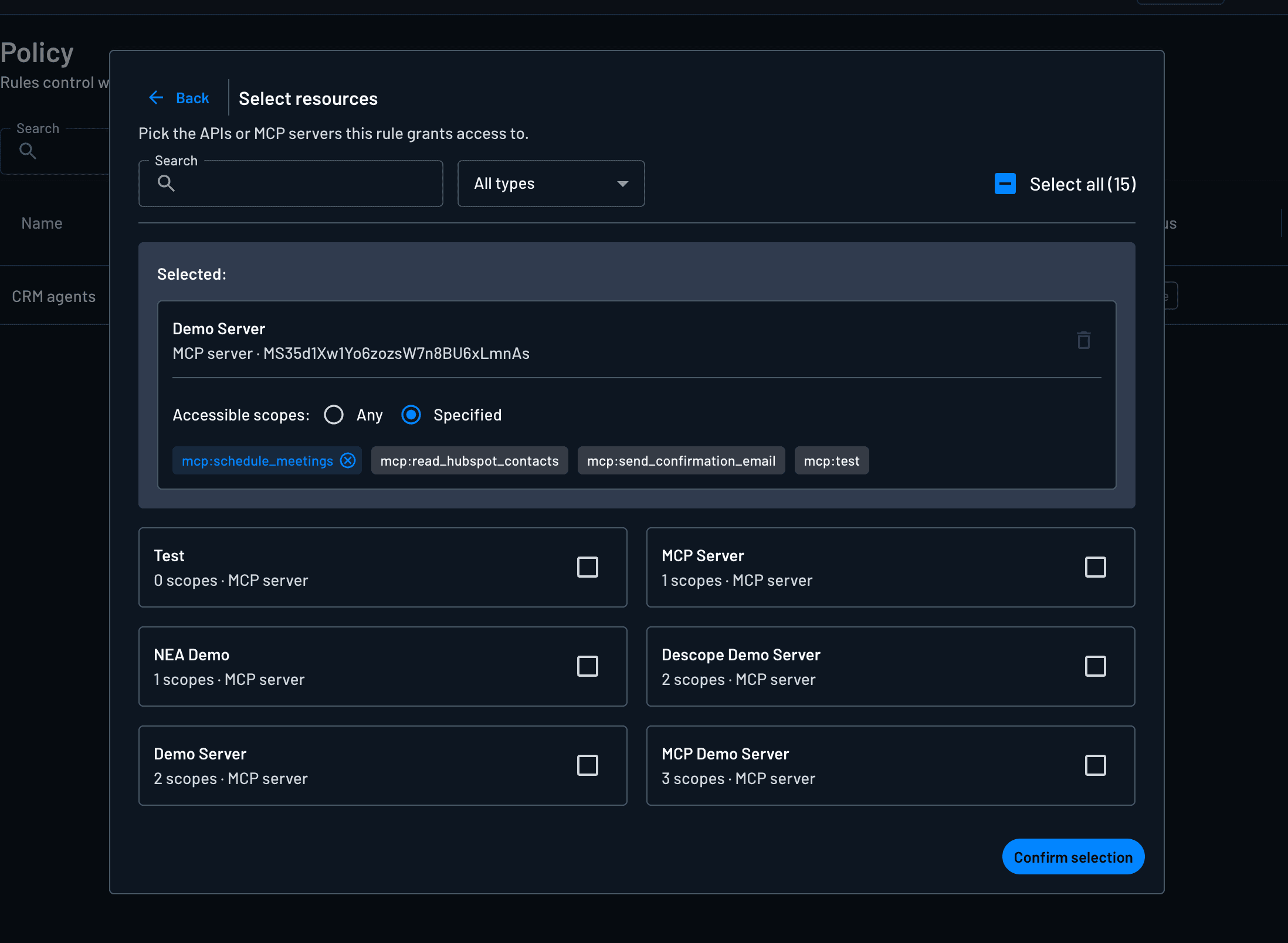
Policies targeting Resources enable organizations to provide secure, scoped, delegated access to MCP servers and product APIs. Policies can also include a choice of grant type, so a policy can say a Resource is reachable through client_credentials but not through token exchange, or the reverse, instead of assuming a single flow.
Real-world use cases
A locked-down background worker (single-client policy)
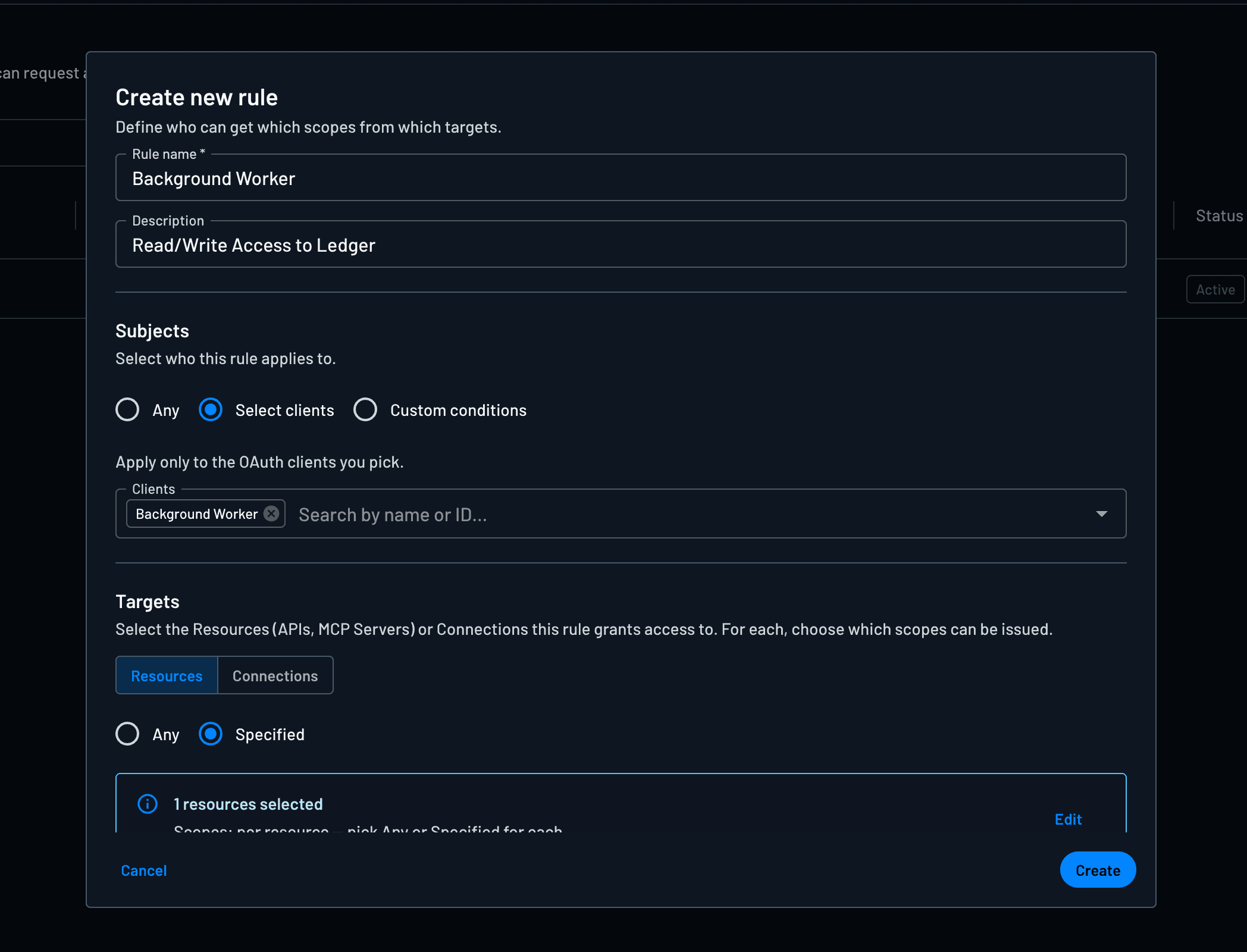
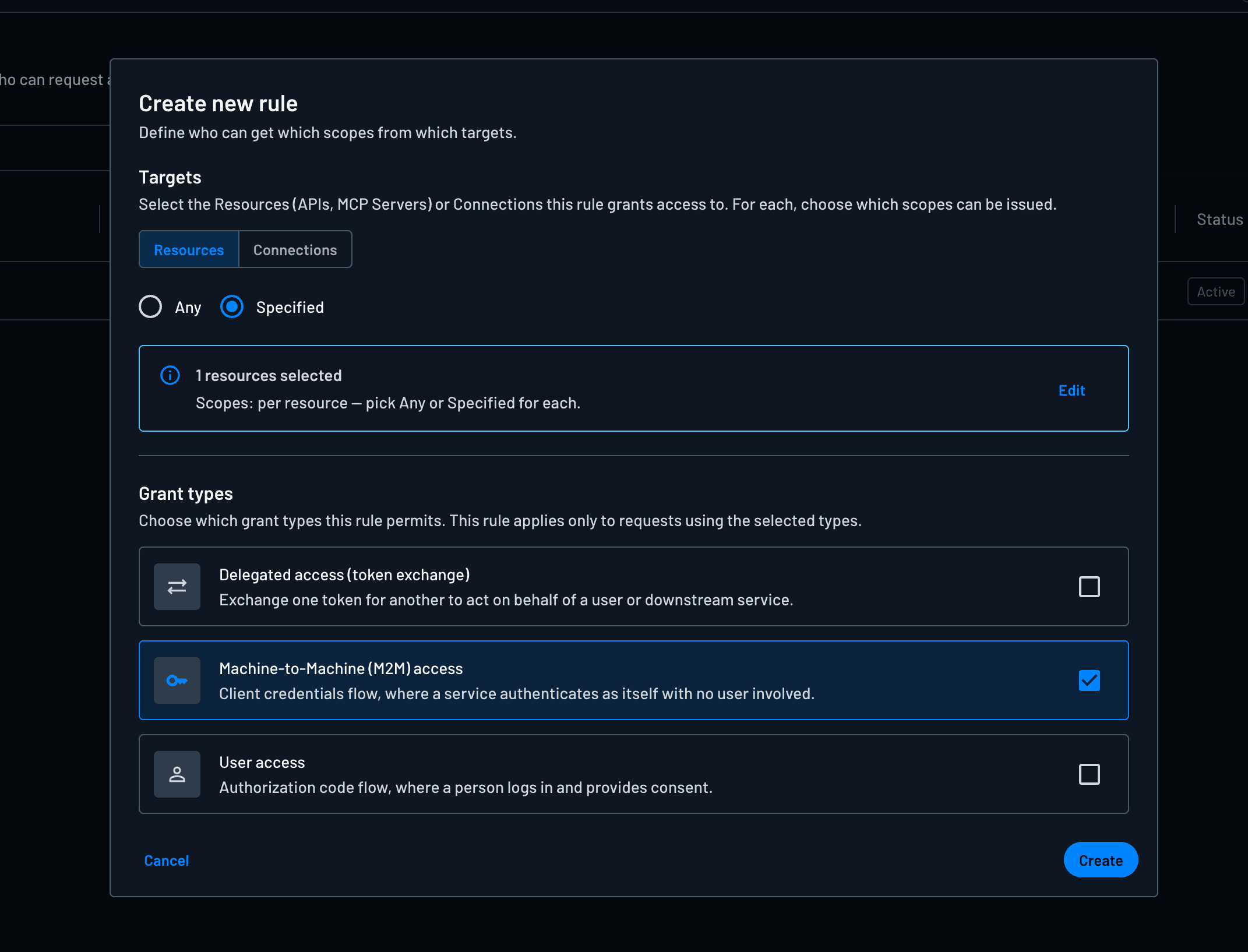
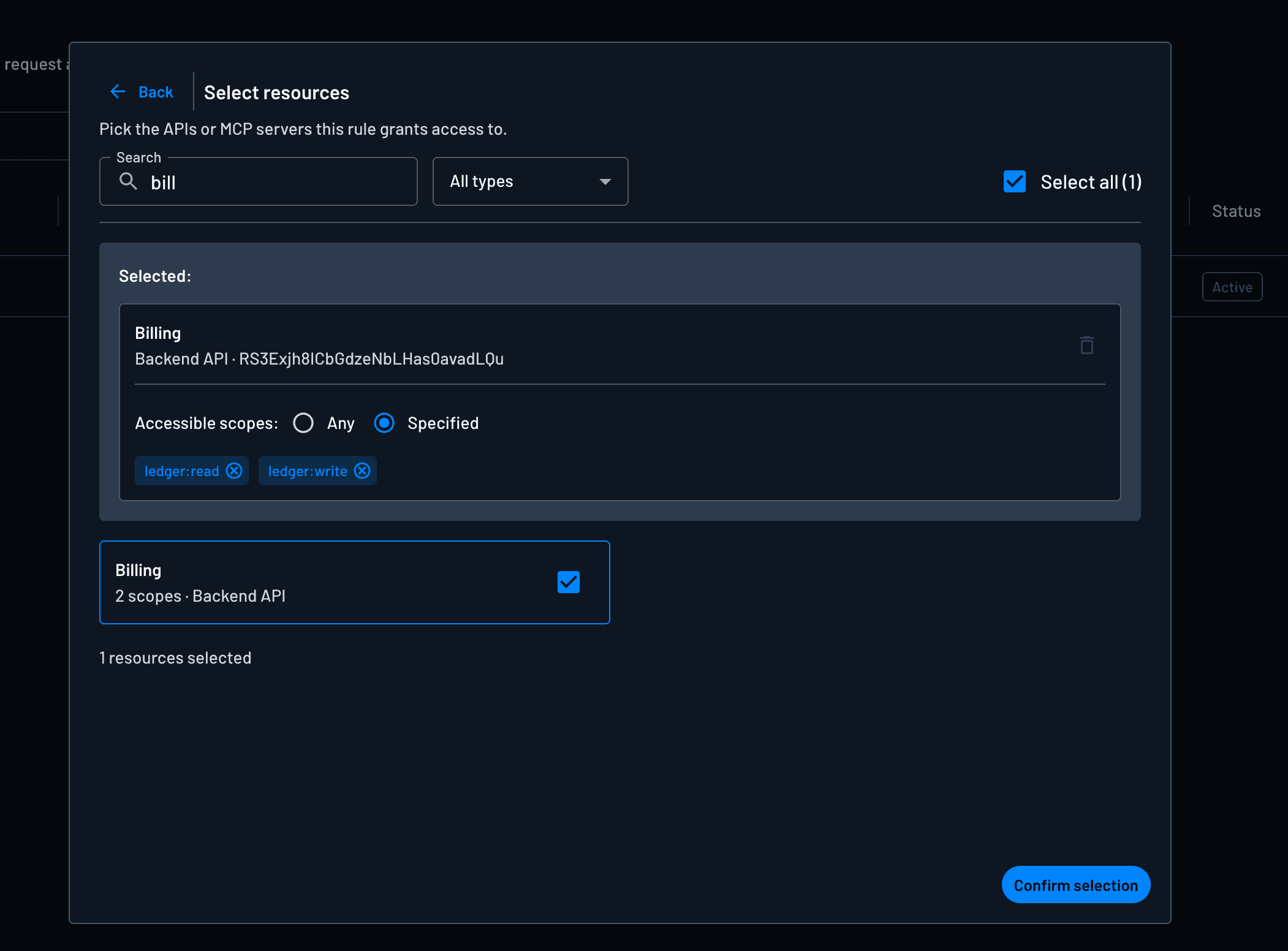
Let’s say an organization runs a nightly reconciliation worker that closes out invoices, and it's the only thing that should write to the ledger. It can be assigned its own client and governed by a policy pinned to that client by ID, granting ledger:read and ledger:write on the billing resource and nothing else.
Because it's pinned to one client instead of a broad condition, the policy definition can be kept tight: nothing else matches the rule, and the worker can't pick up a scope that isn’t listed.
More power when a human is driving (two policies, split by grant type)
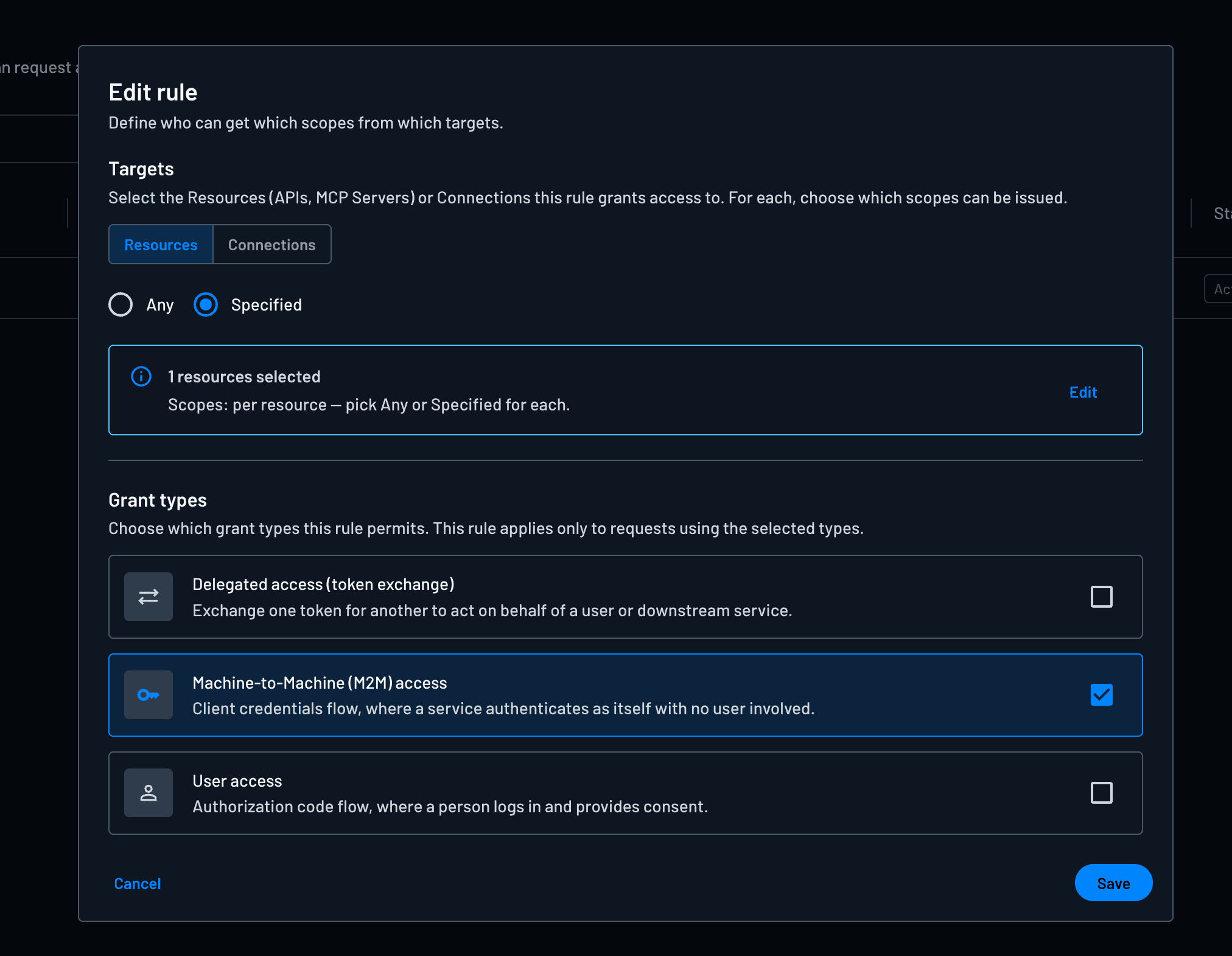
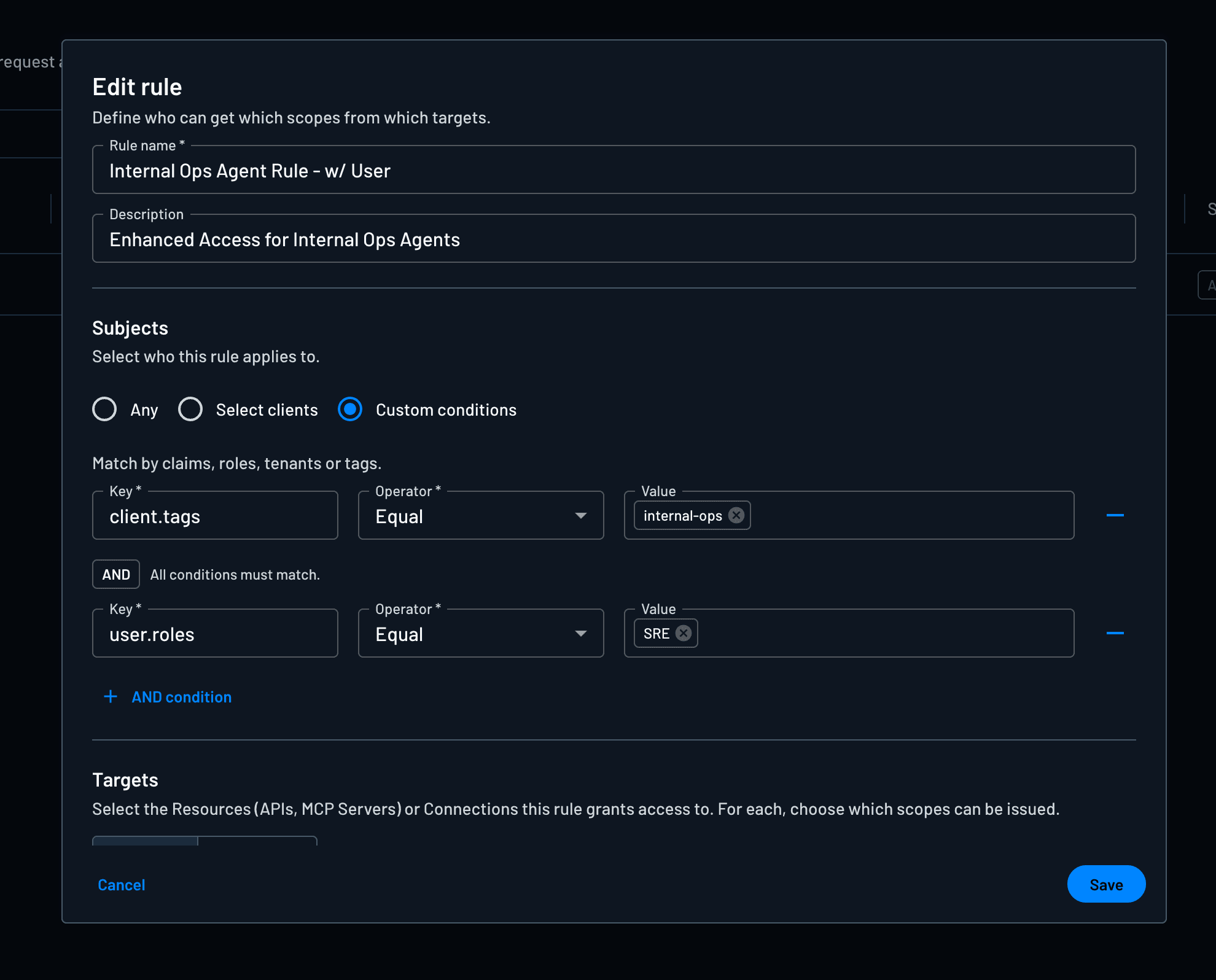
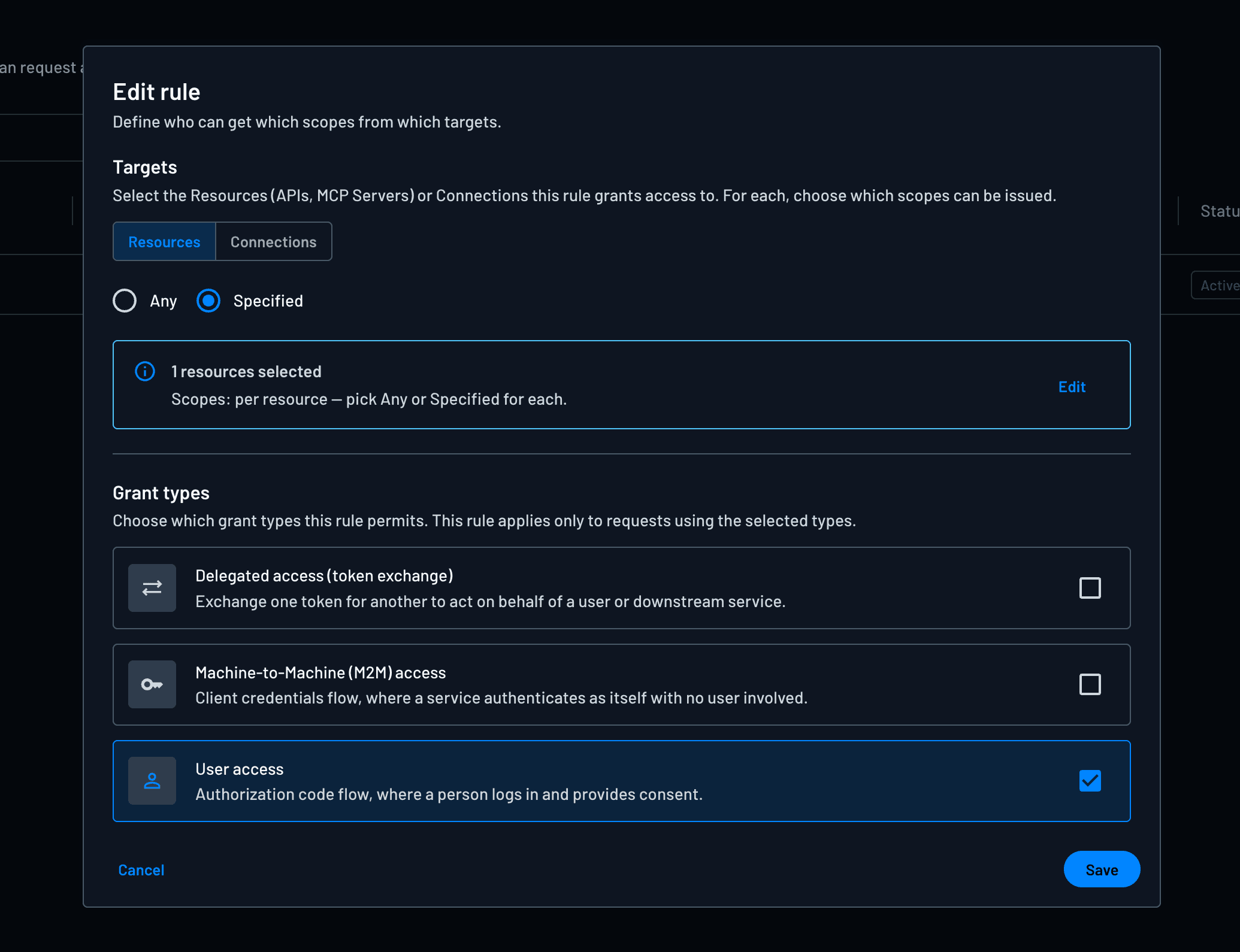
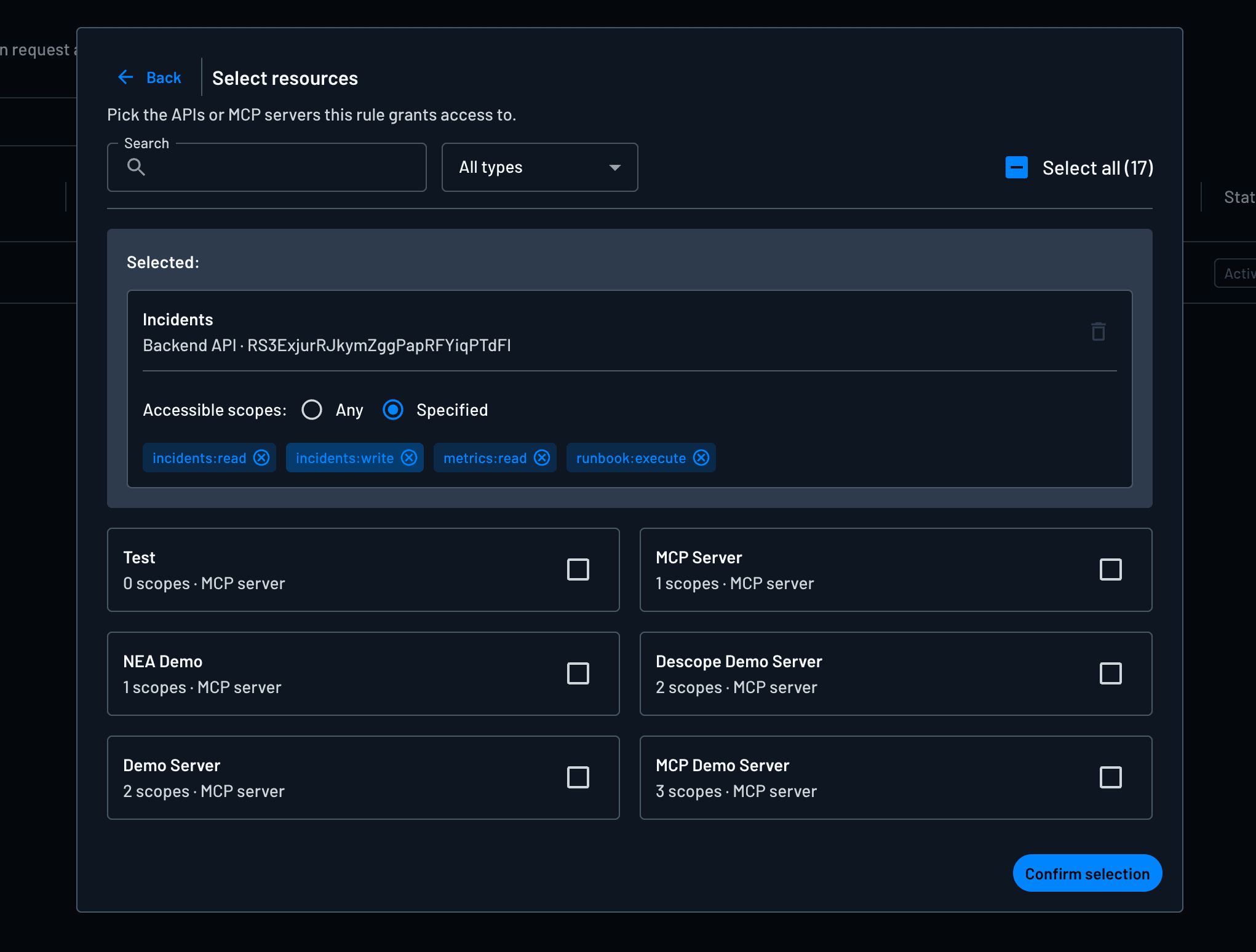
Let’s say there’s an internal ops agent that runs on its own for routine checks but should do more when an engineer is actually steering it. Two policies can be written on the same resource. The first matches the client_credentials grant, the autonomous case, and grants read-only scopes like incidents:read and metrics:read.
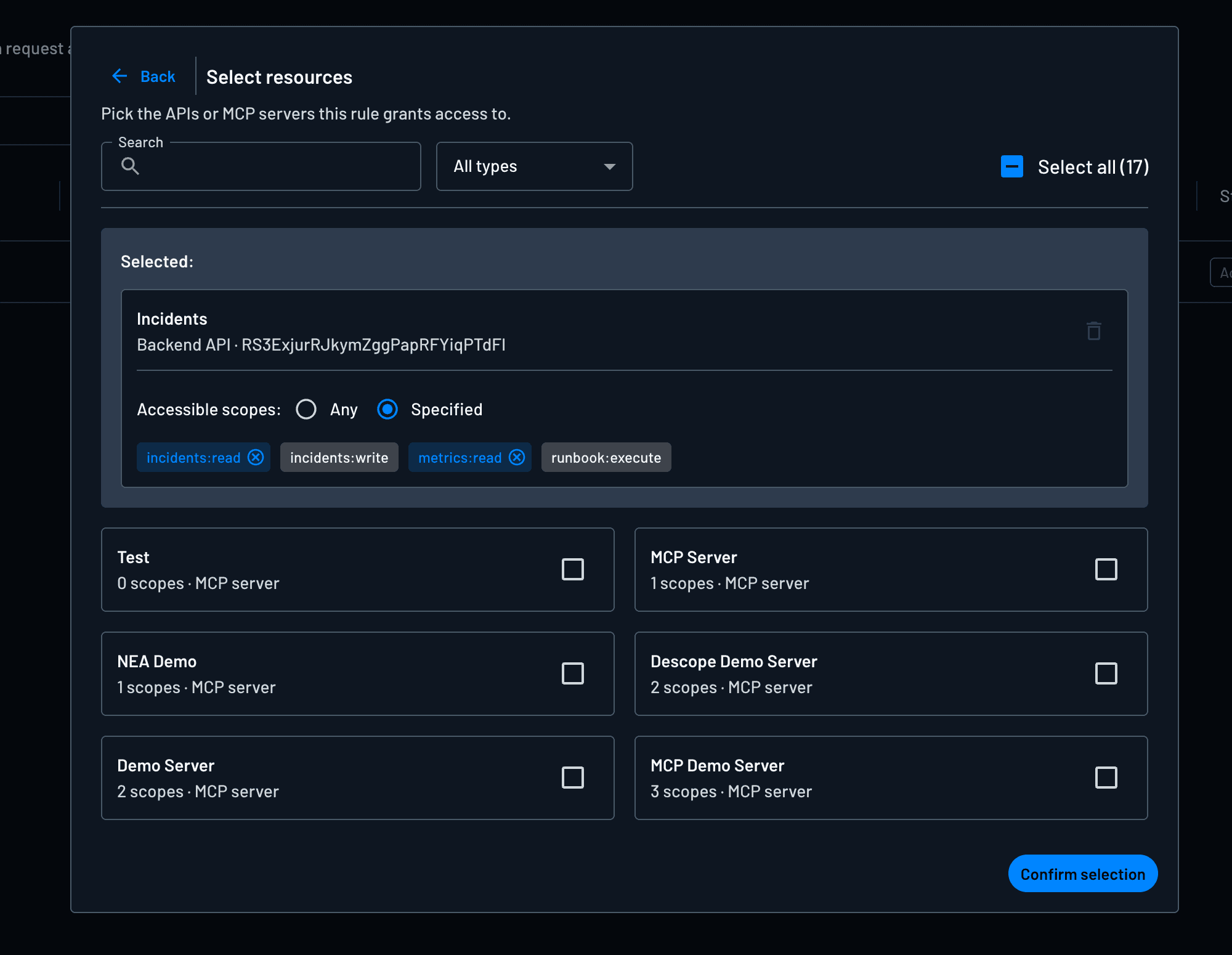
The second matches authorization_code, where a user is present, and grants the heavier scopes like incidents:write and runbook:execute, conditioned further on the user holding an SRE role. The agent and resource remain the same, but the agent can only take destructive actions when a real, authorized person is in the loop.
Make your MCP server the only door (token exchange)
Let’s say a downstream analytics resource should only ever be reached through the reporting MCP server, never by an agent calling it directly. The MCP server can be represented as a client and a token-exchange policy can be defined that allows the exchange only when that server is the one making it, and denies the same exchange for every other client.
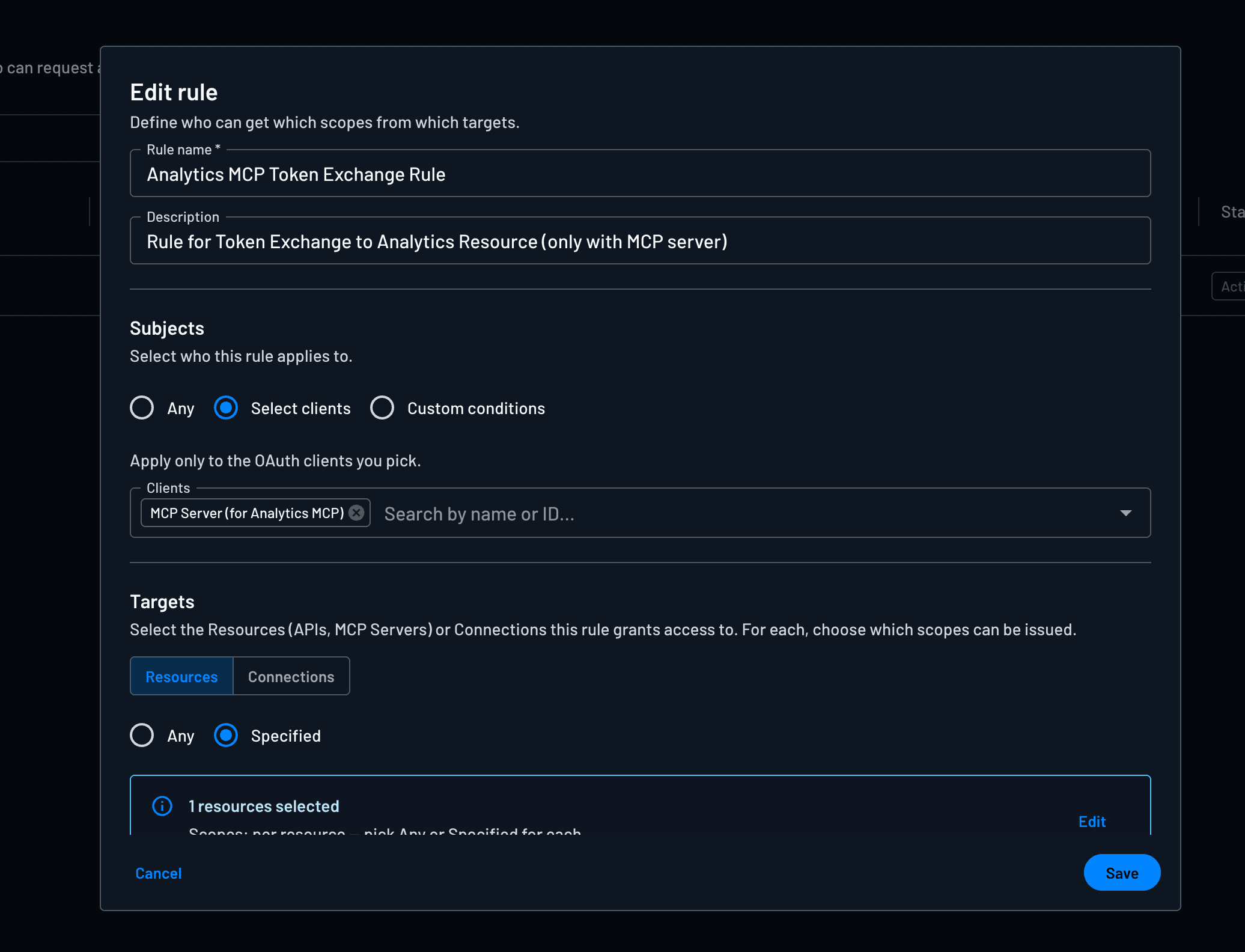
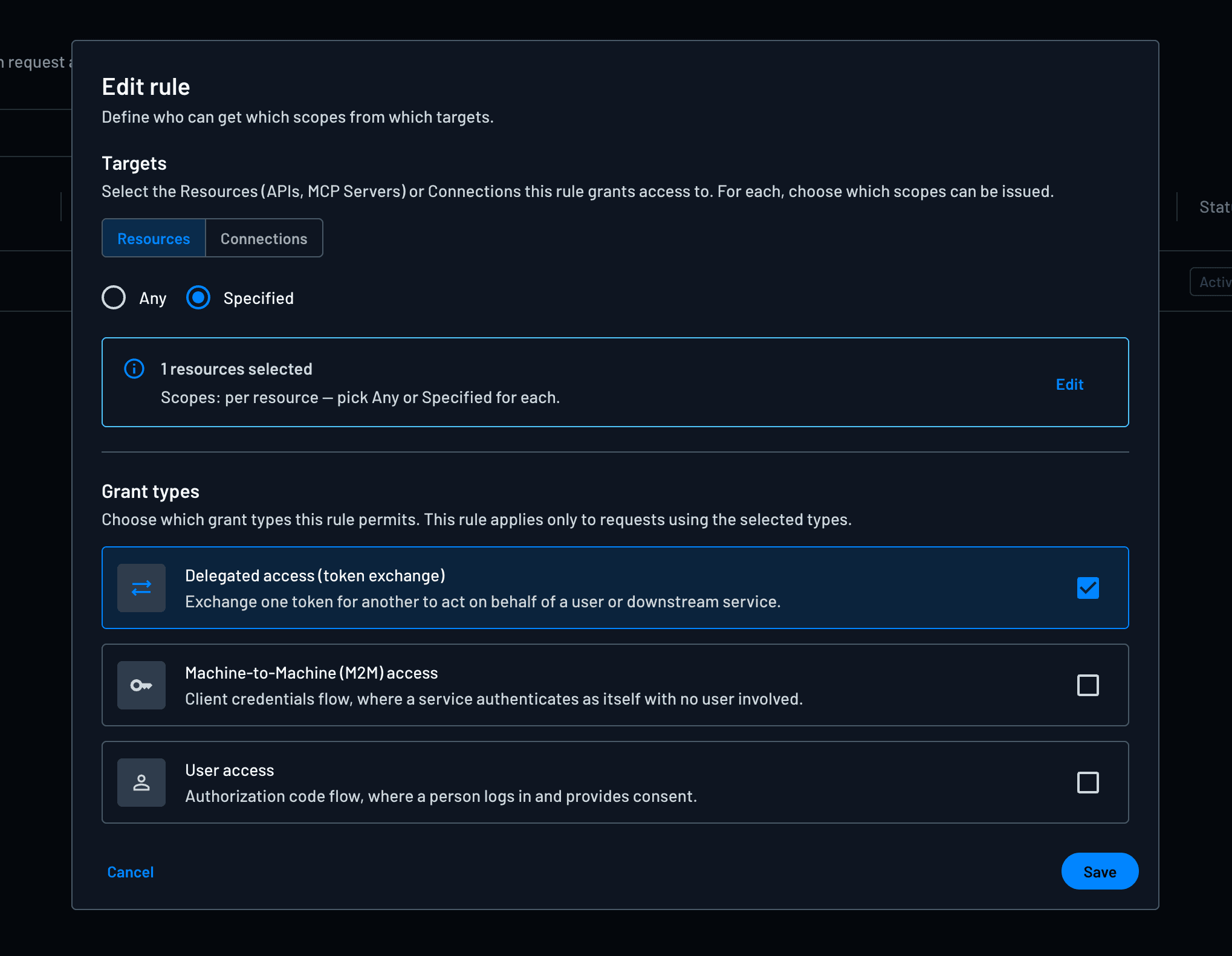
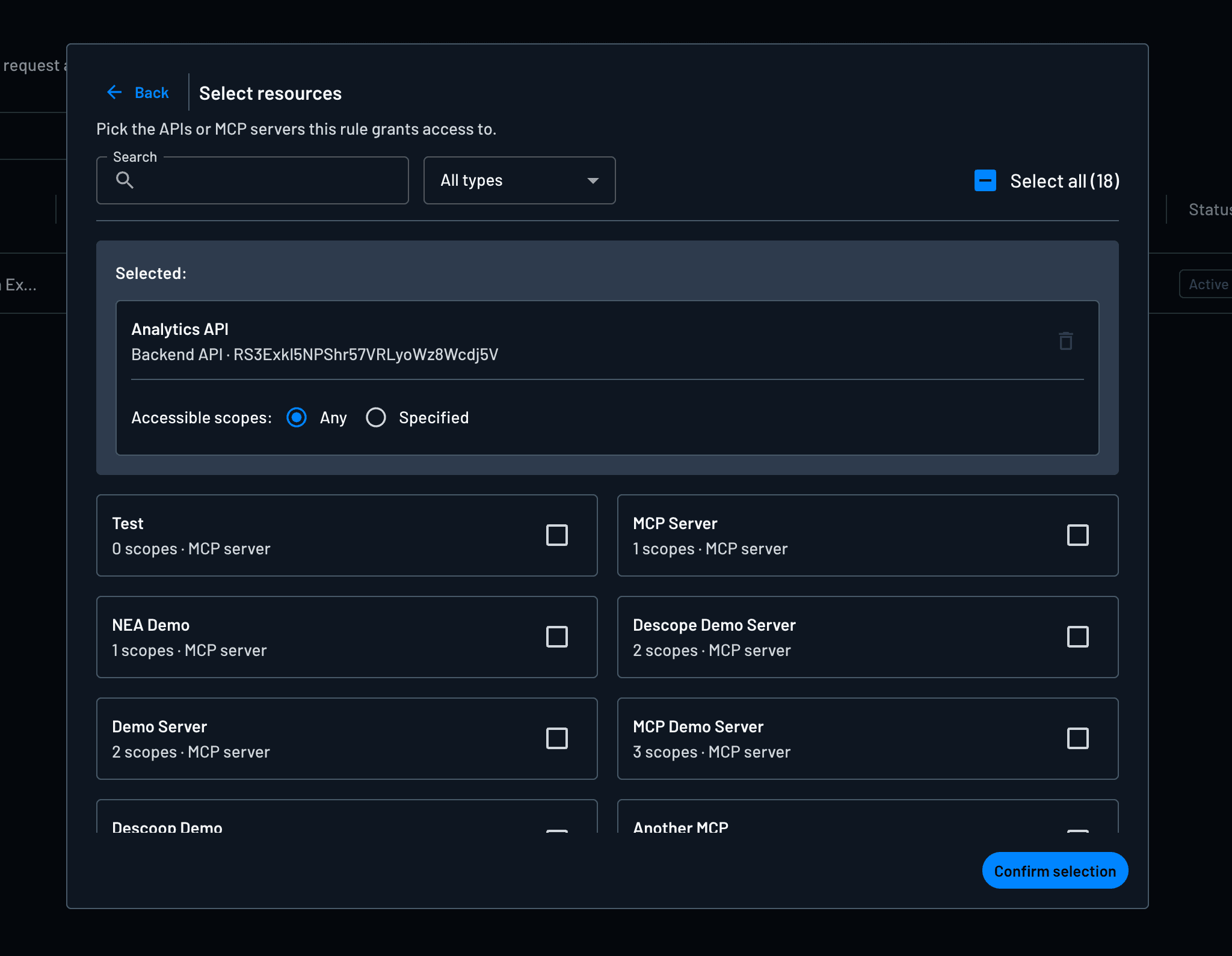
The control here is based on who is allowed to do the exchange. The server stays the single chokepoint, and its own scope checks still run on top of that.
Conclusion
Descope Policies provide an easy-to-administer and flexible rules engine to govern access to protected resources. The policies can be sweeping or specific, target APIs, MCP servers, or external connections, change according to grant type, and be defined at both a user and tenant level. Sounds very “We do auth, you do you”–a motto we pride ourselves on!
Sign up for Descope and visit our docs to start exploring Policies. Have questions? Book a demo with our team. Follow along with AI Launch Week here.