
Table of Contents
Don't have the time to read the entire post? Our human writers will be sad, but we understand. Summarize the post with your preferred LLM here instead.
Across industries, one of the most persistent fraud patterns follows the same basic arc: an attacker phishes a legitimate user's credentials, logs in from a different device, and takes a costly action before anyone notices. The specific damage varies—drained bank accounts, stolen data, fraudulent orders—but the attack vector is almost always the same. A password (or email account) was compromised, and the system had no way to tell the difference between the real user and someone pretending to be them.
Passkeys were built to break this pattern. And while they're often discussed in the context of consumer login flows or passwordless authentication, their implications for fraud prevention are worth a much closer look.
The core problem: Phishable credentials
Passwords are the lowest common denominator of fraud. They can be guessed, leaked in data breaches, harvested through phishing, or intercepted in transit. Any authentication method that requires a user to type a secret into a form is fundamentally exposed: all it takes is a convincing fake login page.
SMS one-time passwords are marginally better. They're vulnerable to SIM swapping, real-time phishing relay attacks (where an attacker proxies your login attempt in real time and grabs the OTP before you do), and social engineering. For an attacker who's motivated and reasonably sophisticated, OTPs aren't a meaningful barrier.
The deeper issue is that neither passwords nor OTPs are tied to a device. From the server's perspective, there's no way to know whether the person typing in those credentials is sitting at the machine where the account lives, or operating from the other side of the world on a freshly spun-up VM. Authentication succeeds if the secret is correct, and secrets can travel.
Passkeys solve this at the protocol level.
Also Read: Lessons From MFA Bypass Attacks
How passkeys work
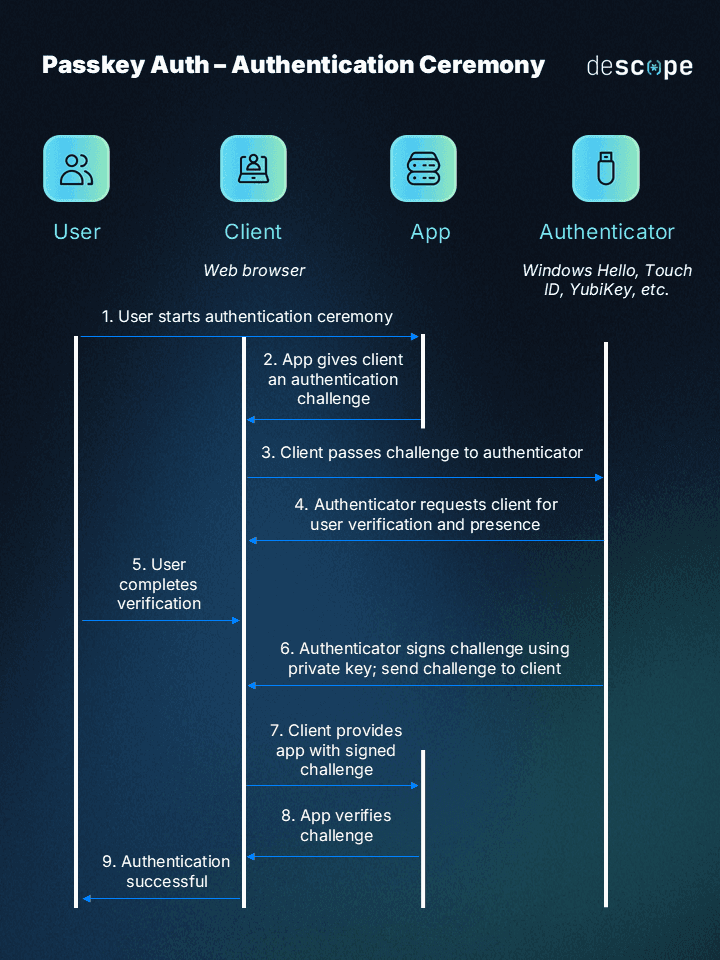
Passkeys are built on the FIDO2 and WebAuthn standards. Instead of shared secrets, they use public-key cryptography. When a user registers a passkey, their device generates a key pair: the private key stays on the device (stored in a secure enclave or hardware TPM) and the public key is registered with the server.
When the user authenticates, their device signs a challenge issued by the server using that private key. The server verifies the signature against the stored public key. At no point does any secret leave the device. There's nothing to phish, nothing to intercept, and nothing to replay.
Two properties make passkeys particularly powerful for fraud prevention:
Phishing-resistant by design
Passkeys are cryptographically bound to the origin they were registered on. A passkey registered on app.yourcompany.com will not respond to a challenge from app.yourcompan-y.com. The browser enforces this at the protocol level—no UX tricks and no warning dialogs the user can dismiss. The authentication ceremony simply fails on a spoofed domain.
Device binding
The private key is hardware-backed and non-exportable. The person authenticating must be on the device that registered the passkey. You can't steal a passkey from a credential dump. You can't replay it from another machine. Authentication is tied to a specific device in a way that passwords never are.
That combination makes passkeys different from anything else in the mainstream authentication toolkit.
Passkeys for account takeover prevention
Account takeover (ATO) fraud is one of the clearest beneficiaries of passkey adoption. The typical ATO attack depends on two things: getting hold of credentials (through phishing, breach dumps, or credential stuffing) and successfully authenticating with them from a new device. Passkeys break both steps.
There are no credentials to steal from a phishing page since the private key never leaves the device. And even if an attacker somehow obtained a user's login identifier, they'd still need the registered device to complete authentication. Credential stuffing becomes a dead end when there's no credential to stuff.
For applications where account takeover directly enables financial loss, data theft, or irreversible actions, this isn't just an improvement in authentication UX—it's a meaningful fraud control.
Use case: Fraud in freight logistics
One of the more interesting conversations around passkeys recently came out of the freight and logistics industry, and it illustrates something important about how fraud prevention requirements don't always look the way you'd expect.
Third-party logistics (3PL) fraud—where freight managers are phished and their accounts used to reroute or steal physical shipping containers—has become an increasingly serious problem. Supply chain crime losses surged to nearly $725 million in 2025, a 60% jump from the year before. A meaningful chunk of that is driven by compromised credentials.
The attack is straightforward: a phishing email lands in a freight manager's inbox, spoofed to look like it's from a trusted broker or carrier. The manager clicks through, enters their credentials on a fake portal, and within hours an attacker has authorized a reroute on a container worth hundreds of thousands of dollars. The paper trail looks legitimate. The fraud looks like an operational decision.
What's interesting about how freight companies think about this problem is that they're less concerned with who the user is and more concerned with where the action is coming from. They don't need deep identity verification—they need confidence that the person initiating a reroute is the same person who logged in, on the same device. That's a subtly different requirement, and it points directly to step-up auth with passkeys.
Step-up auth: Passkeys at the moment that matters
Step-up authentication is the idea that not all actions in an application carry the same risk. Browsing is low risk. Initiating a wire transfer is high risk. Rerouting a freight shipment is high risk. Rather than applying the same authentication bar to everything, you apply additional authentication exactly when it's needed—at the moment a sensitive action is triggered.
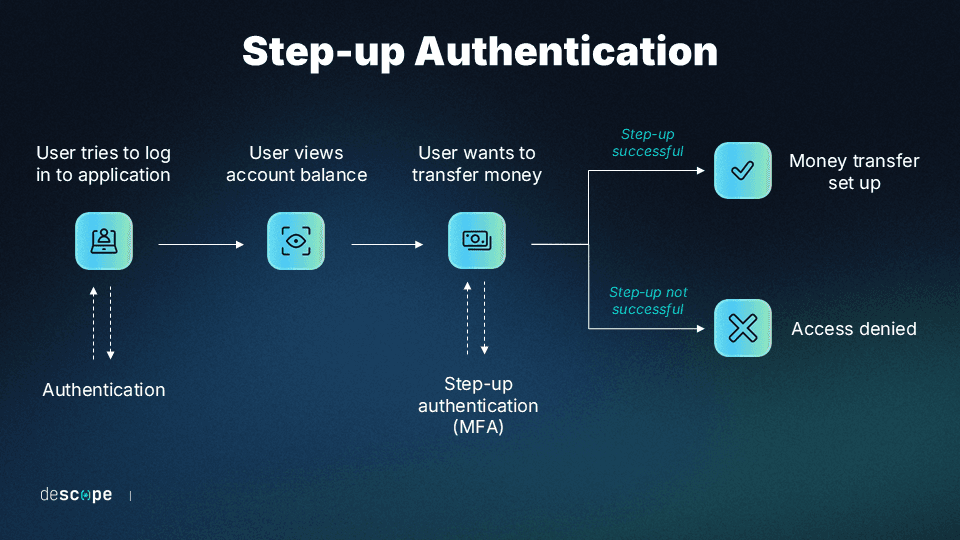
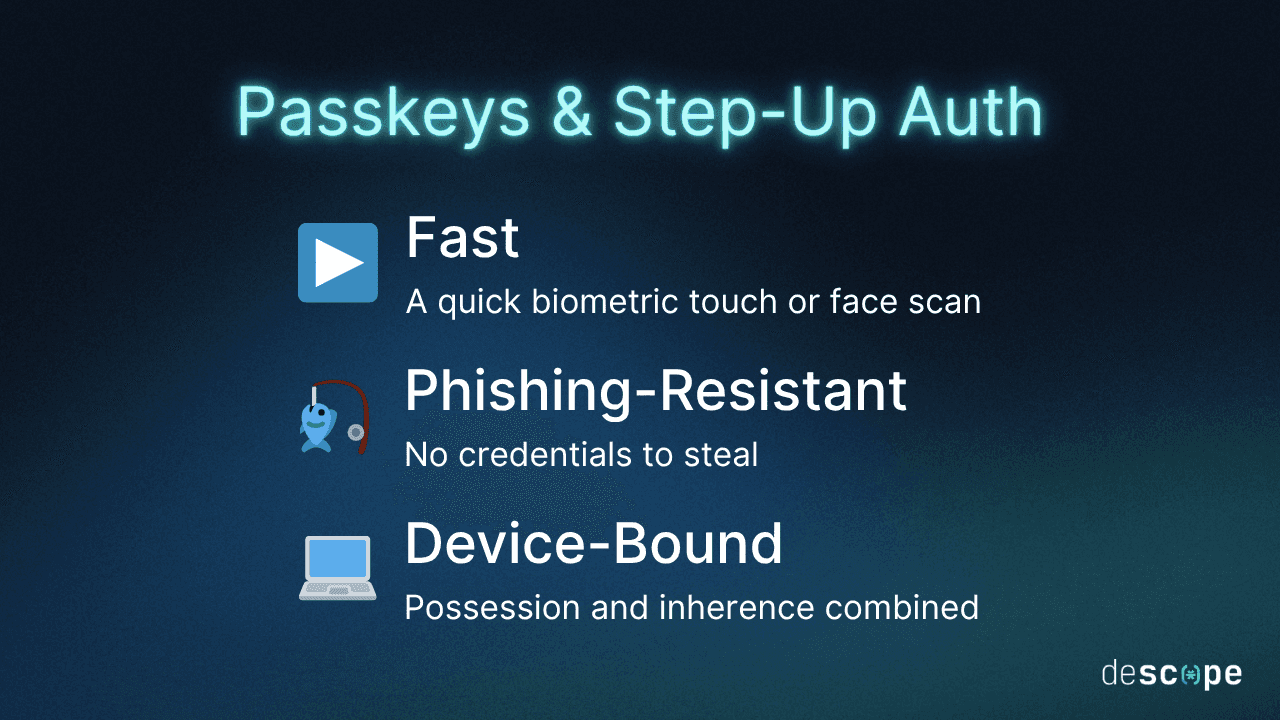
Passkeys are a natural fit for step-up auth. They're fast (a biometric touch), phishing-resistant, and device-bound. They add real security without the friction of an app-based TOTP or a phone call.
The flow works like this:
A user logs in normally: with a passkey, SSO, magic link, or whatever method your app supports.
They initiate a sensitive action (a reroute, a transfer, a privileged data change).
Before the action is committed, the platform triggers a passkey authentication challenge.
The user completes biometric authentication on their registered device.
The session token is upgraded with a step-up (
su:true) claim.The backend checks for that claim before allowing the action through.
If the account has been taken over from a different device, step 4 fails. The exploit stops there.
Implementing passkey step-up auth with Descope
Descope makes the step-up passkey pattern straightforward to wire up, whether you're using the no-code Flow editor or integrating directly via SDK.
Passkey registration
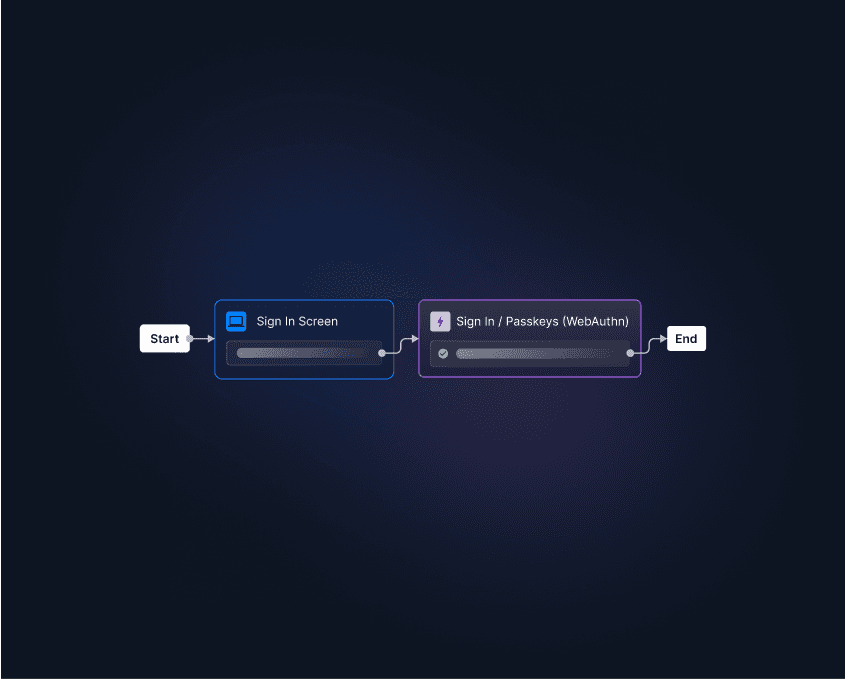
Users need to register a passkey before you can challenge them with one. In Descope, you can add this step to your sign up flow itself. For example, you can check whether the user is new and have them configure a passkey only if so.
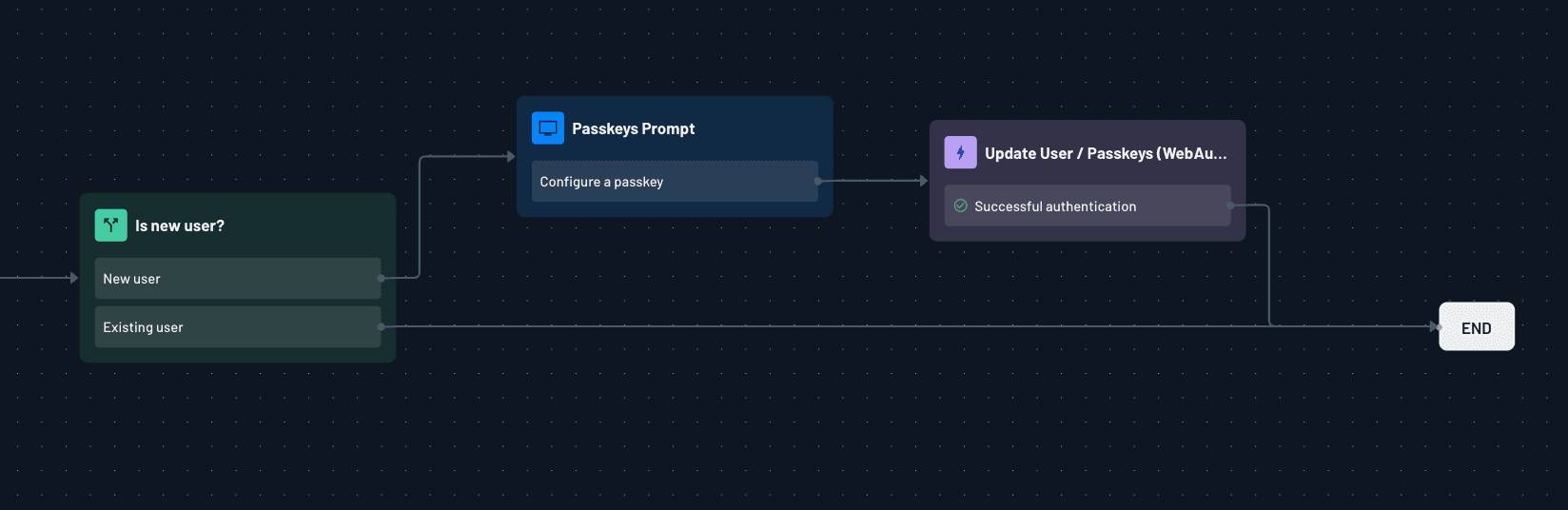
Descope's passkeys are domain-specific by default, which means they're automatically scoped to your application's origin and won't work on any spoofed version of it.
Triggering step-up
When a user attempts a sensitive action, your frontend calls a Descope step up flow to trigger the challenge. If they're on their registered device, the assertion completes and returns an upgraded session token.

Verifying on the backend
On every sensitive endpoint, check for the su: true claim before allowing the action to proceed. No claim means the step-up wasn't completed: reject the request and send the client back to authenticate.
The step-up token has its own configurable timeout in Descope's project settings, so you control how long a stepped-up session stays valid. For high-stakes actions, a short window (five to fifteen minutes) ensures every consequential decision requires a fresh assertion.
This is just one example of using a Descope Flow with passkeys for step-up auth. You can check out several other templates from our Flow Template Library.

How this pattern prevents fraud
Running the freight scenario through this architecture makes the protection concrete.
A phishing email tricks a freight manager into handing over their credentials on a fake portal. The attacker logs into the real application from a different machine and navigates to a shipment they want to reroute. The platform triggers step-up auth. The attacker is prompted to complete a passkey assertion—but they don't have the freight manager's device. The ceremony fails. The session never gets the su: true claim. The backend rejects the reroute.
The cargo stays put.
The same logic applies across fraud vectors: a fraudulent bank transfer requires the su claim, so a compromised password gets an attacker nowhere. A privileged admin action requires the claim, so a stolen session cookie isn't enough. The passkey step-up is better than most MFA factors since it's a device presence check that can't be replicated from anywhere other than the original registered hardware.
It's worth noting what this doesn't prevent: an attacker with physical access to the device who can spoof a biometric or knows the PIN. But that's a fundamentally different attack surface than remote credential theft, which is the dominant vector for most application-layer fraud.
Conclusion
The thing that makes passkeys interesting for fraud prevention isn't just that they're more secure than passwords. It's that they shift what authentication actually proves. Instead of "this person knows a secret," you get "this person is holding a specific piece of hardware, right now, and it matches the device that was registered."
For any application where a compromised credential can directly trigger a costly, irreversible action—a freight reroute, a wire transfer, a privileged data export—that shift matters enormously. You're not just making login harder to phish. You're making the action harder to fraudulently authorize, which is where the real damage happens.
The pattern of using passkey step-up for high-stakes actions is general enough to apply across industries. It just takes connecting the fraud model to the authentication primitive that was designed to address it.
If you want to explore fraud prevention with Descope, sign up for a free Descope account to get started or book a demo with our team. You can also try passkeys authentication yourself at www.passkeys.guru.