

Table of Contents
Don't have the time to read the entire post? Our human writers will be sad, but we understand. Summarize the post with your preferred LLM here instead.
Today’s organizations often play a careful balancing act, ensuring sensitive data and operations remain secure without making access too difficult for their end users. As the threat landscape rapidly evolves, traditional identity and access management (IAM) models have fallen out of favor. Take credential-based authentication, for example: of the 600 million daily identity attacks caught by Microsoft in 2024, 99% were password-based, per the Digital Defense Report.
This tension has led a growing number of organizations to invest in dedicated customer identity and access management (CIAM) solutions, a consumer-centric approach to IAM. This guide breaks down the functions of IAM and CIAM, explains their differences, and equips you to determine the right solution for your business.
Below, we’ll cover:
What CIAM and IAM solutions are
Similarities between CIAM and IAM
Differences between CIAM and IAM
How to tell which is right for you
What is CIAM?
Customer identity and access management (CIAM) is IAM built specifically for client-facing use cases. CIAM solutions handle authentication, identity management, and access control for your external identities, or any users accessing your systems who are not internal to your business. These could include customers, free end users, contractors, suppliers, and partners. Examples of CIAM solutions in the real world include:
Authenticating on an ecommerce site (e.g., Amazon) and making a purchase
Accessing a partner portal (e.g., Ashley Direct) to order products for a store
Signing in to a contractor-facing app (e.g., Uber) to receive jobs
Authenticating identities within a Software as a Service (SaaS) platform
At the foundation, CIAM safeguards who has access to sensitive information and verifies identities against stored credentials. Each user will have varying authorization levels.
End users of your systems and apps initially interact with CIAM through the signup process and later on when their identity is confirmed during login. Some CIAM processes include collecting names, phone numbers, emails, and any relevant information, storing that data in a secure system, governing authentication procedures for users (e.g., MFA and biometrics), checking login attempts against stored credentials, and deciding which data different users have access to.
Some CIAM platforms are managed on-premises, but these solutions can be more vulnerable to security challenges and data breaches. Most CIAM solutions are run through Identity-as-a-Service (IDaaS) platforms, which are cloud-based service models revolutionizing the way businesses approach identity and access management.
Also read: Who owns customer identity?
What is IAM?
Identity and access management (IAM) is an internal-facing management solution that functions similarly to CIAM but targets users within your organization. In doing so, it improves internal operational efficiency.
Implementing IAM solutions helps the IT department both increase security across the organization as well as reduce support costs. Its primary use is to grant employees access to the data that is necessary for them to succeed in their roles and only specific sensitive data is accessible by certain individuals.
Real-world examples of IAM in action include:
Logging in to an internal HR system to request time off or check pay stubs
Accessing sensitive company data stores to perform essential work duties
Signing in to the company cloud via an on-premises workstation
IAM allows you to centrally manage permissions based on who is signed in (authentication) and who has permission to use (authorization) certain systems. IAM solutions are also built to handle complex access privileges in order to meet a variety of authorization levels, especially within larger organizations. For example, IAM can help employees access internal dashboards and reports to see specific cross-sections of data they need for their responsibilities.
IAM systems are similar to CIAM in that they use particular sign-in systems for verification like single sign-on (only requires one sign-on for multiple apps) and 2FA. IAM systems can also be deployed on-premises, but like CIAM, cloud-based IDaaS subscription models offer a higher level of security and data protection.
Gartner Report: IAM Adapts to Secure and Enable AI Agents
Get strategic and implementation-oriented guidance for agentic identity.
Get copy
CIAM vs. IAM: the similarities
CIAM and IAM don’t just share most of their letters. Customer identity and access management evolved from traditional IAM, meaning many of their core characteristics are essentially the same. Below are a few of the key ways in which these two approaches to identity are, at their most basic level, aiming for a similar target.
Here is how CIAM and IAM compare, at a glance:
Feature | CIAM | IAM |
|---|---|---|
Data protection | Shield sensitive customer data from unauthorized use | Shield sensitive employee data from unauthorized use |
Authorization and authentication | Based on principles like RBAC, ReBAC, and ABAC applied to external users’ information | Based on principles like RBAC, ReBAC, and ABAC applied to internal users’ information |
Availability considerations | Needs swift recovery from any outages; downtime can lead to lost sales | Needs swift recovery from any outages; downtime can lead to lost productivity |
Below, we’ll take a closer look at how these two approaches aim for similar targets.
Data protection
While the risks might be different if a breach occurs, IAM and CIAM share a central goal: keep threat actors out, and let legitimate users in. Both approaches are built to shield sensitive information, like financial data or personal details, from cybercriminals and unauthorized users alike. The question IAM and CIAM both ask is simply, “Should you be accessing this?” If the answer is anything but a resounding yes, both management models keep the door tightly locked.
Authorization & authentication
Authorization scenarios in both CIAM and IAM still rely on conceptual models and security best practices, like the principle of least privilege. Other common approaches include role-based, relationship-based, and attribute-based access control (RBAC, ReBAC, and ABAC).
While CIAM use cases may not seem as high-stakes, it’s still important to give consumers control over how they share resources, like Google Drive access. Meanwhile, the authentication modalities available in both IAM and CIAM aren’t dramatically different; both approaches can leverage traditional credentials, OAuth, passkeys, magic links, all varieties of MFA, physical security keys, and so on.
Availability considerations
CIAM and IAM providers are beholden to different types of users, but that doesn’t mean they can shut the whole system down without repercussions. In fact, in today’s digitally native environment, downtime for both IAM and CIAM solutions can lead to huge losses in sales, productivity, and even customers. Simply put, modern identity solutions are expected to recover quickly and gracefully from performance issues, including scheduled maintenance and upgrades.
If a solution has to take the entire system offline for every update, it’s not going to be popular with businesses or consumers. In practice, downtime in CIAM can block customers from logging in and, thus, prevent sales. Meanwhile, IAM outages can halt employee productivity across the organization.
CIAM vs. IAM: the differences
While quite similar in many ways, CIAM and IAM also have their distinct differences. These start with who the impacted users are and extend to implementation and scalability considerations.
Here’s how CIAM and IAM stack up in terms of their biggest differences:
Feature | CIAM (Customer IAM) | IAM (Identity & Access Management) |
|---|---|---|
Target Audience | External users (customers, partners, citizens) | Internal users (employees, contractors) |
User Experience Focus | Customer satisfaction and engagement | Employee productivity and efficiency |
Security and Privacy Concerns | Protecting customer information, managing consent, compliance with external regulations (GDPR, CCPA) | Protecting internal data, enforcing access policies, and monitoring for security threats |
Scalability Requirements | Must support consumer scale with potentially millions of identities, handle high traffic volumes | Designed for enterprise scale, managing thousands to tens of thousands of identities, within organizational boundaries |
Integration Needs | Customer-facing applications and services (bot protection, CRM, localization) | Enterprise systems (HR databases, email servers, network infrastructure) |
The bottom line: IAM works well for internal personnel, but less so for external-facing use cases. Our 2025 State of Customer Identity survey reflects this. It found that while a majority of companies (51%) use IAM for customer-facing functions, only 8% would choose to do so if starting fresh today. CIAM is the better choice for most external use cases.
Below, we’ll take a closer look at each category and its differences.
Target audience
The primary target audience of a CIAM is external customers, partners, suppliers, etc. Essentially, anyone who needs to access your systems that are not part of the internal organization interacts with your CIAM system. IAM, on the other hand, targets your internal employees and anyone who is part of the organization, including contractors and other internal stakeholders.
Note that these use cases tend to be fuzzy and depend on the organization. Sometimes, stakeholders like contractors will need to interact with both IAM and CIAM systems, depending on the app they are trying to access. Users may also move between them over time.
User experience focus
A major goal of using CIAM solutions on the user experience side is ensuring customer satisfaction. 60% of US-based external users said they gave up accessing an app in the last month because they forgot their password. If the user experience is too difficult, clunky, or buggy, users will drop off and customer satisfaction will plummet.
With IAM, the focus is on employee productivity, as well as lessening the costs of time spent by the IT department. IAM solutions typically prioritize security over functionality with less emphasis on UX and intuitiveness.
Security and privacy concerns
CIAM often plays an important role in privacy and compliance efforts by helping teams manage consent, authentication, and access for external users. But meeting requirements such as GDPR or CCPA still depends on how the broader application and data practices are implemented. If you have thousands of users accessing your systems, it’s up to your organization to protect that data from potential breaches and cyberattacks. Otherwise, you may be liable for your users’ sensitive information being compromised. CIAM protects customer information and manages consent in a way that builds trust and complies with legal requirements.
IAM solutions center more around internal data protection, safeguarding your organization from compromising sensitive data that could put your company and employees at risk. While the same data regulations come into play with IAM as well, the stakeholders being protected differ.
Scalability requirements
Both CIAM and IAM prioritize the ability to scale. On the CIAM front, the focus is on supporting consumer scale, which often involves managing millions of identities and handling peak ecommerce loads during high-traffic periods without sacrificing the quality of service. Scalability is crucial for maintaining a positive user experience and accommodating business growth.
IAM solutions still prioritize enterprise scalability but at a slower pace and smaller scope compared to consumer-facing solutions. IAM usually manages employee and contractor identities, including onboarding and offboarding processes, across various locations and departments.
Integration needs
CIAM requires seamless integration with a wide range of customer-facing applications, from ecommerce platforms and bot protection to CRM systems and localization suites. Identity data can thus be used to drive business outcomes, like personalized marketing campaigns and tailored customer experiences, while bringing capabilities of all business and security tools to bear in the user journey.
On the other hand, IAM generally integrates with enterprise systems. For example, IAM solutions often need to communicate with HR databases, email servers, and network infrastructure to automate the provisioning process and ensure consistent application of security policies.
How to choose between IAM vs CIAM?
The simple answer to this question is that CIAM is for external users—namely, customers—and IAM is for internal users, like employees.
In essence, CIAM is right for you if:
You prioritize user experience and security together
You want to optimize identity flows for better results (i.e., conversions)
You want to minimize complexity as scale increases
Your developers value an experience that caters to their needs
You need more nuanced security options
IAM is right for you if:
Your priority user base is internal and undemanding
Understanding user journeys isn’t important
You don’t anticipate larger scale, and don’t mind complexity if you do grow
Your developers don’t mind more technical tooling and have time to spare
Security options can be flatly enforced with little adaptability
In some cases, organizations might need a hybrid solution that has elements of both CIAM and IAM, or they may need dedicated solutions for both these aspects. This is particularly true for organizations that operate large consumer-facing applications but also maintain significant internal IT infrastructure for their workforce. For example, while banks need robust CIAM, they also require IAM.
Let’s take a closer look at the central factors that determine which of these approaches is best for your specific context.
User experience (UX)
Not all external users are customers. They could be contractors, partners, brokers, wholesalers, or providers. Does that mean you can skimp on the UX if your users have no other option? Definitely not. After all, it’s possible to drive your contractors and partners away with tedious and disruptive software.
When considering the tolerances of different user populations, it’s critical to remember that customers have vastly different expectations of a platform offering products or services than external partners might have for a work system. A contractor may put up with a login UX that’s rough around the edges, but offering the same experience to a customer could cost a sale.
Identity flows & analytics
The way a user navigates your identity ecosystem matters much less in internal scenarios; if they get where they need to go (and only where they’re allowed), that’s good enough. But with customers whose identity journeys can make or break experiences, it’s crucial to understand where drop-offs occur, which auth methods result in more conversions, and what their preferences are even before they sign up for an account.
In an internal context paired with IAM, features like anonymous user tracking and verified guest checkout simply aren’t a factor. These are tools you simply wouldn’t need under any circumstances, but for B2C companies, they can be pivotal business enablers. CIAM platforms are better suited to customer-facing identity optimization, including A/B testing and refining signup and login flows to reduce drop-off.
Size vs. scale
We talked about the need for enterprise and consumer scale in various scenarios earlier, but there’s another dimension that’s often overlooked: size, or the way that scale affect how agile your solution can be. Ideally, your identity solution will be able to scale for the user base of tomorrow, whether that’s thousands of employees or millions of customers. But while that scale increases, the size and complexity of your solution tend to also skyrocket.
This is why a CIAM solution built from the ground up to unify and simplify identity can be a game-changer. Instead of bolting on more and more functionality to support a burgeoning user base, you’ll retain the same cohesive management tools. As IAM solutions scale up, they often become bigger, unwieldy, and frustrating for devs to maintain.
Developer experience
While the explosive size of a solution is often overlooked by organizations comparing IAM and CIAM, developer experience is an afterthought in virtually every genre of tech acquisition. Yet, it can mean the difference between spending months to implement a new auth method versus tackling it in a few weeks or less.
In IAM solutions, developer experience can vary wildly. One offering might boast a high-quality dev environment with dashboards, management tools, and policy engines; another might be barebones with little more than a blank canvas. Both have their pros and cons, but the resounding point is that devs can’t know what to expect when looking at an IAM tool.
CIAM solutions tend to place a high priority on developer experience when compared to their IAM counterparts. This leads to dev-first features like workflow-based flow editors, expansive SDKs, robust APIs, integration connectors, and diverse connector ecosystems.
Security features
Another important factor to consider is whether you are currently able to meet security and compliance requirements. Your organization may prioritize one or both of these options, but specific regulations and laws also need to be abided by.
For example, PCI DSS 4.0 will require you to enforce MFA for all users accessing certain sensitive resources, such as cardholder data (CHD). With customer-facing applications, you might use bot protection to reduce the risk of credential stuffing. While both CIAM and IAM approaches can deliver virtually any auth and security options, the way they’re presented to the user can vary significantly.
Ultimately, the security options you pursue (and how they’re implemented) should be cognizant of the audience and use case. Picture an average customer logging in to their banking app. They’re willing to put up with a little friction because they know it’s safeguarding their accounts. But users are unsurprisingly less understanding when they’re hit with MFA prompts just to watch a TV show. This is the perfect scenario to use adaptive MFA, a flexible security feature that only triggers additional (“step-up”) security mechanisms, like re-authentication, if a login looks risky.
Drag & drop CIAM with Descope
Whether prioritizing internal efficiencies and security with IAM or aiming to enhance customer engagement and satisfaction through CIAM, selecting the right solution requires a strategic approach tailored to your organization’s unique needs. In some cases, organizations need to implement both CIAM and IAM, whether through separate tools or a hybrid deployment.
For those looking to refine their external user interaction and security, Descope offers a comprehensive CIAM solution that simplifies the complexity of user authentication, onboarding, and data protection.
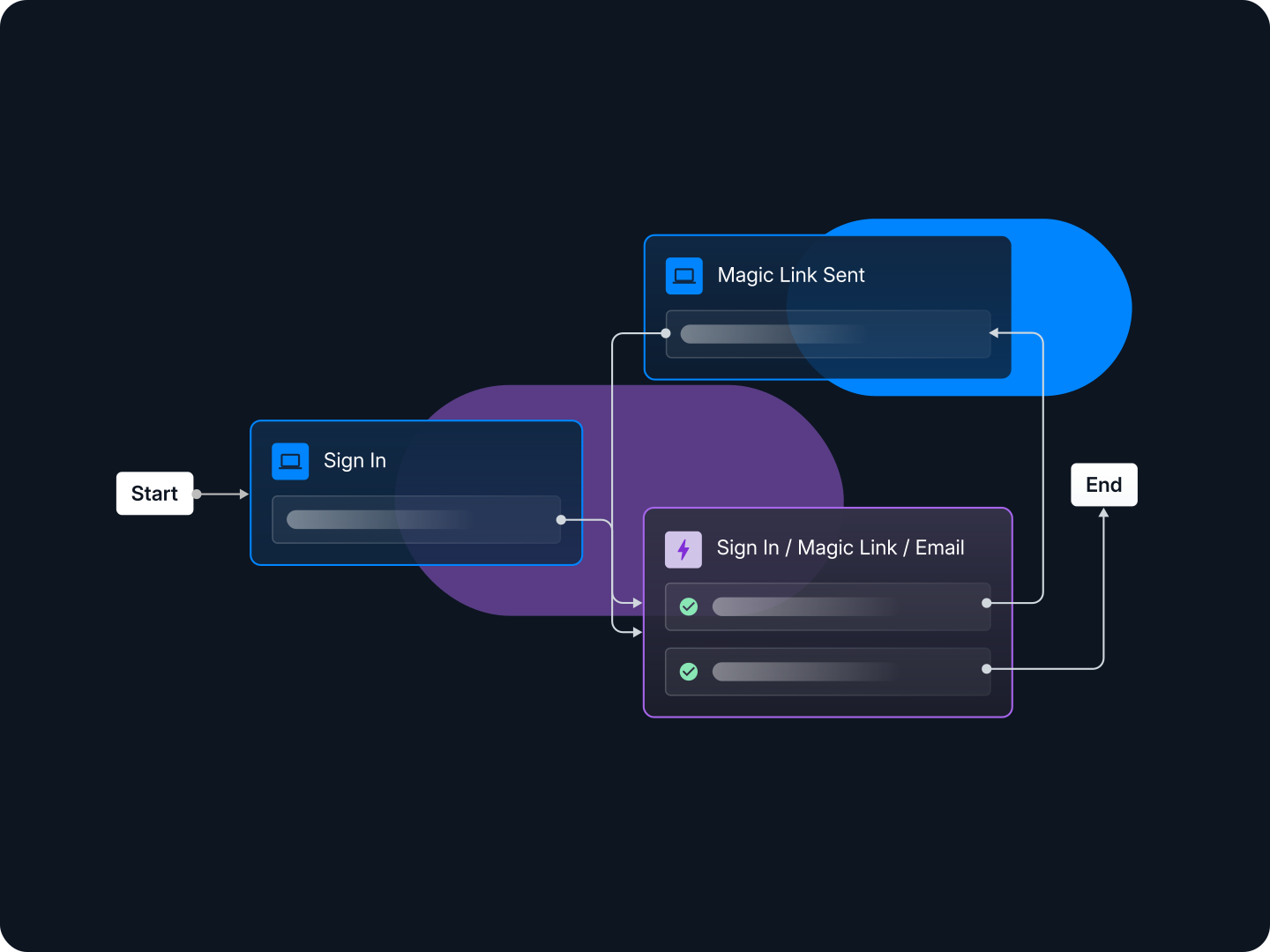
With Descope's no / low code CIAM platform, organizations can not only streamline the user experience across customer-facing applications but also strengthen their defenses against bots, credential stuffing, and password-based attacks. Our visual workflows help hundreds of organizations implement CIAM quickly as well as adapt to changing user needs without modifying the codebase.
Sign up for a Free Forever Descope account to get started on your CIAM journey! Have questions about our platform or an active enterprise project? Book time with our team.