

Table of Contents
Don't have the time to read the entire post? Our human writers will be sad, but we understand. Summarize the post with your preferred LLM here instead.
Biometric authentication validates a person’s identity using a unique physical or behavioral trait—such as a fingerprint, face, iris, or voice—instead of a password. It belongs to the “something you are” or “inherence” authentication factor, and it’s harder to guess, steal, or share than a password or PIN.
You can unlock your iPhone with your face. Your bank verifies million-dollar transfers with a thumb scan. Yet somehow, countless sensitive accounts still rely on traditional credentials, which can be as weak as “Password123!” According to the 2026 Verizon Data Breach Investigations Report, credential abuse still appears at some point in 39% of breaches, more than any other technique the report tracks, highlighting an ongoing need to evolve beyond legacy authentication techniques.
Enter biometric authentication, which identifies users based on who they are rather than what they know, and is quickly becoming the gold standard in user authentication. More than 50% of users now authenticate with biometrics daily, and iProov’s 2026 research found that 55% of consumers say they’d be more likely to use government services online if a secure biometric login were available.
But what is biometric authentication, how does it work, and is it actually that safe? Let’s find out if it’s the right authentication method for your app, website, or software.
Main points
Biometric authentication shifts the paradigm. Instead of relying on knowledge or possession, it verifies users by who they are, making it harder to fake, steal, or forget.
Users want convenience without compromise. Adoption is soaring because biometrics offer fast, secure experiences that reduce friction and abandonment.
At a glance
Biometric authentication verifies identity using a unique physical or behavioral trait, such as a fingerprint, face, iris, or voice, rather than something the user has to remember.
It belongs to the “something you are” or “inherence” authentication factor and is hard to guess, steal, or share, which makes it strong against phishing and password reuse.
The main methods are fingerprint, facial, iris and retina, and voice recognition, with multimodal approaches that combine two or more for higher assurance.
Good systems store biometrics as a mathematical template rather than the raw image. They also keep the trait on the user’s device, as passkeys do, so the biometric itself is never sent to a server.
For apps, biometric login is delivered through passkeys and the WebAuthn standard, where a fingerprint or face unlocks a device-bound key.
Quick facts about biometric authentication
What it is | Verifying identity with a unique physical or behavioral trait instead of a password |
Which factor it belongs to | “Something you are” or the “inherence” factor |
Main types | Fingerprint, facial, iris and retina, and voice recognition, plus multimodal and emerging methods |
How it is stored | As a mathematical template, not the raw image, ideally kept on the user’s device |
Key benefit | Nothing to remember, phish, or reuse across sites |
Main risk | A compromised trait can’t be reset like a password, so template protection and on-device storage matter |
What is biometric authentication?
Biometric authentication is a type of inherence-based authentication that validates a person’s identity using their unique biological or behavioral characteristics. These characteristics make up “what” or “who” you are, often referred to as the inherence factor in authentication lingo. This shift from “what you know” (knowledge factor) or “what you have” (possession factor) represents a move from vulnerable, perishable credentials to intrinsic human traits that are virtually impossible to replicate.
The core principles of biometric authentication are as follows:
Uniqueness: Every person’s biometric traits are distinct. Fingerprint patterns, facial geometry, iris structure, and vocal characteristics are as individual as DNA. Even identical twins have different fingerprints and iris patterns!
Permanence (or immutability): Unlike passwords, biometric traits don’t change significantly over time. Barring serious injury, biometrics remain consistent throughout life, making them reliable long-term identifiers.
Measurability: Advanced sensors can capture and digitize these characteristics into strings of data. While humans might compare fingerprints visually, machines verify biometrics against what are essentially long sets of numbers, which both protects biometric data from being copied, and ensures a highly precise comparison.
Universality: Nearly everyone possesses the basic biometric traits (fingerprints, face, voice) necessary to authenticate, making the technology widely applicable across global populations.
Acceptability: Ideally, the collection and use of biometric data doesn’t raise concerns or objections from users; it should be convenient and unintrusive (e.g., not a DNA swab).
Consider a real-world example of biometric authentication in action using Apple’s Face ID. When first set up, infrared sensors project over 30,000 invisible dots to form a depth map of the user’s unique face, measuring the precise distance between the eyes, the curve of the nose, and the contours of the cheekbones.
This creates a mathematical model stored in a dedicated part of the user’s device called the Secure Enclave. Each time the user looks at their phone to unlock it, the system captures a new scan, compares it to the original stored template, and grants access when everything matches.
How does biometric authentication work?
Biometric authentication works by capturing a physical or behavioral trait with a sensor, converting it into a protected mathematical template, storing that template securely, and comparing it against a fresh reading each time the user tries to log in. Using biometrics for authentication this way means the system never needs to store or transmit anything a user has to remember, since the comparison happens entirely against a mathematical representation of the trait itself.
To understand how this secures a user’s digital identity, let’s follow the journey of a fingerprint scan on a smartphone, from the moment the user first sets it up to each daily unlock.
Capture: A sensor (e.g. capacitive fingerprint scanner, infrared camera, microphone) reads the user’s trait.
Template creation: The system extracts unique characteristics from that reading and converts them into a mathematical model, discarding the raw image.
Storage: The resulting template is stored securely, ideally within a secure enclave or trusted execution environment on the user’s own device.
Matching at login: Each future login captures a fresh reading and compares it against the stored template, granting access when the two match.
Core components
Biometric systems rely on three essential components working in harmony:
Sensor: Captures the user’s biological data (capacitive scanners for fingerprints, infrared cameras for faces, microphones for voice)
Storage: Securely stores their biometric template locally on their device or in encrypted databases
Processor: Compares new scans against stored templates using sophisticated matching algorithms
Raw data vs. templates
When the user first registers their fingerprint, the system doesn’t store a raw image. Instead, it extracts unique characteristics: ridge patterns, minutiae points (where the ridge lines end or fork), and spatial relationships. These patterns are converted into a mathematical model, typically 1 to 2 kilobytes of encrypted data stored in a secure environment. Their actual biometric data (the high-resolution fingerprint image) is captured, processed, and immediately discarded. Only the mathematical representation, known as a template, is kept for later comparison.
The template creation process involves one-way transformations and feature extraction that result in significant information loss. While it’s not technically impossible to rebuild a fingerprint image from a template, the gaps in data make an attempt computationally difficult. Meanwhile, the pixel-level detail needed to reproduce actual ridge patterns simply isn’t there anymore.
On-device vs. server-side storage
Once the biometric template is created, the next decision is where to store it. Modern implementations increasingly favor on-device storage, where the template stays within a secure enclave or trusted execution environment (TEE) on the user’s device. This setup keeps biometric data local to the hardware, which reduces the risk of interception or mass data breaches.
In contrast, server-side storage involves transmitting the biometric template to a centralized database for storage and matching. While this approach can simplify multi-device authentication or enterprise-wide management, it also creates a high-value target. A breach could expose many users’ biometric templates at once, data that, unlike passwords, cannot be changed.
Some enterprise and government systems still rely on server-side matching because it lets them authenticate the same person consistently across many devices and locations, but that convenience comes with the tradeoff of a single point of failure for every enrolled user’s biometric data.
On-device storage aligns more closely with privacy-by-design principles and is now the standard for consumer devices like smartphones and laptops. It supports faster authentication, reduces network dependencies, and makes spoofing attempts significantly harder by keeping matching operations local to the device. This is why technologies like Apple’s Touch ID and Face ID, as well as Android’s BiometricPrompt API, are built around on-device processing.
Biometric authentication methods
There are multiple types of biometric authentication in use today, with ongoing research to develop new and more sophisticated approaches. The table below compares the most common methods:
Method | How it works | Accuracy | Common use | User friction |
|---|---|---|---|---|
Fingerprint | Maps the ridges and patterns of a finger and compares them to a stored template | Very high on modern sensors | Unlocking devices, banking apps, payments | Low |
Facial recognition | Maps roughly 80 facial nodal points into an encrypted digital model | Very high on leading systems, though accuracy can vary by demographic | Unlocking phones, quick app logins | Low |
Iris/retina | Analyzes the colored rings of the iris or blood vessel patterns in the retina using infrared light | Extremely high, very low false match rate | Government and high-security facilities | Medium |
Voice | Builds a profile of vocal tone, pitch, and accent | Moderate, sensitive to noise and impersonation | Call center verification, digital assistants | Low |
Multimodal | Combines two or more biometric identifiers for a single decision | Higher than any single method alone | High-security enterprise and government systems | Medium |
Fingerprints
Fingerprint authentication uses the unique ridges and patterns of a person’s fingerprint to validate their identity. The proliferation of electronic devices with fingerprint scanners has made this one of the most widely adopted biometric methods.

Facial recognition
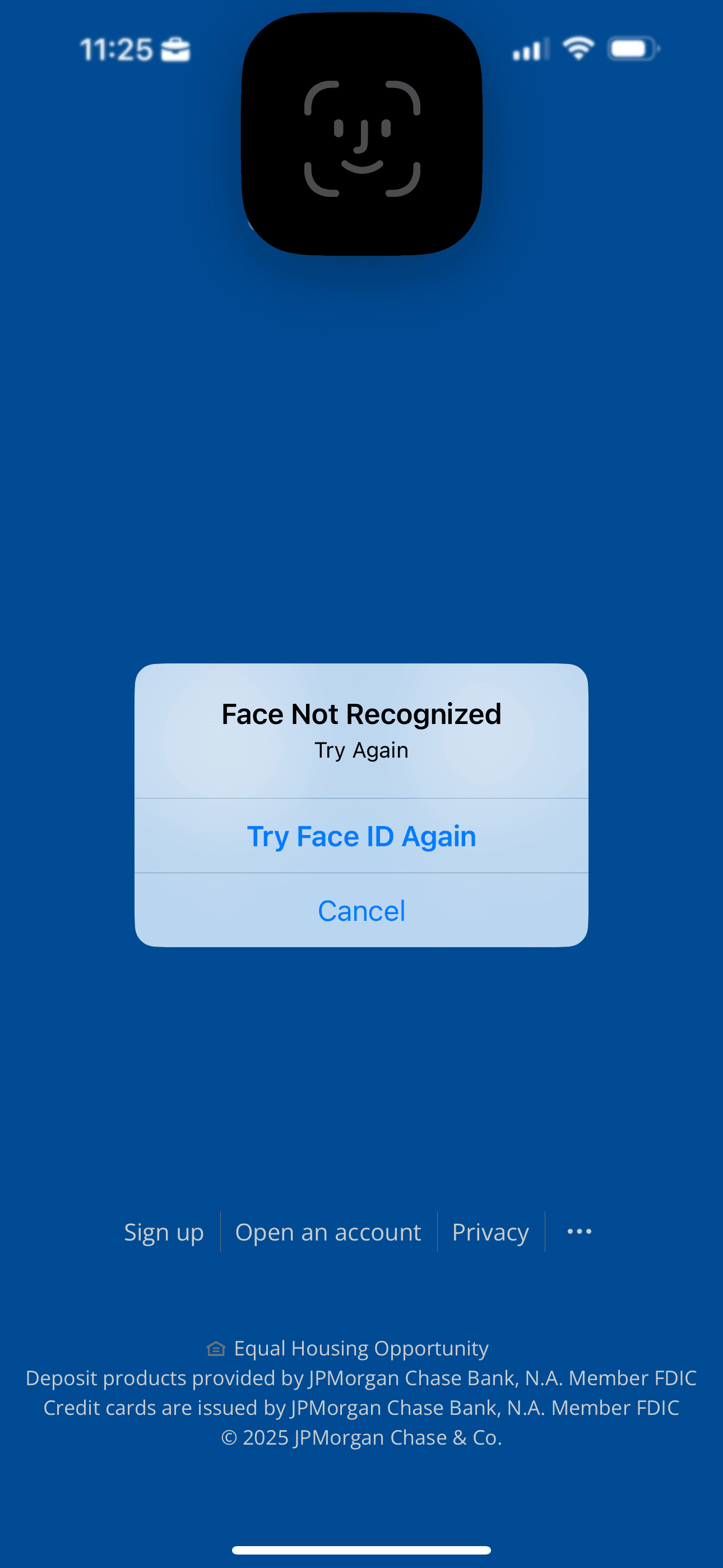
Facial recognition systems analyze the unique characteristics and geometry of a person’s face to confirm their identity. Each human face has around 80 nodal points, including the distance between the eyes, the width of the nose, and the length of the jawline. Scanners convert these nodal points into a faceprint, an encrypted digital model, and advanced systems perform “liveness detection” to prevent spoofing attempts using static images.
Iris/retina scans
Iris and retina scans involve the analysis of unique eye features for authentication. Retina scans analyze the distinctive pattern of blood vessels around the eye, while iris scans analyze the colored rings found within the iris. Eye scans are accurate but tricky to implement, since they need infrared light sources, compatible cameras, and controlled lighting conditions.
Voice authentication
Voice recognition technologies analyze the unique tone, pitch, and accent of a person’s voice to validate their identity. Like facial recognition, voice authentication systems can use liveness tests for additional security to prevent spoofing attempts.
Multimodal authentication
Similar to multi-factor authentication (MFA), multimodal biometric authentication combines two or more biometric identifiers, such as fingerprint, face, voice, or iris, to verify a user’s identity. This overcomes the limitations of any single method alone and is a strong fit for organizations that need heightened security.
Emerging biometric authentication methods
Gait recognition, vein recognition, and keystroke dynamics are newer, less widely deployed approaches worth knowing about. Gait recognition analyzes a person’s stride and posture; vein recognition maps the blood vessels beneath the skin, most often in the palm; and keystroke dynamics tracks typing patterns as a supplemental signal rather than a standalone method. The biometric authentication methods guide covers each of these in more depth.
The present and future of biometric authentication
Let’s shed some light on some key factors driving the rising prominence of biometric authentication approaches.
Biometric scanners are everywhere
The global popularity of smartphones with built-in fingerprint and facial recognition has brought biometric authentication into the mainstream. As major tech companies like Apple, Google, and Samsung continue to refine and expand their biometric offerings, adoption of these technologies is expected to keep climbing.
Password challenges
The prevalence of passwords in online activities has introduced user friction and security challenges. Users often struggle to create and remember strong, unique passwords for multiple accounts. Forgotten passwords lead to user drop-off and complex reset procedures. Reusing passwords across accounts elevates the risk of credential stuffing and account takeover. The 2026 Verizon DBIR found that users are more than four times as likely to be reusing a password that’s already been exposed in a prior breach than a merely weak one, which is exactly the kind of behavior biometrics sidestep entirely.
In contrast, biometric authentication provides a more secure and convenient alternative. Fingerprint or face recognition scans are quicker than typing passwords and eliminate the need for users to remember complex passwords, reducing user churn and drop-offs.
The passkeys shift
Biometrics-enabled devices ignited biometric authentication, while the Web Authentication API (WebAuthn), Fast Identity Online (FIDO2), and passkeys are accelerating its adoption.
Here’s how it works: passkeys are an authentication method based on FIDO2, an open standard built on WebAuthn and the Client to Authenticator Protocol (CTAP). Passkeys offer a simple and reliable way to implement these different auth protocols in one package. Previously, web authentication with biometrics wasn’t as standardized, which made both implementation and educating new users difficult.
Passkeys have skyrocketed in adoption. According to the FIDO Alliance’s State of Passkeys 2026 report, an estimated 5 billion passkeys are now in use worldwide, 90% of consumers are aware of passkeys, and 75% have enabled one on at least one account.
Looking for a way to test your WebAuthn flows? Check out Virtual WebAuthn, a set of Go tools that help developers test WebAuthn flows without needing a browser or an actual authenticator.
Privacy considerations
Privacy concerns surrounding biometric authentication have led to a growing patchwork of state-level regulation. Illinois, Texas, and Washington have dedicated biometric privacy statutes, led by Illinois’s Biometric Information Privacy Act (BIPA), which includes a private right of action and damages for violations. Roughly twenty additional states now protect biometric data as sensitive information under broader consumer privacy laws, and Louisiana became the newest state to pass a broad privacy law covering biometric data in May 2026.
Given these fragmented and still-evolving rules, businesses should ensure their data practices align with the requirements in every state where they have users, particularly if they collect fingerprints, face scans, or voiceprints.
FIDO Certified biometric authentication solutions prioritize privacy even further. They ensure that biometric information is never stored on servers; instead, it is encrypted and locally stored on the user’s device.
Also read: Passwordless Authentication 101
Pros and cons of biometric authentication
Biometric authentication is the key to enhanced security and user convenience, but like any technology, it comes with its own set of advantages and considerations.
Advantages
Enhanced security. Biometric authentication, rooted in “who users are,” is significantly more resistant to theft and misuse than passwords, PIN codes, and other knowledge-based authentication methods. Using biometric authentication based on WebAuthn also ensures that user secrets remain secure, reducing the potential attack surface.
Improved user experience. Utilizing a fingerprint scanner or glancing at a camera for biometric authentication is considerably faster than manually entering credentials. Additionally, biometric authentication doesn’t require users to create and memorize passwords, reducing churn and drop-off rates.
Widespread adoption. Biometrics are built into everyday electronic devices and used by a wide range of applications, and multiple surveys have found that users prefer them over passwords for the convenience alone. Nearly every modern smartphone, laptop, and tablet now ships with a fingerprint sensor, front-facing camera, or both, so most users already have the hardware needed to authenticate biometrically without buying anything new.
Considerations and risks
Failed authentication in edge cases. Despite the immutability of an individual’s biometrics, certain conditions can result in failed authentication. For instance, fingerprint sensors may not function well with wet or dirty hands, or voice recognition may fail if the user has a sore throat. Good implementations always include a fallback method, such as a PIN or passkey, so a temporary sensor failure never locks a legitimate user out entirely.
Potential training data bias. Facial recognition training data has historically underrepresented some demographic groups, leading to identification inaccuracies. Recent research suggests the picture is more complex than demographics alone: factors like image quality, lighting, and even facial hair or hairstyle can influence accuracy as much as, or more than, race or gender. While the most accurate systems show much smaller gaps than older benchmarks found, vendors are actively working to close the remaining gap. Independent benchmarks such as NIST’s Face Recognition Vendor Test give buyers a way to compare how different systems perform across demographic groups before choosing one.
Inability to reset biometrics. Unlike passwords, which can be changed if compromised, biometric data cannot be altered if stolen. Thus, it is vital to store user biometric data locally rather than on centralized servers.
Biometric authentication use cases
Biometrics authentication now touches far more than device unlocks. Here are some examples of how different biometric methods are used today, and how biometrically authenticated flows show up across industries.
Use case | Fingerprints | Facial recognition | Retina/iris | Voice recognition |
|---|---|---|---|---|
Identity verification | Yes | Yes | Yes | Yes |
Financial transactions | Yes | Yes |
| Yes |
Computer security | Yes | Yes |
| Yes |
Law enforcement | Yes | Yes |
| Yes |
Smartphone unlocking | Yes | Yes |
| Yes |
Passport/visa verification | Yes | Yes | Yes | |
Airport security | Yes | Yes | Yes | |
Ecommerce security | Yes | Yes | ||
Healthcare patient ID | Yes | Yes | Yes | |
Ecommerce payments | Yes | Yes | ||
Attendance tracking | Yes | Yes | ||
Access control | Yes | Yes | ||
Mobile payments | Yes | Yes |
| Yes |
Vehicle unlocking | Yes | Yes | ||
Safes and locks | Yes | |||
Social media tagging |
| Yes |
How to add biometric auth to your app
Biometric login in a web or mobile app is delivered through passkeys and the WebAuthn standard, where a fingerprint or face scan unlocks a device-bound key rather than sending the biometric itself anywhere. Adding it typically follows a few steps:
Register a credential at signup, confirmed with a fingerprint, face scan, or device PIN.
Store the resulting key on the user’s device rather than on a server.
Verify the credential at each login, checking a fresh biometric reading against the same device-bound key.
Fall back gracefully for devices or browsers that don’t support the method.
Most teams don’t build this from scratch, since handling registration ceremonies, attestation, and cross-device fallbacks correctly is a meaningful engineering lift. Descope adds biometric login to a React, Next.js, or any other customer-facing app through its SDKs and drag-and-drop flows, alongside its passkeys and FIDO2 support. Using Descope’s abstraction layers ensure that a fingerprint or face scan can replace a password for your app’s login without your team building the underlying protocol work.
Learn More: Developers’ Guide to Passkey Implementation
No / low code biometric auth with Descope
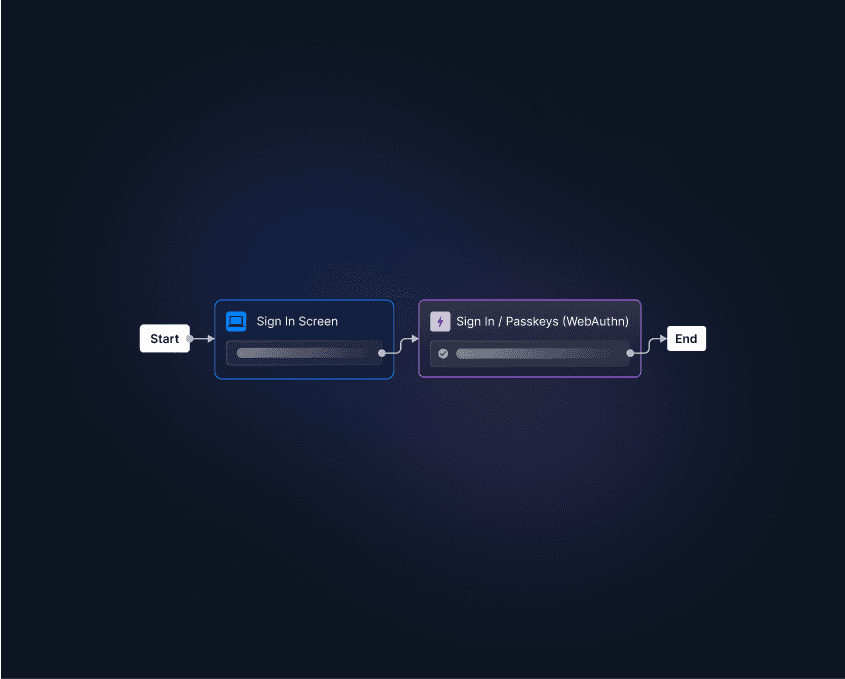
Descope lets teams add biometrics to their apps through visual workflows rather than building WebAuthn by hand. You can use biometrics for strong MFA, add passkey authentication with autofill and backup, or layer biometrics on as a second factor after registration, all without custom implementation work. Whether you need standalone biometric authentication or biometrics as part of a broader MFA flow, the same no-code workflows cover both.
Sign up for a Free Forever account to start using Descope today, or book time with our auth experts if you have questions first.