
Table of Contents
Don't have the time to read the entire post? Our human writers will be sad, but we understand. Summarize the post with your preferred LLM here instead.
B2B CIAM platforms typically treat each user as a single global identity that belongs to one or more tenants. For most SaaS products, that model is the right one. But a growing category of products breaks this assumption: white-label resellers, franchise networks, and regulated multi-brand operations all need two different tenants to produce two completely independent accounts for one user.
Tenant-level users is a project-scoped setting that allows you to address this requirement using Descope. In this blog, we’ll cover:
How shared-user and tenant-level user models differ
Use cases that benefit from tenant-level isolation
Where it synergizes with other enterprise readiness features
When to turn it on (and when not to)
How Descope models users and tenants
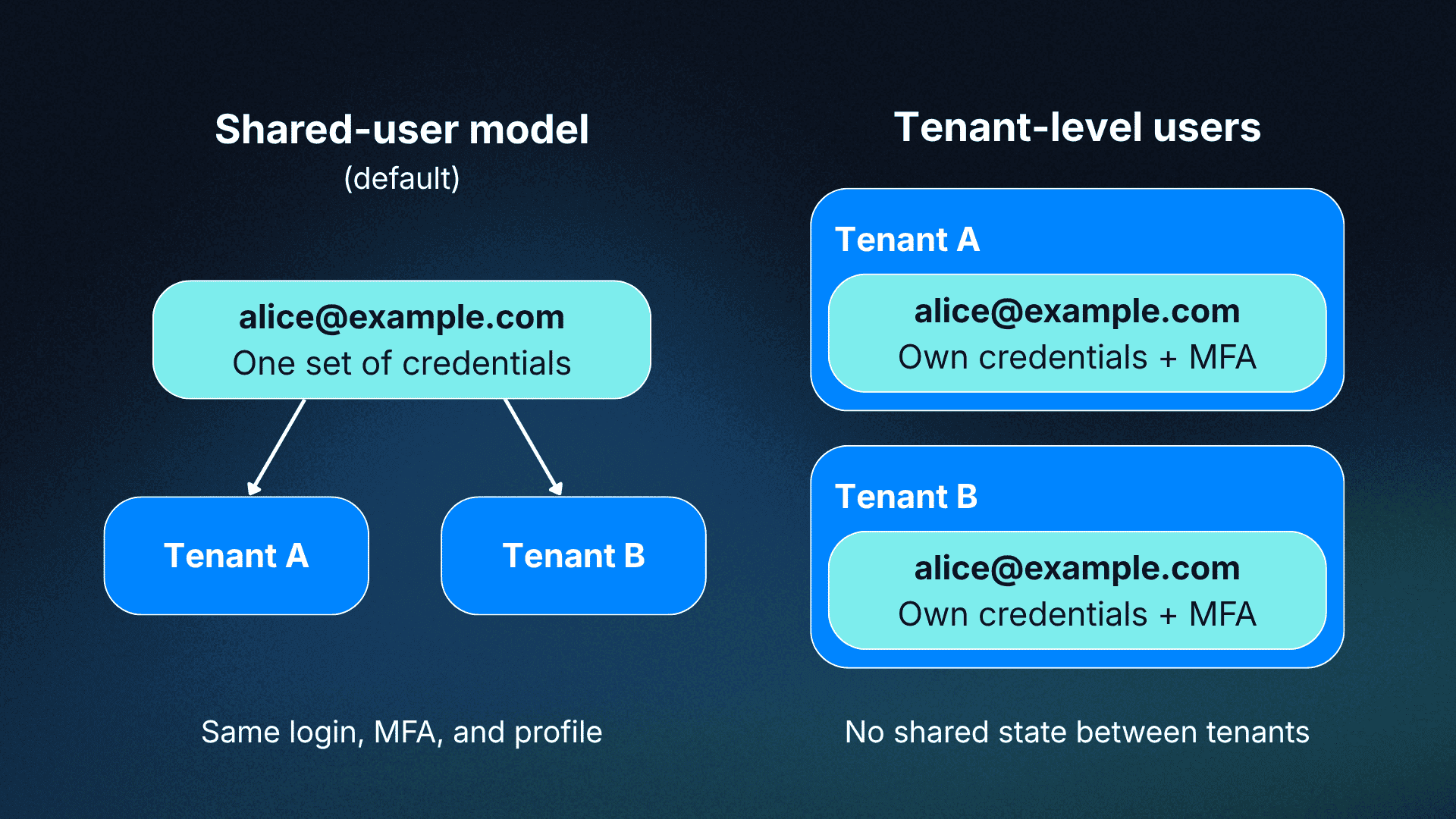
Descope’s default B2B authentication model handles user identity at the project level. Tenants represent the organizations your customers belong to, such as companies, teams, or business units, and a single user can be associated with one or more of them. That user carries the same credentials, MFA enrollment, and profile across every tenant they belong to.
This is the shared-user model. When alice@example.com authenticates through Tenant A and later joins Tenant B, she logs in with the same password or passkey, sees the same MFA prompt, and appears in both tenant directories as one person. What carries over per tenant is authorization: which tenants she can access and what roles she holds in each. Her identity is singular.
This makes sense for the majority of SaaS products: your customers’ users move between workspaces or teams within your product, and a unified identity makes that experience seamless. Descope’s multi-tenant architecture handles the authorization layer, with per-tenant SSO, role-based access control (RBAC), and SCIM provisioning, all while keeping identity consistent.
Some products need the identity itself to be isolated, however, not just the authorization around it. For organizations in this scenario, Descope’s tenant-level isolation is the solution.
Tenant-level users
Tenant-level users can be enabled by navigating to your Project Settings in the Descope Console and ticking the box under Tenant User Isolation labeled “Isolate users per tenant.” This project-level toggle flips Descope's identity model from being shared across tenants to fully isolated per tenant.

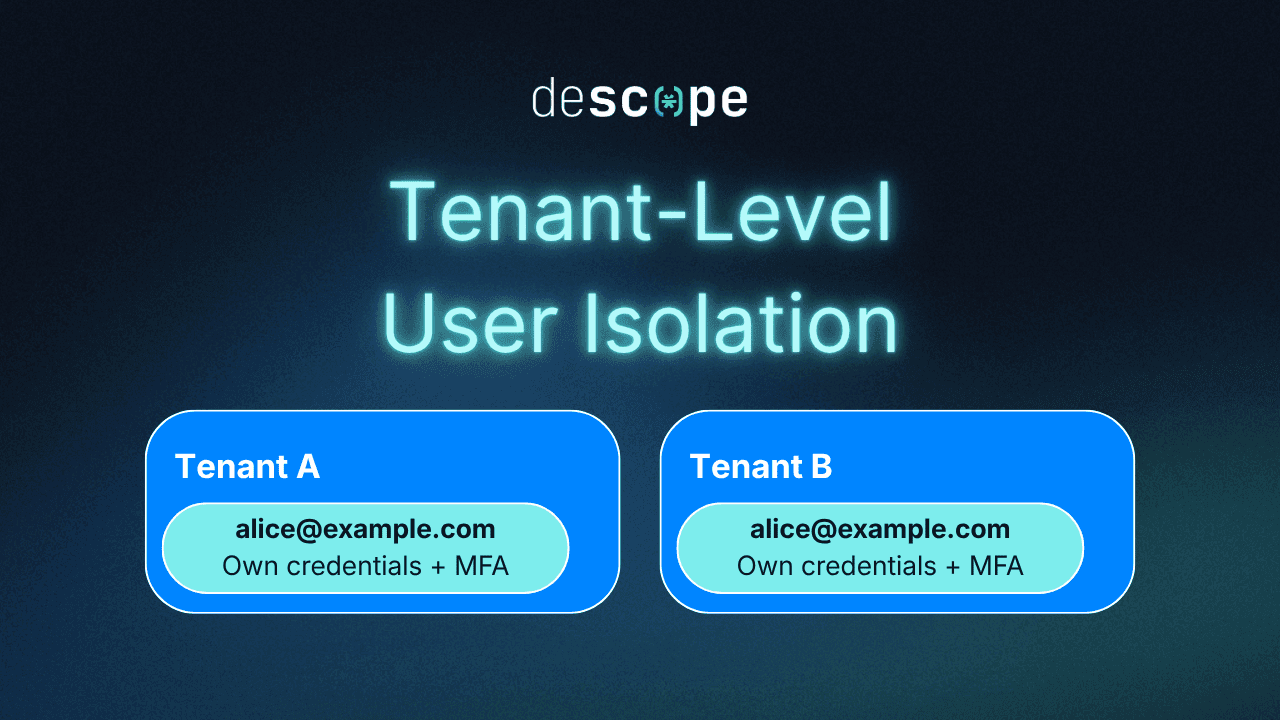
With the setting enabled, the same login ID (alice@example.com) becomes a separate user in each tenant, with independent credentials, MFA state, profile, and history.
Changing this setting doesn’t disable any of the B2B authentication features Descope offers (SCIM, SSO, adaptive MFA). The toggle simply rewires what "user" means under the hood without forcing you to rebuild anything on top.
When full isolation matters
White-label resellers: A platform that sells a rebranded version of itself to dozens of partners needs each partner's user base to be sovereign. Partner A's users should have no visibility into Partner B's, even if someone holds accounts in both.
Franchise / multi-brand SaaS: A holding company running multiple brands on one codebase faces both a compliance and a UX problem: Brand A and Brand B may share infrastructure, but their customers cannot share accounts.
Regulated B2B2X (healthcare, financial services, public sector): Healthcare platforms selling to hospital systems, and fintechs selling to banks, often operate under data residency requirements that treat each downstream client as a discrete data controller. The same person working for two of those clients needs two isolated accounts.
Holding-company / acquisition rollups: Companies growing through M&A regularly absorb new customer bases that arrive with their own identity assumptions. Tenant-level users lets you onboard an acquired customer as a new tenant rather than treating them as a migration project.
How it fits with Descope’s enterprise readiness suite
Tenant-level users sits cleanly on top of the rest of the Enterprise Readiness Suite. Single sign-on (SSO), adaptive MFA, RBAC and fine-grained authorization (FGA), and SCIM provisioning all continue to work at the tenant level. The user records that these policies govern are simply isolated per-tenant rather than shared.
It pairs with delegated administration and the embeddable Admin Portal so each tenant admin manages their own user lifecycle without touching another tenant's data. From the operator's side, one project still means one audit trail, one set of Flows, and one billing surface, with tenant-grade isolation underneath.
When to turn it on (and when not to)
The right choice depends on whether your tenants share users or own them.
Turn it on for scenarios where tenants should never share user state: resellers, white-label platforms, regulated isolation requirements, and any scenario where the same email address at two tenants should produce two independent accounts with no shared credentials.
Leave it off when you want a single person to fluidly switch between organizations without re-authenticating. The classic B2B SaaS model (Slack workspaces, Notion teams, Github Organizations) runs better on a shared-user basis. That stays the Descope default and is the right call for most products.
The setting is project-level, so the decision is architectural. The question to ask: when alice@example.com registers at Tenant A and registers again at Tenant B, should she share credentials and MFA state, or start fresh in each tenant?
If the answer is to start fresh, turn it on.
Getting started
Descope customers across healthcare, security, and revenue infrastructure have already run into the multi-tenant isolation problem.
SmithRx, 6sense, Collabrios Health, and Reco have each built on Descope's B2B authentication foundation. Tenant-level users extends that foundation to the cases where downstream clients require sovereign identity stores, not just tenant membership.
Tenant-level users are available now. If your architecture fits the patterns above, sign up for a Free Forever account to start building, or book a demo to walk through the feature with the team.